


Label voiding on FedEx for cancelled orders: where the unused label fees leak
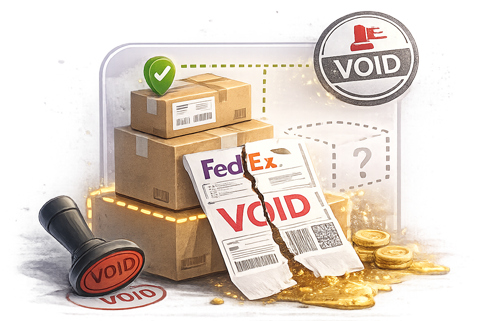
A DTC apparel brand on Shopify reconciles its monthly FedEx invoice line-by-line against its order export. The brand’s finance team finds 247 line items totaling $3,418 that match generated labels but don’t match any actually-shipped orders. The labels were generated against orders that the buyers cancelled before pickup, or against duplicate fulfillment workflows that created the label twice, or against orders that the support team voided after the label printed. The labels stayed in the FedEx system as “unused but billable” because nobody called the Cancel Shipment API. The merchant pays $3,418 for labels that never shipped a package and then spends 4-5 hours of finance time recovering the credits through customer service.
The carrier-side workflow handles label voiding cleanly. FedEx supports programmatic void through the Cancel Shipment API endpoint for labels within the eligible void window. The integration layer is where the void call either fires automatically on the order-cancellation event or stays dormant while the label sits in billable status. For DTC merchants with cancellation rates in the typical 3-6% range, the unvoided label charges accumulate fast enough to matter against the operating margin.
This article describes what label voiding actually requires, where the workflow consistently breaks for DTC merchants, and what the integration needs to do for unused labels to clean themselves up automatically.
A FedEx label generated through the Ship API enters the FedEx billing system at generation time. The label fee logs against the merchant’s FedEx account as a pending charge. If the label gets used (the package picks up and ships), the charge stays on the invoice as a normal shipping fee. If the label doesn’t get used and the merchant doesn’t void it within the void window, the charge stays on the invoice as a billable line item for an unused label.
The FedEx Cancel Shipment API endpoint supports programmatic void:
For void to work end-to-end at scale, the integration needs to call the Cancel Shipment endpoint on every order-cancellation event where a label has been generated, capture the void confirmation, and update the order record with the void status.
The void window matters. Labels voided before pickup scan are usually fully refunded. Labels voided after pickup scan but within the post-pickup window are sometimes refundable depending on service tier and account configuration. Labels voided after the post-pickup window are typically not refundable. Integration-layer void triggered on the order-cancellation event (which usually fires fast after the buyer cancels) lands within the high-confidence refund window for most cancellations.
Three patterns show up consistently across DTC merchants on FedEx:
1. Cancel Shipment API not called on order cancellation event. The most common failure. The merchant’s order management system marks the order Cancelled, but the integration doesn’t fire the FedEx Cancel Shipment API call. The label stays in the unused-but-billable state; the merchant pays the label fee at month-end; finance recovers the credit manually through FedEx customer service. At any meaningful cancellation volume, the operations time and the leaked label fees accumulate. The fix is integration-layer Cancel Shipment API call triggered automatically on the order-cancellation event when the order has a generated label.
2. Void called but confirmation not captured on the order. A subtler failure. The merchant’s integration fires the Cancel Shipment API call but doesn’t capture the void confirmation back to the order record. The order shows Cancelled status; the void status on the label doesn’t appear anywhere in the merchant admin. When finance reviews the FedEx invoice and finds the voided line item, they can’t trace it back to a specific cancellation event because the order record doesn’t carry the void confirmation. Reconciliation works at the aggregate level but doesn’t trace per-order. The fix is void-confirmation capture on the order record with timestamps and FedEx void reference IDs.
3. Void attempted outside the eligibility window. A specific failure mode. The merchant’s integration triggers the void call too late — after the label has been scanned at pickup, after the package has entered the FedEx network, or after the post-pickup void window has closed. The void fails; the label stays billable; the merchant pays for a label that did get used (in some cases) or sits billable while the package is in transit (in worse cases, especially if stop-shipment recall is also failing — see BLOG-T45). The fix is void-window awareness in the integration with appropriate fallback to stop-shipment workflow for in-transit packages.
These three patterns explain most of the gap between merchants who “void cancelled labels” and merchants whose label-void workflow recovers material fees without finance time per cancellation.
The workflow that doesn’t break triggers the FedEx Cancel Shipment API call automatically on the order-cancellation event when the order has a generated FedEx label. The void confirmation captures on the order record with timestamps and FedEx void reference IDs. The audit trail shows every void attempt and outcome against every cancelled order. The FedEx month-end invoice reconciles cleanly against the order export with voided line items matching cancellation events. Finance time on FedEx invoice reconciliation drops; recovered label fees stay on the merchant’s books instead of leaking through unvoided labels.
For DTC merchants with cancellation rates above 3% of order volume — apparel, beauty, supplements, gift categories with frequent cancellations or order edits — the difference between integration-layer automated label voiding and manual-only void workflow shows up directly in the FedEx invoice reconciliation workload and in the recovered label fees per month.
Label voiding is one slice of the broader cancellation workflow, alongside stop-shipment recall for in-transit packages (BLOG-T45) and returns workflow for delivered orders (BLOG-T24). For FedEx Billing and Operations and the integrator partner network, automated label voiding is one of the cleaner workflow improvements available — the Cancel Shipment API endpoint exists, the void window is well-defined, and the integration-layer adoption across Shopify and WooCommerce multi-carrier apps is uneven.
Happy to connect with anyone on the FedEx Billing / Operations product team side exploring label-void workflow automation further.
This article reflects patterns observed across PluginHive’s DTC merchant base on FedEx. FedEx Cancel Shipment API endpoint behavior, label void eligibility windows, post-pickup void eligibility rules, and invoice reconciliation conventions should be verified against current FedEx Developer (fdx) documentation and FedEx Billing guidance before commercial commitments.
PluginHive shipping solutions for FedEx integration on WooCommerce and Shopify.

Direct FedEx integration for WooCommerce — addresses the workflow gaps covered in this article.
Shopify app with native FedEx integration — addresses the workflow gaps covered in this article.
Multi-carrier label generation for Shopify across FedEx and other carriers — addresses the workflow gaps covered in this article.