


Multi-warehouse FedEx zone routing on Shopify and WooCommerce: origin selection at order capture
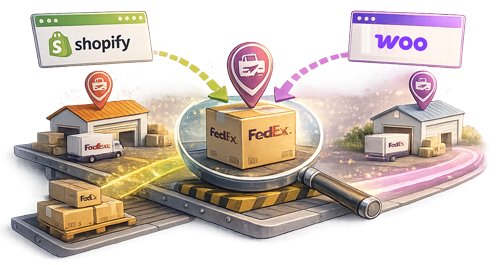
A DTC home-goods brand operates three fulfillment warehouses — one in Reno, one in Memphis, one in Allentown. Each holds overlapping inventory for the brand’s top 200 SKUs plus regional-specific stock. The brand’s Shopify integration was configured at setup with the Reno warehouse as the default FedEx origin. An order for a top-200 SKU comes in from a buyer in Charlotte; the integration generates the label from Reno; the shipment routes FedEx Ground at Zone 7. The Memphis warehouse — closer to Charlotte by ~600 miles, with the SKU in stock — wasn’t considered at the routing step. The same order from Memphis would have routed at Zone 4 with a per-shipment rate roughly $4.50 lower.
Across the brand’s monthly volume of ~25,000 orders, the share of orders routing through the wrong-zone warehouse compounds into meaningful per-month shipping cost above what zone-aware routing would have produced. The brand’s WMS knows inventory positions across all three warehouses. The brand’s Shopify storefront accepts orders from all geographies. The integration layer between them is where origin selection happens — and where most multi-carrier shipping apps default to a single configured warehouse rather than evaluating origin-by-destination per order.
This article describes what zone-aware multi-warehouse routing actually requires, where the workflow consistently breaks for enterprise merchants, and what the integration needs to do for origin selection to flow per order based on inventory + proximity.
A complete multi-warehouse routing workflow has four components:
These components map to standard merchant systems. The WMS or order-management system holds inventory positions. The FedEx Rate API returns zone calculations per origin / destination pair. The Ship API accepts origin per shipment cleanly. The integration layer is where the components either connect into a routing workflow or operate as separate processes.
For most enterprise merchants with multiple warehouses, the components exist independently in their tech stack but don’t connect through the shipping integration. The result is single-warehouse-default shipping while inventory rebalancing happens reactively rather than proactively.
Three patterns show up consistently across enterprise merchants with multiple warehouses:
1. Single-origin default in the integration. The most common failure. The merchant’s shipping integration was configured at setup with one warehouse as the default FedEx origin. Every order ships from that warehouse regardless of inventory across other locations or destination proximity. The integration doesn’t query the WMS for available inventory; it doesn’t calculate zone alternatives per origin. The merchant either accepts the suboptimal zone routing or builds a parallel routing workflow outside the integration. The fix is multi-origin support at the integration’s settings level — multiple FedEx pickup locations and origin ZIPs stored per merchant, with routing rules per order context.
2. Manual per-order origin override. A common partial fix. The merchant’s operations team manually overrides the origin per order at fulfillment time, based on knowledge of inventory and destination. Works at small volume; breaks at scale. The fulfillment team can’t manually optimize 5,000+ orders per day, so the overrides happen on the obvious cases (high-AOV orders, problematic destinations) and the bulk of orders ship from the default warehouse anyway. The fix is automated routing logic, with manual override available for exceptions but the default behavior optimizing per order.
3. Routing logic ignores inventory at the routing step. A subtler failure for merchants who have automated multi-origin support but don’t connect it to inventory data. The integration picks the closest warehouse to the destination without checking whether that warehouse has the SKU in stock. The closest-warehouse selection gets made; the order routes to fulfillment at that warehouse; the warehouse can’t fulfill because the SKU is out of stock; the order falls back to another warehouse with stock — but now the fulfillment time is delayed and the zone may not even be optimal. The fix is inventory-aware routing — the routing decision considers both inventory availability and zone proximity together.
These three patterns explain most of the operational gap between merchants who “have multiple warehouses” and merchants whose per-order routing actually optimizes for both fulfillment speed and shipping cost.
The workflow that doesn’t break queries inventory across all warehouses at the order-capture step, calculates FedEx zone-to-destination per warehouse with available stock, picks the warehouse based on configured routing rules (typically closest-with-inventory, but configurable for cost-vs-speed trade-offs), and writes the chosen warehouse’s pickup address and origin ZIP to the FedEx Ship API call.
For enterprise merchants — DTC brands at $50M+ revenue running 3+ warehouses, B2B / DTC hybrids splitting wholesale fulfillment from consumer fulfillment, brands managing regional fulfillment for specific product lines — the difference between integration-layer zone-aware routing and single-origin-default flow shows up directly in per-month shipping spend, in inventory turnover across warehouses, and in delivery-time consistency across the merchant’s geographic footprint.
Multi-warehouse routing is one slice of the broader enterprise-fulfillment picture. The full picture includes multi-account FedEx routing (BLOG-T20 — different negotiated rates per account or per warehouse), the Comprehensive Rate vs Standard Rate endpoint distinction (BLOG-10 — negotiated rates flowing at checkout), and the carrier-API ↔ eCommerce UX gap broadly (BLOG-T21).
For FedEx Enterprise Account team and Compatible Solutions Program, multi-warehouse routing is one of the workflow areas where the carrier-side capability supports more than most multi-carrier shipping apps expose. The Ship API accepts per-shipment origin cleanly; the Rate API returns zone calculations per origin / destination pair; the integration layer is where the routing decision either happens automatically or doesn’t.
Multi-warehouse origin routing automation still feels like one of the under-built capability areas across Shopify and WooCommerce shipping infrastructure for enterprise merchants.
Multi-warehouse routing also benefits from per-origin FedEx-account configuration where the merchant operates separate FedEx accounts at each warehouse (negotiated rates, regional pickup arrangements, local-station relationships). The integration layer needs to map origin selection to account selection so the rate quote and the label generation both use the right account context. This pairs cleanly with the multi-account workflow described in BLOG-T20, where the integration carries the account selection through label generation, tracking, and invoice reconciliation without operator intervention on a per-order basis.
Happy to connect with anyone on the FedEx Enterprise / Compatible Solutions side exploring multi-warehouse routing automation further.
This article reflects patterns observed across PluginHive’s enterprise multi-warehouse merchant base on FedEx. FedEx zone calculation specifics, multi-origin Ship API handling, and account-level pickup-location configuration should be verified against current FedEx Developer (fdx) documentation before commercial commitments.
PluginHive shipping solutions for FedEx integration on WooCommerce and Shopify.

Direct FedEx integration for WooCommerce — addresses the workflow gaps covered in this article.
Shopify app with native FedEx integration — addresses the workflow gaps covered in this article.
Multi-carrier label generation for Shopify across FedEx and other carriers — addresses the workflow gaps covered in this article.