


AMEA Regional Economy vs International Connect Plus on FedEx: when each service tier actually fits
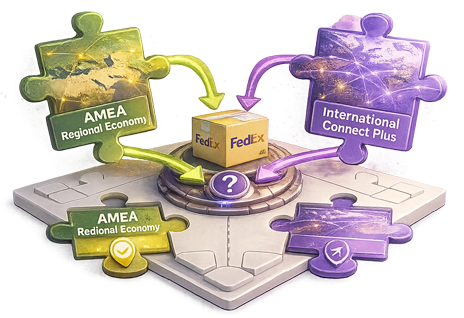
A US-based DTC supplement brand ships $24 monthly boxes to buyers across India. Their multi-carrier shipping app routes the orders through FedEx International Priority. The rates come back higher than the buyer would pay for two months of subscription. The brand absorbs the gap into margin. A Singapore-based DTC accessories brand ships to buyers in Kuala Lumpur and Bangkok — same operational profile, similar AOV. Their integration also routes through Priority and produces the same margin compression. Both brands have valid options that fit better than Priority. Different options, though, and that’s where the confusion sits.
FedEx International Connect Plus and FedEx AMEA Regional Economy both exist in the “Priority is overpricing this route” space, but they solve different versions of the problem. Most merchants encounter both eventually and have to choose. The choice depends on origin / destination geometry more than on AOV — which is the opposite of what most rate-shopping logic assumes.
This article describes when each service tier actually fits, where the workflow consistently breaks at the integration layer, and what the routing logic needs to do when both tiers might apply to overlapping lanes.
International Connect Plus is positioned for higher-volume, lower-value cross-border DTC where Priority and International Economy overprice the route. The intended segment is merchants shipping at meaningful volume into cross-border destinations where the per-shipment value doesn’t justify Priority pricing and where transit-time tolerance is greater than Priority but less than International Economy. Service-tier eligibility lives at the merchant’s FedEx account level. Routes typically include US → EU, US → ANZ, US → AMEA, EU → US, and similar global flows where the merchant has the right account configuration.
AMEA Regional Economy is positioned for intra-AMEA flows specifically — origin and destination both within the Asia / Middle East / Africa region. The intended segment is merchants shipping at meaningful intra-AMEA volume where the economics of operationally short regional moves (1,500–4,000 km) don’t fit international tiers built for global flows (8,000–12,000 km). Eligibility lives at the origin / destination pair level within AMEA — not every combination qualifies, and specifics evolve as FedEx adjusts the service tier’s coverage. Routes include Singapore ↔ KL, Hong Kong ↔ Manila, Mumbai ↔ Dubai, Bangkok ↔ Jakarta, Riyadh ↔ Dubai, India → ANZ (selected lanes), and similar regional flows.
Important note: Both Connect Plus and Regional Economy program specifics — exact eligibility criteria, available origin / destination pairs, current rate positioning, and program-naming details — should be verified against current FedEx Developer (fdx) documentation before external publication.
Three patterns show up consistently across cross-border DTC merchants who use both tiers (or could):
1. Default-to-Priority for everything. The most common failure. The merchant’s multi-carrier shipping app calls Priority and International Economy without checking eligibility for either Connect Plus or Regional Economy. Both tiers exist, both fit specific lanes in the merchant’s shipping mix, but neither shows up at the integration’s rate-quote step. The merchant absorbs the over-pricing across both segments — typically a meaningful share of their total cross-border margin loss. The fix is the integration explicitly checking service-tier eligibility per order rather than defaulting to the two general tiers.
2. One tier configured, the other ignored. A common variation. The merchant’s integration knows about Connect Plus and routes US-origin DTC through it correctly, but doesn’t know AMEA Regional Economy exists or vice versa. The merchant’s AMEA-origin or intra-AMEA shipments stay on Priority while their global cross-border shipments use Connect Plus. The integration handles one tier well and misses the other entirely. Production-grade routing handles both tiers from one rate-engine call structure.
3. Wrong tier applied to the overlap. A subtler failure. Some lanes can route through either tier — for example, a US merchant shipping low-value DTC into an AMEA destination might qualify for both Connect Plus (segment) and Regional Economy (destination region). The integration applies whichever was configured first and doesn’t compare cost per shipment. The merchant pays the higher of the two when the lower would have fit. The fix is per-route comparison logic at the rate-quote step when more than one segment-fitted tier qualifies.
These three patterns explain most of the operational gap between merchants who “have segment-fitted tiers configured” and merchants whose effective landed cost reflects the right tier per lane.
The workflow that doesn’t break checks both tiers’ eligibility at the rate-quote step. Origin → destination geometry determines which tiers are even candidates. Account configuration determines which of those candidates the merchant has enrolled for. For lanes where both tiers qualify, the integration compares cost and picks the lower. For lanes where only one qualifies, the integration routes accordingly. The merchant’s routing rules can override per-order priorities (e.g., transit time over cost for time-sensitive orders), but the default selection is the cost-optimal tier given eligibility.
For higher-volume cross-border DTC merchants — brands shipping meaningful volume across multiple cross-border segments (US-origin DTC + AMEA-origin DTC + intra-AMEA flows) — the difference between integration-layer support for both tiers and default-to-Priority routing shows up directly in landed cost and recoverable margin across thousands of shipments per month.
FedEx’s international service-tier portfolio has more depth than most merchants realize. Priority for time-sensitive flows. International Economy for cost-optimized higher-value cross-border. International Connect Plus for high-volume low-value DTC. AMEA Regional Economy for intra-AMEA segments. Specialty service tiers for regulated cargo, temperature-sensitive shipments, and high-AOV residential.
The integration-layer adoption across Shopify and WooCommerce shipping apps is uneven for these segment-fitted tiers. Aggregator-style apps typically support Priority and Economy and treat the segment-fitted tiers as edge cases. Carrier-native integrations that handle both Connect Plus and Regional Economy through unified routing logic are where the merchant economics actually fit.
For FedEx International and AMEA regional partnerships specifically, this is one of the conversations where joint visibility with integrator partners would move adoption meaningfully — both tiers are mature on the carrier side, and the integration-layer treatment is the constraint on how much volume actually routes through them.
Cross-border DTC service-tier routing still feels like one of the under-built capability areas across Shopify and WooCommerce shipping infrastructure.
Happy to connect with anyone on the FedEx International / Connect Plus product / AMEA regional partnerships side exploring service-tier routing further.
This article reflects patterns observed across PluginHive’s cross-border DTC merchant base on FedEx. **FedEx International Connect Plus and AMEA Regional Economy program specifics, eligibility criteria, and naming should be verified against current FedEx Developer (fdx) documentation before publishing this article externally.** Service-tier positioning and origin / destination availability evolve.
PluginHive shipping solutions for FedEx integration on WooCommerce and Shopify.

Direct FedEx integration for WooCommerce — addresses the workflow gaps covered in this article.
Shopify app with native FedEx integration — addresses the workflow gaps covered in this article.
Multi-carrier label generation for Shopify across FedEx and other carriers — addresses the workflow gaps covered in this article.