


Apartment access codes on FedEx residential delivery: the urban last-mile gap that the residential surcharge doesn’t fix
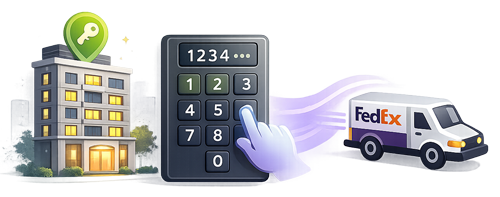
A DTC home-goods brand ships a $140 lamp to a buyer in a secured Manhattan apartment building. The FedEx driver arrives Tuesday afternoon at 2:15 PM. The lobby door is locked. The intercom panel lists 240 units with no clear directory. The driver buzzes a few units hoping someone will let them in; no one does. The driver leaves the package at the building’s exterior mailroom (if the building has one) or returns to the depot with a delivery exception. The buyer arrives home at 7 PM, finds the door tag (or doesn’t), spends the next morning trying to coordinate with FedEx for redelivery or pickup at the depot.
The residential surcharge applied to the shipment. The Apartment / Notification accessorial wasn’t elected. Neither would have helped — the gap is access information, not delivery handling. The driver needs the buzzer code, the unit-call code, the gate access PIN, the building manager contact, or the doorman’s phone number. Without any of these on the manifest, the driver’s last-mile delivery has predictable failure modes in dense urban geography.
For DTC merchants whose buyer base includes meaningful share of secured-building apartment dwellers — common in NYC, San Francisco, Boston, DC, Chicago, and similar urban metros — the apartment-access gap drives a measurable percentage of delivery exceptions. The integration-layer fix is straightforward: add the delivery-instructions field at checkout, capture the buyer’s access info, and route it to the FedEx manifest’s special-instructions field.
This article describes what the apartment-access gap actually involves, where the workflow consistently breaks at the checkout-to-manifest step, and what the integration needs to do to give drivers the information that turns failed-access deliveries into successful first-attempts.
A residential delivery in a secured apartment building needs the driver to have access to the unit door. The information that enables access varies by building:
Different buildings have different combinations. The information lives with the buyer who knows their building’s specific access pattern. The FedEx Ship API has a special-instructions / delivery-notes field that shows on the driver’s delivery tablet at the destination. The integration’s role is to capture the buyer’s access info at checkout (or pull it from their stored customer record) and write it to the manifest.
Three patterns show up consistently across urban-residential DTC merchants:
1. No delivery-instructions field at checkout. The most common failure. The merchant’s Shopify or WooCommerce checkout has standard address fields (street, apartment unit, city, state, ZIP) but no field for building access information. The buyer enters their address; the integration writes the address to the FedEx manifest; nothing in the special-instructions field. The driver arrives at the secured building with no information to access the unit. The fix is a delivery-instructions field added to the residential checkout flow, displayed for residential addresses where building access often matters (urban metros, apartment buildings).
2. Delivery-instructions field present but not routed to FedEx manifest. A subtler failure. Some integrations capture delivery instructions at checkout (often in a generic order-notes field) but don’t route the instructions to the FedEx Ship API’s special-instructions field. The information is in the merchant’s order data; it’s not on the driver’s tablet at delivery. The fix is mapping the order-notes / delivery-instructions field to the Ship API’s delivery-notes input at label generation.
3. Instructions captured per-order but not stored on the customer record. A specific failure mode. Repeat buyers who provided access info on a prior order have to re-enter it every time. Many buyers don’t bother on the second order, assuming the merchant has the info. The next delivery fails again. The fix is customer-record persistence — once a buyer provides delivery instructions, they auto-populate on future orders to the same address, with edit-on-checkout if the buyer wants to update.
These three patterns explain most of the avoidable urban-apartment delivery failures we see in the merchant base.
The workflow that doesn’t break adds a “Delivery Instructions” or “Building Access” field at checkout for residential addresses, captures the buyer’s access info, persists it to the customer record for future orders, and routes it to the FedEx Ship API’s special-instructions field at label generation. The driver’s tablet shows the access info at the destination; the driver uses it; the package gets to the unit door on the first attempt.
For urban-residential DTC merchants — beauty, home goods, apparel with meaningful urban-apartment buyer share — the difference between integration-layer delivery-instructions support and unmodified standard checkout shows up directly in apartment-access failure rates and in the volume of “couldn’t reach the unit” delivery exceptions flowing through the operations team.
Apartment access is one slice of the broader urban-residential delivery workflow story. Adjacent options include Evening Delivery for after-work delivery windows when the buyer is home to answer the intercom (BLOG-T33), Hold at Location as an alternative for buyers in hard-to-access buildings (BLOG-T09), and exception-event recovery when access failures cascade to “Delivery Attempted” events (BLOG-T32). Together these form the urban-residential workflow toolkit.
For FedEx US Operations, apartment access workflow automation is one of the cleaner integration-layer improvements available — the Ship API supports the special-instructions field, and the integration-layer fix is straightforward checkout-to-manifest routing.
Apartment-access workflow automation still feels like one of the under-built capability areas across Shopify and WooCommerce shipping infrastructure for urban DTC.
Happy to connect with anyone on the FedEx US Operations side exploring urban-residential delivery workflow further.
Apartment access-code handling also affects the broader delivery-instructions field workflow. Most checkouts collect delivery instructions as a single free-text field that the merchant passes to FedEx as a generic special-instruction note. Access codes, building entry-buzzer numbers, gate codes, leasing-office hours, and unit-specific directions all collapse into the same text blob, which the FedEx delivery driver receives as a partial scrap on the route-stop screen. A structured delivery-instructions schema — separate fields for access code, unit number, special handling, and call-on-arrival preference — that maps cleanly to FedEx’s special-handling API parameters delivers each piece of information to the driver in the right context. The same structured schema also supports apartment-specific delivery-attempt reporting (units where first-delivery-attempt success is significantly below average), which surfaces the buildings where access friction is the leading driver of redelivery cost.
This article reflects patterns observed across PluginHive’s urban-residential DTC merchant base on FedEx. FedEx Ship API special-instructions field specifications, driver-tablet display behaviors, and account-specific delivery-notes routing should be verified against current FedEx Developer (fdx) documentation before commercial commitments.
PluginHive shipping solutions for FedEx integration on WooCommerce and Shopify.

Direct FedEx integration for WooCommerce — addresses the workflow gaps covered in this article.
Shopify app with native FedEx integration — addresses the workflow gaps covered in this article.
Multi-carrier label generation for Shopify across FedEx and other carriers — addresses the workflow gaps covered in this article.