


Running a WooCommerce store that offers bookings, appointments, or reservations comes with unique challenges, especially when you want to serve customers in multiple languages. Making your WooCommerce booking system multilingual improves the user experience, helps attract a global audience, and ensures that your store’s booking workflow, from availability and resources to notifications, is smooth and error-free. Choosing the right multilingual plugin is essential to avoid disruptions in your WooCommerce bookings setup.
Polylang and WPML are two of the most popular multilingual plugins for WordPress, each offering different features, pricing, and workflows. For stores using bookings, the WooCommerce Booking and Appointments plugin works seamlessly with both, allowing you to manage multilingual bookings efficiently. In this article, we’ll break down the key differences between Polylang and WPML for WooCommerce Bookings, helping you decide which plugin is the best fit for your store.
Table of Contents
- Overview of Polylang
- Overview of WPML
- Polylang vs WPML: Detailed Comparison for WooCommerce Bookings
- Choosing the Right Multilingual Plugin for Your WooCommerce Store
- Conclusion
- FAQs
Overview of Polylang
Polylang is a popular multilingual plugin known for its simplicity and performance. It has a free version in the WordPress repository that handles basic translation tasks exceptionally well. To unlock its full potential, especially for WooCommerce, you need to upgrade to Polylang Pro and use its dedicated WooCommerce add-on.
Key Features
- Simple Interface: Polylang integrates seamlessly into the WordPress admin, allowing you to manage translations directly from the post and page editor.
- Lightweight: The core plugin is built for performance, ensuring it doesn’t slow down your site.
- Flexible Language Options: You can set languages by content, use a language switcher widget, or use different subdomains/directories for each language.
- Media Translation: Allows you to translate metadata for your images and other media files.
Pros:
- Excellent free version for basic sites.
- Generally faster and less resource-intensive.
- Clean and intuitive user interface.
- Affordable entry point for small booking stores.
Cons:
- WooCommerce Bookings support requires a paid add-on.
- Support for the free version is limited to community forums.
Overview of WPML
WPML is the long-standing industry standard for WordPress translation. It’s a premium, all-in-one solution designed to handle everything from simple blogs to complex WooCommerce stores and booking platforms. It’s known for its robust features, extensive compatibility, and dedicated support team.
Key Features
- All-in-One Solution: One subscription provides all the tools you need, including string translation, translation management, and WooCommerce support.
- Advanced Translation Editor: Offers a side-by-side editor that makes translating content, including custom fields, straightforward.
- Automatic Translation: Integrates with services like DeepL, Google Translate, and Microsoft Translator to automatically translate your entire site.
- Extensive Compatibility: WPML works closely with theme and plugin authors (including WooCommerce) to ensure seamless integration.
Pros:
- The most comprehensive feature set on the market.
- Official, reliable compatibility with WooCommerce and WooCommerce Bookings.
- Excellent, dedicated premium support.
- Powerful tools for managing translators and translation workflows.
Cons:
- No free version available.
- It can be heavier on server resources compared to Polylang.
- The sheer number of features can be overwhelming for new users.
Polylang vs WPML: Detailed Comparison for WooCommerce Bookings
| Feature | Polylang (Pro + WooCommerce Add-on) | WPML (Multilingual CMS Plan) | Which is Better for Booking Stores? |
|---|---|---|---|
| Pricing | Free core version; Pro (€99/year) + WooCommerce add-on (€99/year) | Premium only, $99/year (CMS plan includes WooCommerce support) | Polylang is more affordable for small stores; WPML is all-in-one for larger stores |
| WooCommerce Bookings Support | Supported via an add-on. Manual sync for bookings, resources, availability, and stock | Built-in via WooCommerce Multilingual. Automatic sync for bookings and multi-currency | WPML automates more, saving time for busy booking stores |
| WooCommerce Bookings Plugin Compatibility | Fully compatible with the PluginHive WooCommerce Booking and Appointments plugin | Fully compatible with the PluginHive WooCommerce Booking and Appointments plugin | Either plugin works seamlessly with PluginHive bookings plugin |
| Translation Workflow | Manual translation via WordPress editor (duplicate & translate) | Advanced Translation Editor: side-by-side, automatic suggestions, translation memory | WPML is faster for large sites; Polylang gives full manual control |
| Automatic (Machine) Translation | DeepL supported; other engines via third-party add-ons | DeepL, Google Translate, Microsoft Translator built-in; “Translate Everything Automatically” | WPML is better for fast, automated translations |
| URL / Slug Translation | Supported in Polylang Pro | Supported in the CMS plan | Both are suitable; WPML includes out-of-the-box |
| String Translation (Themes/Plugins) | Built-in Strings Table | Dedicated String Translation add-on | Both work well; WPML has more advanced integration for plugins/themes |
| Ease of Use | Simple, intuitive, lightweight, manual setup | More complex, setup wizard, heavier but automated | Polylang is easier for beginners; WPML is better for larger, multilingual operations |
| Professional Translation Services | XLIFF export/import for translators; no direct integration | Built-in integration with ICanLocalize and other services | WPML is better if you plan to hire professional translators |
| Server Performance | Lightweight | Slightly heavier | Polylang is better for small/medium sites; WPML for enterprise-grade workflows |
Choosing the Right Multilingual Plugin for Your WooCommerce Store
When it comes to selecting a multilingual plugin for your WooCommerce booking store, the right choice depends on your store’s size, workflow, and budget.
- Polylang (Pro + WooCommerce Add-on) is ideal for small to medium booking stores that prefer manual control over translations and want a lightweight, cost-effective solution. It works well if you don’t need extensive automation or professional translation services and want a simple interface for managing multilingual content.
- WPML (Multilingual CMS Plan) is better suited for larger booking businesses or stores with complex workflows. It offers built-in automation for bookings, multi-currency support, and professional translation services, saving time for stores with high volumes of bookings or multiple languages.
Regardless of which plugin you choose, the WooCommerce Booking and Appointments plugin ensures your bookings, resources, and notifications stay fully synchronized across languages.
For detailed guidance on translating WooCommerce booking content using WPML, refer to this guide: WPML — Translating WooCommerce Bookings .
With Polylang or WPML, your booking store offers customers the following benefits:
- Easily switch to their preferred language.

- View all booking fields, product details, and labels in their chosen language.

- Complete checkout and see order confirmations in their language, making the process smooth, professional, and trustworthy.
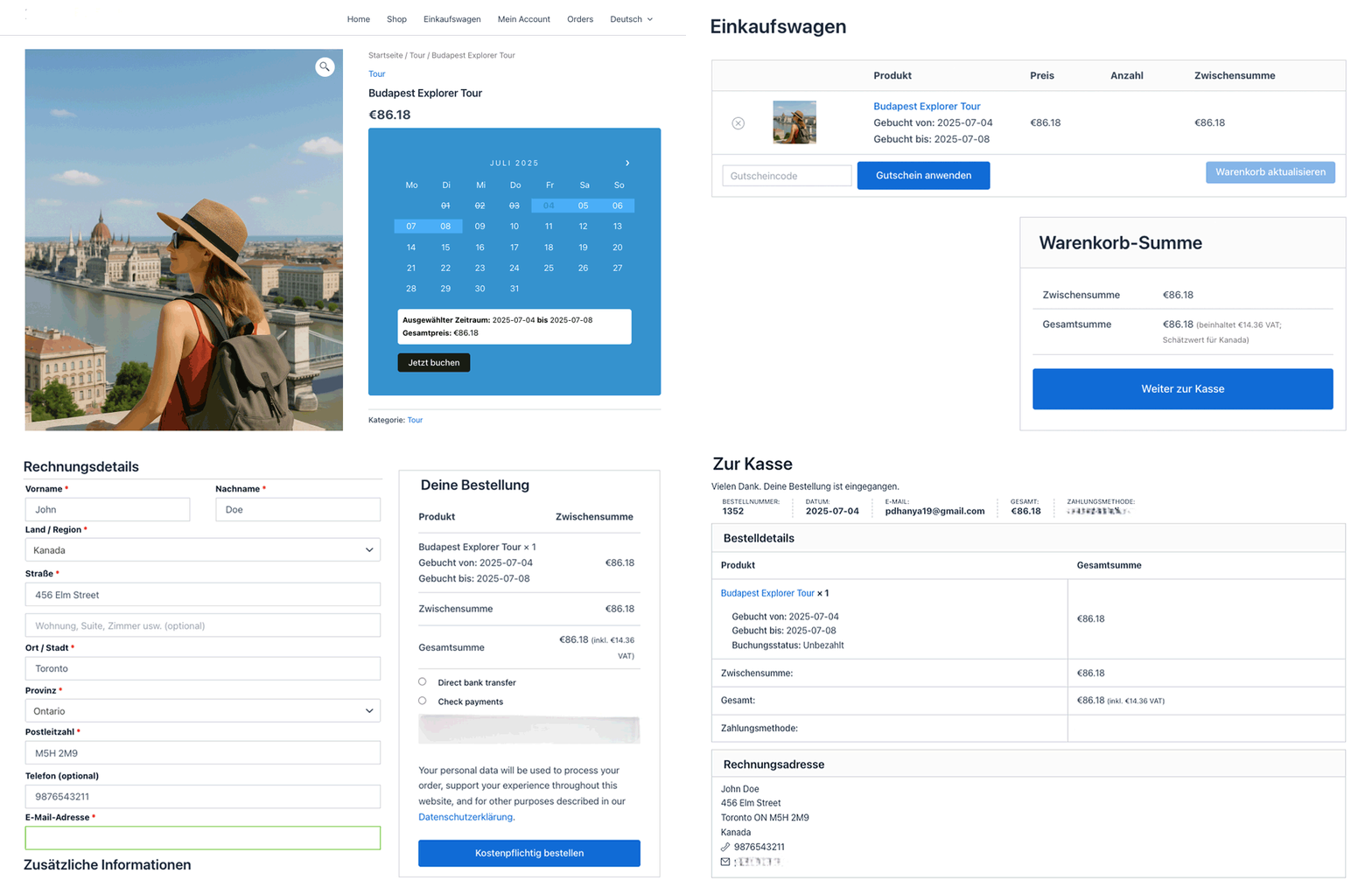
- Customers receive booking emails in their language, improving clarity and trust.
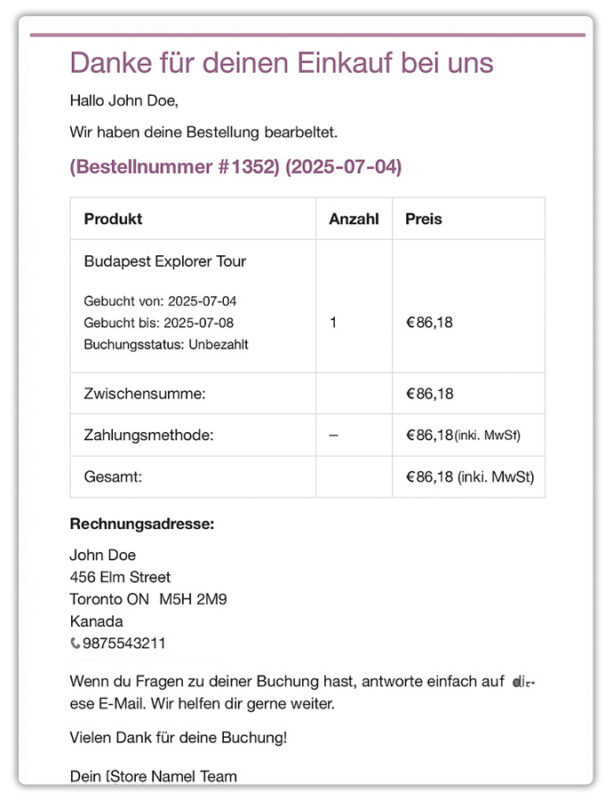
The WooCommerce Booking and Appointments plugin is available in multiple languages, including English, Spanish, German, French, Dutch, Russian, Portuguese, Chinese (Simplified & Traditional), Italian, and Hebrew. If your language isn’t listed, you can translate it easily using WPML or Polylang, or contact the PluginHive Support team for assistance.
Conclusion
In conclusion, both Polylang and WPML are excellent choices for making your WooCommerce booking store multilingual. Polylang is ideal for small to medium stores that prefer manual control, a lightweight setup, and a more budget-friendly solution. WPML, on the other hand, is better suited for larger stores or those with complex booking workflows, offering automation, multi-currency support, and advanced translation management.
No matter which plugin you choose, using the PluginHive WooCommerce Booking and Appointments plugin ensures that your bookings, resources, and customer notifications stay fully synchronized across multiple languages. Want to make your WooCommerce Bookings store multilingual? The PluginHive support team is ready to assist you in setting up a seamless multilingual booking experience, helping you grow your business globally.
Frequently Asked Questions (FAQs)
1. Can I make my WooCommerce Bookings store multilingual?
Yes, you can. By integrating plugins like WPML or Polylang, you can translate your booking products, labels, and customer-facing content into multiple languages.
How can I translate WooCommerce Bookings fields and labels?
You can translate booking fields and labels using WPML’s String Translation feature or Polylang’s manual translation interface. This ensures all customer-facing elements are displayed in the selected language.
3. Will customers receive WooCommerce Booking emails in their chosen language?
Yes, once your multilingual setup is configured, customers will receive booking notifications and confirmation emails in their selected language, enhancing clarity and trust.
4. Which one offers better SEO for multilingual WooCommerce Booking websites?
Both Polylang and WPML create SEO-friendly multilingual URLs and handle hreflang tags properly. However, WPML provides more built-in SEO tools (like translation for metadata and sitemaps) without needing extra plugins, while Polylang may need Yoast SEO Multilingual or similar extensions.
5. Can I run my WooCommerce Booking store entirely in my preferred language?
Yes! With the WooCommerce Booking and Appointments plugin, you can set your store to operate completely in your preferred language. All booking fields, labels, and customer notifications will appear in that language, so you will not need any translation plugin to operate a single-language store.
