


Seventy-two percent of sellers reported a 30% increase in revenue with the implementation of upselling and cross-selling strategies.
By upselling related additional products, you help customers explore more items in your store and purchase the best one based on their needs.
This strategy will increase the customers’ order value as they purchase high-cost or additional items beyond what they initially intended.
WooCommerce has default upsell and cross-sell features. However, it has limitations – you can’t upsell on cart pages, and don’t have options to customize upsell products.
That’s why this blog lists the best WooCommerce upsell plugins that help you enhance your upselling strategy without limitations to increase order value and revenue.
Article Contains:
What is WooCommerce Upsells and Cross-sells
If you hear these terms for the first time, here is how the upsell and cross-sell work.
Upsell: When customers browse specific products in your store, you can display related products that are more expensive yet offer additional features. For example, when people search for laptops, you can recommend high-end laptops with more features.
Cross-sell: With the cross-sell technique, you can recommend low-cost complementary products that add value to customers’ main purchases. For example, suggesting a laptop bag when customers search for a laptop.
Best WooCommerce Upsell Plugins
1. UpsellWP

UpsellWP is an all-in-one best WooCommerce upsell plugin. You can use this plugin to show upsell and cross-sell items on every page of your store – from product to thank-you pages.
This plugin helps you show upsell on every step of the customer’s journey and has customization features that allow you to show custom upsell products on product, cart, checkout, and thank-you pages.
You can also display attractive popups with upsell and cross-sell offers. You also get a dedicated discount option to set discounts to upsell and cross-sell products.
Pros:
- Provides 10 pre-built upsell and cross-sell campaigns.
- Choose specific products to upsell or cross-sell.
- Set discounts to upsell items.
- Add a countdown timer to the post-purchase upsell offer.
- Customize upsell products with given layout options and customization features.
- Show upsell and cross-sell on every page of your store.
- The advanced smart recommendation engine helps you recommend the right upsell and cross-sell products.
- Create conditional upsell offers based on customers’ cart items, cart total, or other criteria.
Cons:
- The free plugin version has limited features.
Pricing: UpsellWP has a free version, and the Pro plan starts at $55 per year for a single site.
2. WowRevenue
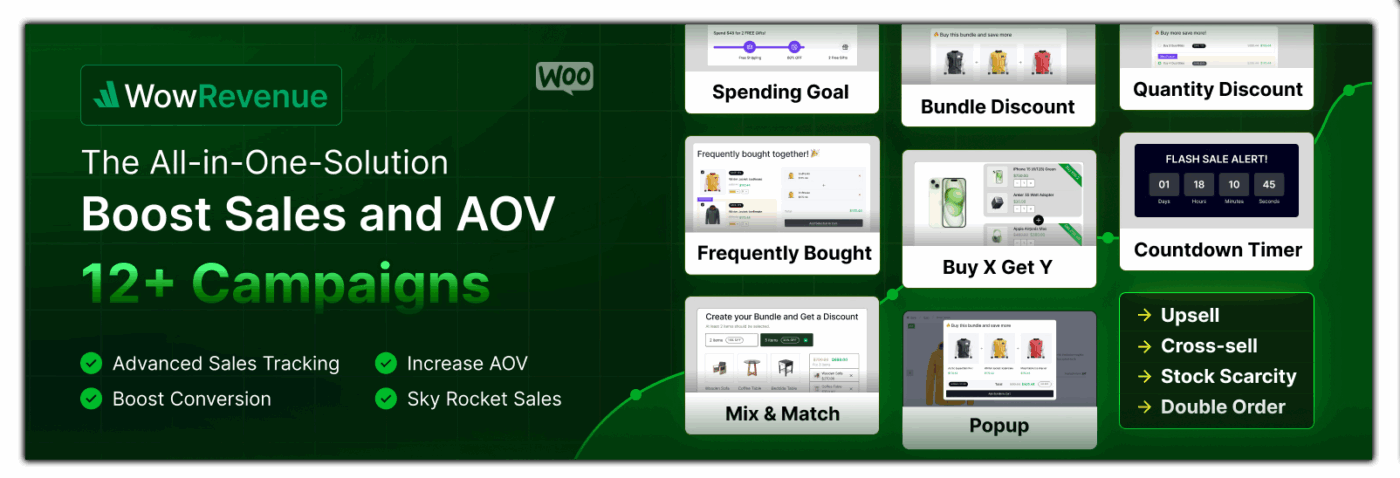
WowRevenue is a futuristic upsell plugin for WooCommerce. It comes with 12+ discount campaigns specially designed for upselling and cross-selling strategies.
With WowRevenue, you can effortlessly create and configure campaigns. And display them where it matters most, from product pages to thank you pages. Moreover, you can choose display styles between pop-up, floating bar, and inline.
The best part of WowRevenue is its vast customization options. You can add custom text, choose desired colors, and customize each element of the campaigns to align with your branding.
Pros:
- All 12+ Upselling campaigns are available to try on the free version.
- Display on Product, Cart, Checkout, and Thank You pages.
- Trigger upselling campaigns based on specific or all products.
- Choose between 3 display styles: in-page, pop-up, or floating.
- Effortlessly offer and configure discounts for the products.
- Add custom headings and subheadings for the campaigns.
- Create FOMO with a Countdown Timer and an Animated Add to Cart.
- Boost conversion rates by offering Free Shipping with or without conditions.
Cons:
- Create only up to 5 campaigns using the free version
Pricing: WowRevenue has a free version, and the Pro plan starts at $79 per year for a single site.
3. WooCommerce Order Bump
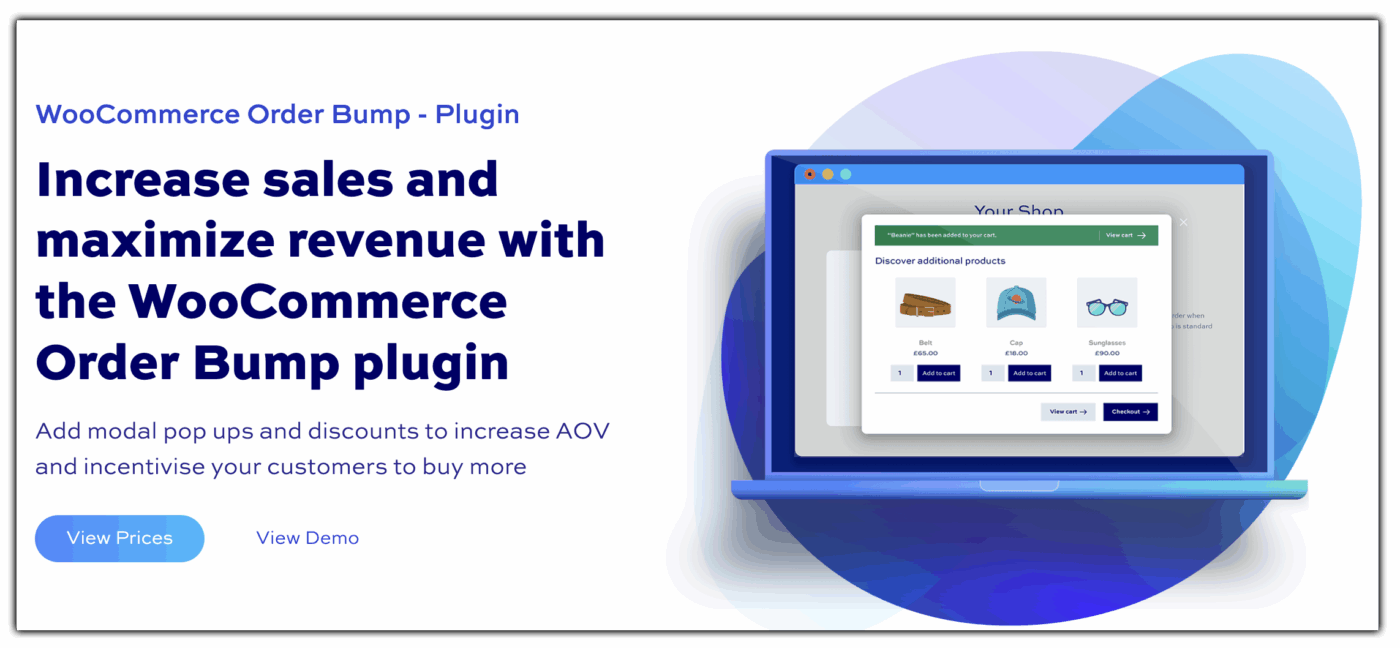
The WooCommerce Order Bump plugin by Plugin Republic helps you effortlessly increase average order value by offering relevant upsells through smart modal pop-ups. Ideal for WooCommerce stores of all sizes, it lets you display bump offers on product, cart, or checkout pages — right when customers are ready to buy.
With flexible triggers, multiple layouts, and optional discounts, this plugin makes upselling intuitive and effective. It’s beginner-friendly yet developer-ready, complete with hooks, filters, and detailed documentation.
Pros:
- Smart placement on product, cart & checkout pages
- Custom triggers by product, category, or attribute
- Checkbox or archive-style layouts with quantity options
- Supports discounted bump pricing
Cons:
- No free version
- Only works with WooCommerce
Pricing: starts at $59 for a single-site yearly license. Multi-site and lifetime licenses are also available.
4. Best Upsell for WooCommerce

Like UpsellWP, Best Upsell for WooCommerce plugin offers customized upsells and cross-sell features.
With responsive UI and a preview tool, this plugin helps you create upsell offers with ease and can test its appearance before making it live.
This plugin also had additional widgets like the Progress Bar that helps you to show customers how close or far they are from getting upsell offers.
Pros:
- Provides a sticky cart bubble to help customers access their cart quickly.
- Select specific products to show upsells.
- Set cart urgency timer for upsell offers.
- Add additional widgets to improve upsell offers.
Cons:
- Even though this plugin is open-source software, all these free features are available only for a limited time.
- Most widgets are available only in the Pro plan.
Pricing: This plugin is free to start.
5. WooCommerce Extra Fees

The WooCommerce Extra Fees Plugin helps store owners increase average order value by adding conditional and optional fees directly to the checkout. Whether it’s charging for faster delivery, secure order processing, or packaging, you can create meaningful upsell opportunities without overwhelming your customers.
One standout feature is the ability to offer optional fees, like gift wrapping or courier protection, using checkboxes or dropdowns. This plugin acts as a perfect upsell during checkout and encourages buyers to personalize or enhance their order, all while boosting your revenue effortlessly.
You can also set dynamic pricing rules based on cart total, shipping method, location, weight, user role, and more. With full flexibility and no coding required, this plugin ensures your upsell strategy aligns with your business goals.
Pros:
- Supports optional add-ons (e.g., gift wrap, rush fee, secure delivery)
- Set fees by location, product weight, or quantity
- Merge all fees under one label to keep the checkout clean
- Great for seasonal and urgency-based upsells
- User-friendly interface with no coding needed
Cons:
- Full power is unlocked only in the premium version
- Might require planning to avoid overcharging customers
Pricing:
Free to start. Upgrade to unlock advanced rules and premium features.
6. Cart Upsell for WooCommerce

This cart upsell for the WooCommerce plugin by SKROTRON is the best choice for upselling on cart pages.
Unlike other plugins offering upsell features for all pages, this plugin focuses only on the cart upsell strategy, as the default WooCommerce only has a cross-sell feature for cart pages.
If you are a beginner and want to try upselling in your store, this dedicated cart upselling feature is a good strategy to boost sales.
Pros:
- Fully customize the upsell products, such as its title, image, and colors.
- Plugin features are responsive for desktop and mobile devices.
- Show upsells based on customers’ cart total.
Cons:
- This plugin only has an upsell feature for cart pages.
Pricing: The Pro plan costs $29 for a year.
7. Elite WooCommerce upsell plugin

StoreApps’ Elite WooCommerce upsell plugin helps store owners create smart offers like BOGO offers, product bundles, and conditional upsells.
With a direct checkout button and customized upsell options, this plugin provides a quick checkout option and enhances customer experience which helps you build customer relationships.
Pros:
- Create custom upsell and cross-sell offers.
- Set BOGO deals for your products.
- Provide product giveaways.
- Create product bundles.
- Set discounts on your products.
Cons:
- Requires a learning curve for some advanced functionalities.
Pricing: The pro version of the plugin costs $149 per year for a single site.
8. UpsellPlugin

This straightforwardly named UpsellPlugin provides everything you need to create profitable sales funnels for your WordPress-based online store.
This Upsell Plugin for WooCommerce offers subscriptions, custom checkout pages, and dynamic order bump features. The plugin also directly integrates with PayPal and Stripe, helping you set a hassle-free payment process.
If you are planning to show upsells on checkout, its custom order bumps features are the best feature. Instead of physical products, this plugin is the best choice for selling digital products.
Pros:
- Create PDF invoices for every order.
- Allow customers to ‘Pay What They Want’, which is best for subscription-based businesses.
- Create multiple order bumps to increase AOV.
- Create custom checkout pages for every product.
Cons:
- This plugin is good for creating upsells for digital products.
Pricing: The price of this plugin is $97 for a single site.
9. FunnelKit
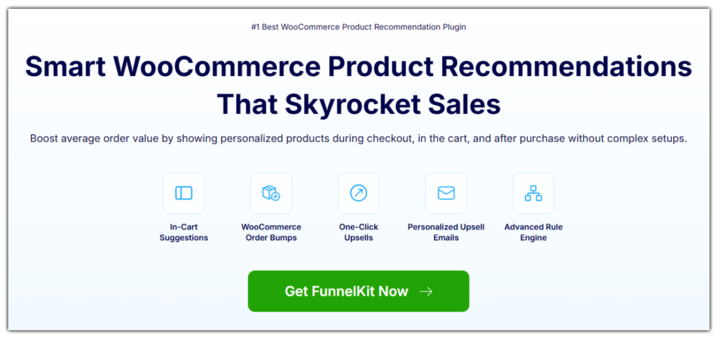
FunnelKit is the most powerful WooCommerce upsell plugin that helps boost average order value by showing product recommendations in the cart, during checkout, and after purchase without any complex setup.
You can enable the modern side cart for WooCommerce to display upsells and cross-sell offers inside the shopping cart. Plus, display personalized order bumps on the checkout page and one-click upsells and downsells right after the checkout without interrupting payment flow. Customers can accept these offers in one click without having to re-enter payment details.
FunnelKit supports Stripe, PayPal, Square, Apple Pay, Google Pay, and many other gateways for a seamless checkout experience. You can design upsell pages visually using Elementor, Divi, Gutenberg, or Bricks, and track performance with built-in funnel analytics. With a smart rule engine, you can show targeted upsells based on cart items, total value, or customer behavior.
Pros:
- Create cart, pre- and post-purchase upsells, and cross-sells.
- Supports Stripe, PayPal, Square, Apple Pay, Google Pay, and more.
- Set upsell conditions by product, cart total, and more.
- View detailed upsell performance analytics.
- Send beautiful emails with personalized product recommendations.
Cons:
- Upselling features are part of the premium plan.
Pricing: FunnelKit has a free version, with the Pro plan starting at $99.50 per year for a single site.
10. Ultimate Store Kit
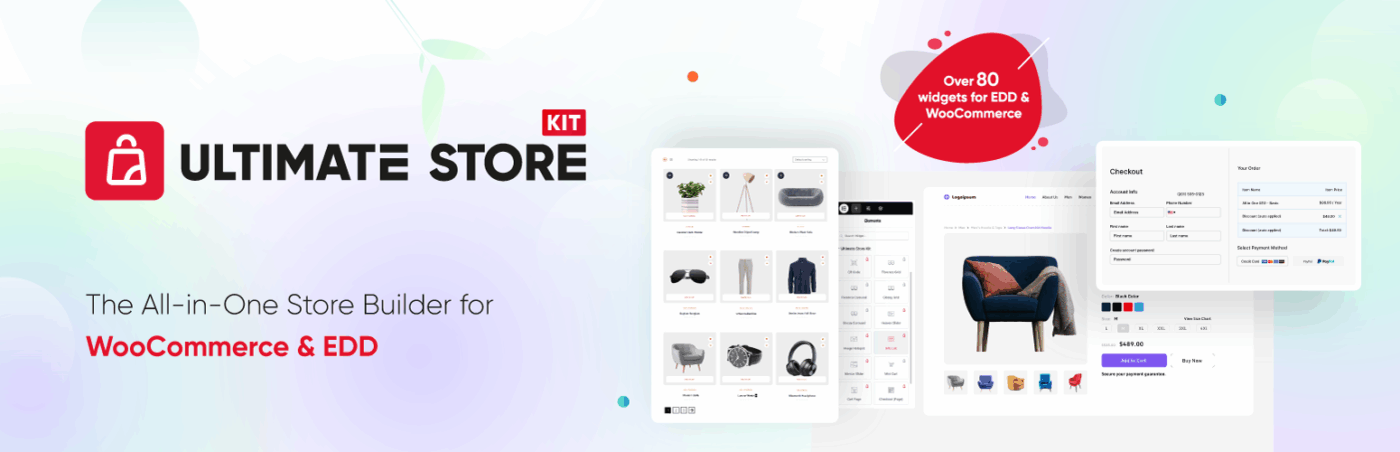
Ultimate Store Kit is an all-in-one toolkit designed specifically for WooCommerce users. It’s perfect for beginners, those starting on their online store journey, and those looking for an intuitive solution without the technical hurdles. It also provides seamless service for even experienced e-commerce developers.
Whether you’re looking to launch a new e-commerce site from scratch or optimize an existing one, this Elementor add-on can take the frustration out of endless customization cycles.
With over 80 powerful drag-and-drop widgets built from real-world e-commerce problems, it lets you create stunning product displays, dynamic carousels, variety swatches, mini-carts, and more. And all without writing a single line of code.
Pros:
- 80+ Widgets built around actual e-commerce needs, from product display to checkout tools.
- Template Builder lets you reuse layouts for product, archive, and checkout pages across multiple sites.
- Full Control over Checkout layout and behaviour, with support for conditional logic.
- Mobile-Friendly Design Tools to improve usability and purchasing experience on small screens.
- Built for Non-developers who want flexibility, speed, and fewer restrictions without code.
- For checkout customisation, you can have full control over layout, fields, and user flow. On the other hand, other competitors provide limited customisation options.
- Works well with both physical and digital product workflows.
- No hassle like with shortcodes.
- Easy Digital Downloads (EDD) support.
Cons:
- It’s built specifically for Elementor, so it won’t work with other page builders.
Pricing: Personal $49.99/year, Business $99.99/year, Developer $249.99/year.
11. WPFunnels – Funnel Builder for WooCommerce
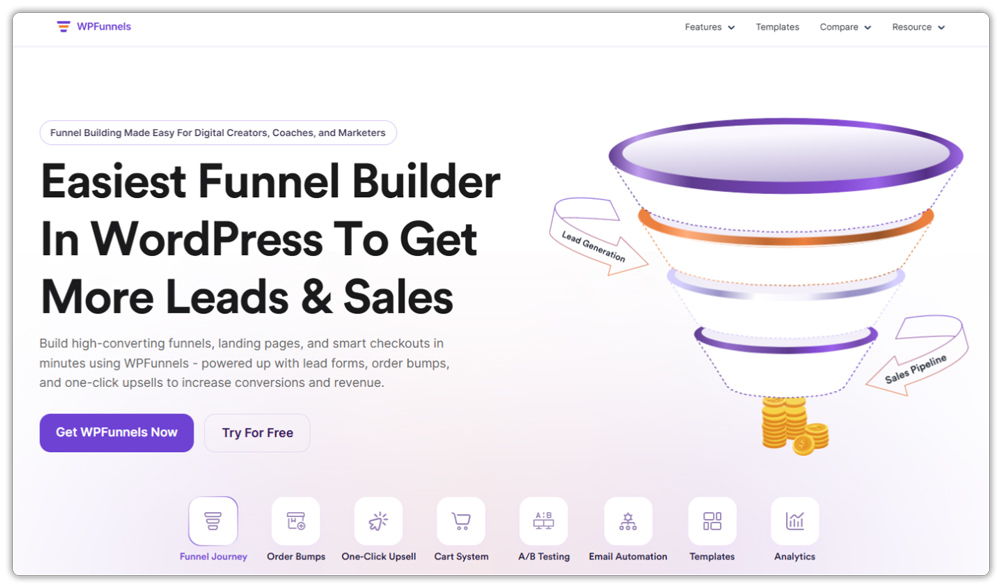
WPFunnels is a WooCommerce-focused funnel builder designed to help you increase your average order value and generate more revenue from the same traffic. It works fully inside WordPress and lets you build structured sales funnels with custom checkout, order bumps, and one-click upsells, without using external tools.
What makes WPFunnels special is that you can offer post-purchase upsells immediately after the initial order. Instead of sending customers to a simple thank-you page, you can show one-click upsell and downsell offers that require no extra payment steps. You can also create multi-step upsell sequences and targeted offers to maximize revenue while customers are still ready to buy.
Plus, WPFunnels comes with a unique visual funnel canvas to help you plan the funnel for an optimized buying journey to ensure high conversions. And you can track and get detailed analytics to know what worked on each step of your funnel.
Pros:
- Make one-click upsell and downsell offers
- Add order bumps directly to checkout
- Build custom WooCommerce checkout pages
- Visual drag-and-drop funnel builder
- Create multi-step sales funnels
- Conditional upsell offers based on customer behavior
- A/B testing to optimize funnel performance
- Detailed funnel analytics and revenue tracking
- Works with popular page builders
Cons:
- Advanced features like A/B testing and conditional logic are available only in the Pro version
Pricing: WPFunnels offers a free version. The Pro plan starts at $129.99 per year for a single site.
Conclusion
Recommending related products and upselling items that align with customers’ purchasing interests can help you increase sales and revenue.
Each plugin in this list has its advantages and disadvantages:
- UpsellWP is best for showing upsells on all pages with discounts and conditions.
- Upsell for WooCommerce by iDentixWeb is best for adding additional widgets and displaying upsells with a progress bar.
- Skrotron’s plugin is best for upselling on cart pages.
- Store Apps is best for creating BOGO deals with upsells.
- UpsellPlugin is best for showing upsells on subscription or digital product stores.
By carefully deciding what you need, choose the best “WooCommerce upsell plugin” that elevates your store performance.
