



If your FedEx shipping bills look higher than expected on Shopify, FedEx’s dimensional weight is very likely the reason. It’s one of the most misunderstood parts of FedEx pricing, not because the formula is complicated, but because most merchants don’t realise it applies to them until they’re already paying more than they expected.
Weight-based pricing is intuitive. You pick up a package, and you estimate what it should cost. But FedEx dimensional weight pricing introduces a second variable: how much space the package occupies.
This guide walks through exactly how FedEx’s dimensional weight is calculated, and when it applies.
In This Article:
- What FedEx Dimensional Weight Actually Means in Shopify
- The FedEx Dimensional Weight Formula for Shopify
- FedEx Rounding Rule and Its Impact On Shopify Dimensional Weight
- Why Shopify Merchants Get FedEx Dimensional Weight Wrong
- How to Calculate FedEx Dimensional Weight Correctly for Your Shopify Products
- How PH Ship, Rate & Track for FedEx Handles Dimensional Weight in Shopify
- FedEx Dimensional Weight: Common Scenarios for Shopify Merchants
- Conclusion
- FAQ’s
What FedEx Dimensional Weight Actually Means in Shopify
- Before getting into the numbers, the concept itself is worth understanding clearly. Dimensional weight or DIM weight is the amount of space a package occupies in relation to its actual weight. For each shipment, you are charged based on the dimensional weight or actual weight of the package, whichever is greater.
- The reason FedEx uses this pricing model is practical. People often ship using packaging that is too big. To stabilise the contents, these oversized boxes must be packed with extra cushioning. These over-packed boxes fill shipping trucks with cubic feet of unneeded corrugated fiberboard, air pillows, and air cushioning. In some cases, people are literally paying to ship air.
- From FedEx’s perspective, a truck loaded with large, light boxes is just as full and therefore just as costly to operate as one loaded with heavy packages. FedEx dimensional weight pricing ensures that the space a package takes up in that truck is priced accordingly.
The FedEx Dimensional Weight Formula for Shopify
To calculate dimensional weight, multiply length by width by height in inches, rounding each measurement to the nearest whole inch. The resulting total is the cubic size of your package. Then divide by 139 for U.S., Puerto Rico, and international shipments.
Written as a formula:
DIM Weight (lbs) = (Length × Width × Height in inches) ÷ 139
- For measurements in centimetres, multiply length by width by height and divide by 5,000 to get the dimensional weight in kilograms. Alternatively, if the dimensions are in inches, the divisor is 305 for kilograms or 139 for pounds.
- Once you have the dimensional weight, compare it against the actual weight of the package. Your chargeable weight is the greater of the actual weight or the dimensional weight. This chargeable weight is what FedEx uses to calculate your rate.
A practical example: A box measuring 20″ × 16″ × 12″ has a cubic volume of 3,840 cubic inches. Divided by 139, the dimensional weight is approximately 27.6 lbs, rounded up to 28 lbs. If the actual contents weigh 8 lbs, FedEx bills at 28 lbs.
FedEx Rounding Rule and Its Impact On Shopify Dimensional Weight
- FedEx dimensional weight calculations became stricter, effective 2025, with a change to how measurements are rounded. FedEx will round every fraction of an inch or centimetre up to the next-higher inch or centimetre.
- This is a ceiling-rounding rule, not standard mathematical rounding.
- Previously, a box measuring 14.6″ × 10.3″ × 8.8″ might have been rounded conventionally to 15″ × 10″ × 9″.
- Under the August 2025 rule, it rounds up to 15″ × 11″ × 9″.
- The effect on FedEx’s dimensional weight is direct.
- Using the old values: 15 × 10 × 9 = 1,350 cubic inches ÷ 139 = 9.7 lbs.
- Using the new ceiling-rounded values: 15 × 11 × 9 = 1,485 cubic inches ÷ 139 = 10.7 lbs.
- That’s a full pound of additional billable weight across every single package of that type.
- For Shopify merchants with high order volumes, this change compounds quickly. A 1–2 lb dimensional weight increase per package across hundreds of daily orders adds up to significant monthly cost increases, even with no change to actual products or packaging.
Why Shopify Merchants Get FedEx Dimensional Weight Wrong
Understanding the formula is one thing. Knowing where merchants most commonly misconfigure it in their Shopify setup is more actionable.
- Product dimensions set to zero or left blank. Many Shopify stores are set up with weight filled in, but dimensions left empty. When FedEx has no dimensional data to work with, it either defaults to a preset value (often 10 × 10 × 10 cm) or calculates rates on weight alone.
- Product dimensions instead of box dimensions. Product dimensions describe the item itself. Box dimensions describe what actually ships, which includes packaging material, void fill, and the box walls. A product that measures 10″ × 8″ × 4″ might ship in a 14″ × 12″ × 8″ box. FedEx’s dimensional weight is calculated on the box, not the product inside it.
- Flat-rate thinking for bulky products. Merchants who sell low-density products, such as foam, pillows, soft toys, apparel, and lightweight home goods, often set up flat-rate shipping because they assume weight is the driver. In many cases, their products have a dimensional weight two to four times their actual weight.
- Not updating dimensions after packaging changes. A change in box supplier or a move to a different void fill material can shift package dimensions enough to change the dimensional weight tier. Merchants who set dimensions once during store setup and don’t revisit them risk paying for outdated configurations.
- Ignoring the 2025 rounding change. Merchants who calculated their dimensional weight before August 2025 based on conventional rounding are now undercalculating. The ceiling-rounding rule means every fractional inch pushes a dimension to the next whole number.
How to Calculate FedEx Dimensional Weight Correctly for Your Shopify Products
Here is a step-by-step process for getting accurate dimensional weight data into your Shopify store:
Step 1: Measure your actual shipping boxes. Use a tape measure and record the outer dimensions, length, width, and height of every box and poly mailer in your packaging inventory.
Step 2: Apply ceiling rounding. Per FedEx’s current rules, round every fractional dimension up to the next whole inch. A box measuring 14.1″ × 10.6″ × 8.2″ rounds to 15″ × 11″ × 9″.
Step 3: Calculate cubic volume and dimensional weight. Multiply the three rounded dimensions together to get the cubic volume. Divide by 139 to get the dimensional weight in pounds.
Step 4: Compare against actual weight. Weigh the packed box, not just the product. Include packaging material, void fill, and the box itself. Whichever figure is higher, dimensional weight or actual weight, is what FedEx will bill you.
Step 5: Enter box dimensions in Shopify or your shipping app. Update your product dimensions and configure your box settings in your shipping app or FedEx site to reflect the actual boxes you use.
Step 6: Audit after any packaging change. Whenever you change boxes, add new SKUs, or adjust packing materials, recalculate FedEx dimensional weight for the affected products and update your settings.
How PH Ship, Rate & Track for FedEx Handles Dimensional Weight in Shopify
Calculating FedEx dimensional weight manually can be time-consuming, especially when you ship products of different sizes and use multiple box types. You would need to measure every product, determine the best box, calculate dimensional weight, compare it with actual weight, and verify that the correct FedEx rate is shown at checkout.
PH Ship, Rate & Track for FedEx by PluginHive automates this entire process.
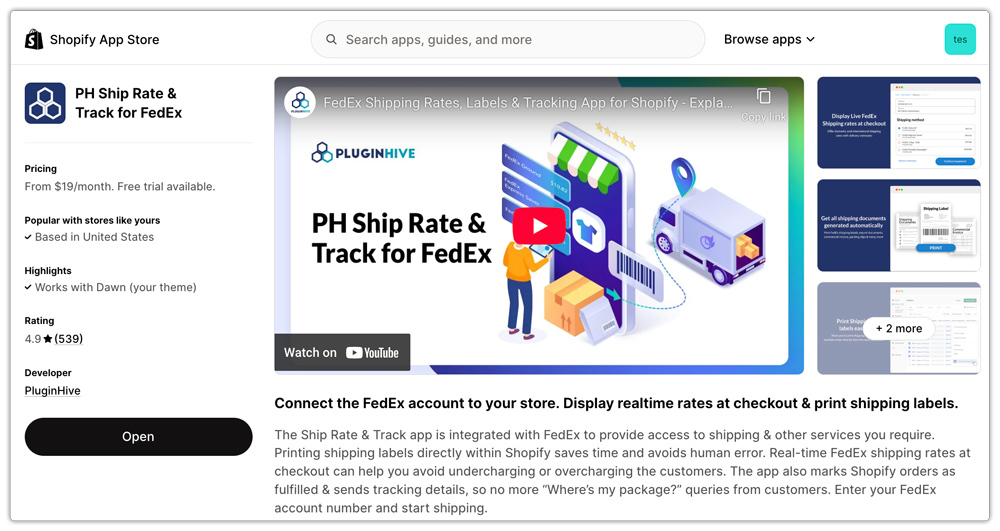
Automatically Sends Accurate Dimensions to FedEx: The app connects directly to FedEx’s API and sends accurate dimensional data, product dimensions, box dimensions, and packaging weight to return live rates that account for FedEx’s dimensional weight pricing.

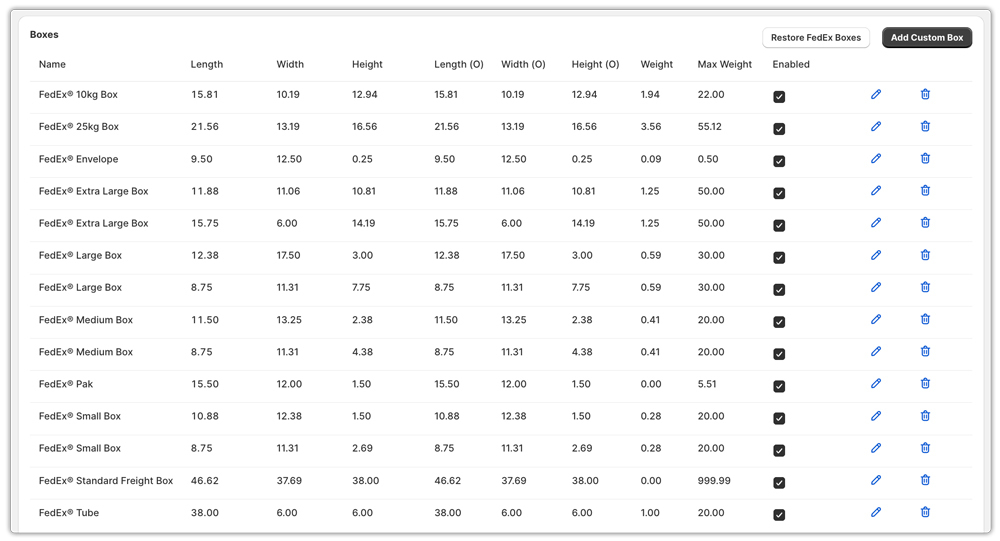
Box Packing Mode with Full Dimensional Configuration: The app’s Box Packing mode lets you define your exact packaging options, inner dimensions, outer dimensions, box weight, and maximum capacity.
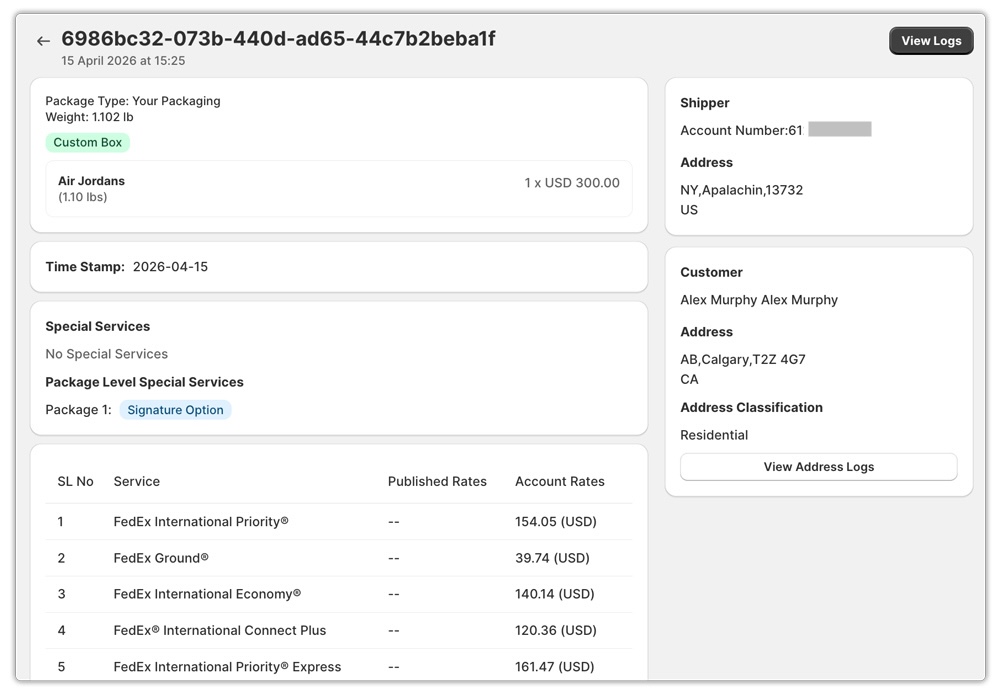
Built-In Rate Verification: When a rate looks wrong, the app’s Rates Log records the exact inputs, including the dimensions sent to FedEx, for every rate request. This makes it possible to identify whether a discrepancy stems from a dimension configuration issue.
FedEx Dimensional Weight: Common Scenarios for Shopify Merchants
1: Apparel and Soft Goods
- A folded hoodie weighs 0.8 lbs but ships in a 14″ × 10″ × 4″ box. DIM weight = (14 × 10 × 4) ÷ 139 = 4.03 lbs, rounded up to 5 lbs.
- FedEx bills at 5 lbs — more than six times the actual weight. Merchants who set up weight-based shipping without accounting for FedEx’s dimensional weight undercharge on every single order.
2: Home Goods
- A lightweight decorative bowl ships in a 16″ × 16″ × 12″ box with foam padding. DIM weight = (16 × 16 × 12) ÷ 139 = 22.1 lbs. Actual weight: 3 lbs. The merchant pays for 23 lbs of shipping on a 3-lb item.
- Right-sizing the box to 13″ × 13″ × 10″ reduces DIM weight to (13 × 13 × 10) ÷ 139 = 12.2 lbs, still higher than actual weight, but nearly half the original cost.
3: Multi-Item Orders
- A customer orders three lightweight items, each individually below any dimensional threshold. Combined into one box measuring 24″ × 18″ × 16″, the cubic volume is 6,912 cubic inches.
- DIM weight = 6,912 ÷ 139 = 49.7 lbs billed at 50 lbs. Splitting into two smaller boxes might reduce each below the problematic dimensional weight tier.
Conclusion
FedEx dimensional weight is not a hidden fee or a technicality; it is the primary pricing mechanism for a significant portion of packages that Shopify merchants ship. The fundamental rule is unchanged and straightforward: the larger the box relative to its contents, the more you pay.
What has changed is the precision with which FedEx enforces it. The ceiling-rounding rule means that even a fraction of an inch in any dimension increases the dimensional weight calculation. The new cubic volume criteria for surcharges mean more packages now trigger additional fees that previously required crossing a length threshold.
Shopify merchants who understand FedEx dimensional weight, configure their stores with accurate box dimensions, and use tools like PH Ship Rate & Track For FedEx that automate dimensional rate calculations at checkout are the ones who keep their shipping costs predictable and their customers’ checkout rates competitive.
FAQ’s
Q. What is FedEx’s dimensional weight in Shopify shipping?
FedEx dimensional weight is a pricing method used in Shopify shipping where shipping costs are based on package size (volume) instead of just actual weight. FedEx compares the actual weight vs the dimensional weight and charges whichever is higher.
Q. When does FedEx charge dimensional weight instead of actual weight?
FedEx uses dimensional weight pricing when the package is large but lightweight. If the dimensional weight is higher than the actual weight, that becomes your chargeable weight for FedEx shipping rates.
Q. How can I reduce FedEx dimensional weight charges?
To lower FedEx shipping costs, Shopify merchants should:
- Use right-sized packaging
- Avoid oversized boxes
- Minimise void fill
- Use poly mailers for soft goods when possible
- Split large shipments into multiple smaller boxes when cost-effective
