


Shipping with UPS is a strong choice for Shopify merchants, with reliable coverage, well-recognized branding, and a broad range of service levels. But once that UPS label is generated and the package leaves your door, what happens to the customer experience? For most Shopify stores, the answer is: not much. Customers get a fulfillment email with a tracking link, click through to UPS.com, and from that point on, they’re on their own. There are no proactive UPS order tracking updates, no on-store tracking experience, and no visibility for the merchant unless they manually look up each shipment.
Adding proper UPS order tracking to your Shopify store closes that gap. It automates status updates, gives customers a self-service tracking experience within your store, and gives your team real-time visibility into every active shipment.
In This Article:
- How Shopify Handles UPS Tracking by Default
- What a Complete UPS Tracking Setup Looks Like in Shopify
- How to Add UPS Tracking to Shopify: Step by Step
- The Shopify Customer-Facing Tracking Experience
- UPS Order Tracking Benefits for Merchants in Shopify
- Best Practices for UPS Order Tracking on Shopify
- Conclusion
- FAQs
How Shopify Handles UPS Tracking by Default
When you fulfill an order in Shopify and enter a UPS tracking number, Shopify does two things: it records the tracking number against the order and sends the customer a standard fulfillment email with a link to track their package on UPS.com.
That’s where Shopify’s involvement ends.
- Shopify doesn’t pull live shipment status from UPS and display it back to your customers. It doesn’t send follow-up notifications when the package reaches a new scan point. It doesn’t show you a dashboard of all your active UPS shipments and their current statuses. And it doesn’t provide a branded on-store tracking experience where customers can look up their order without leaving your domain.
- The tracking number is stored, and the link is shared, but the intelligence that turns that tracking number into an ongoing, automated experience has to come from somewhere else.
What a Complete UPS Tracking Setup Looks Like in Shopify
Before getting into the how, it’s worth being clear about what the end state should look like. A complete UPS order tracking integration on Shopify typically includes:
- Real-time shipment syncing. The moment a UPS tracking number is added to a fulfilled order in Shopify, the tracking system picks it up and begins pulling live status data from UPS. No manual entry or separate steps required.
- Automated customer notifications. Customers receive email updates at meaningful milestones: order shipped, in transit, out for delivery, delivered without any manual effort from your team.
- A branded on-store tracking page. Instead of sending customers to UPS.com, your store hosts a dedicated tracking page where customers can enter their order number and email to view real-time UPS order tracking status, all within your brand environment.
This combination of synced tracking data, automated notifications, a customer-facing page, and merchant visibility is what turns a basic tracking number into a complete post-purchase experience.
How to Add UPS Tracking to Shopify: Step by Step
To do this, try using PluginHive Shipment Tracking & Notify. The app automates UPS order tracking in Shopify and eliminates the need for manual updates or custom development.
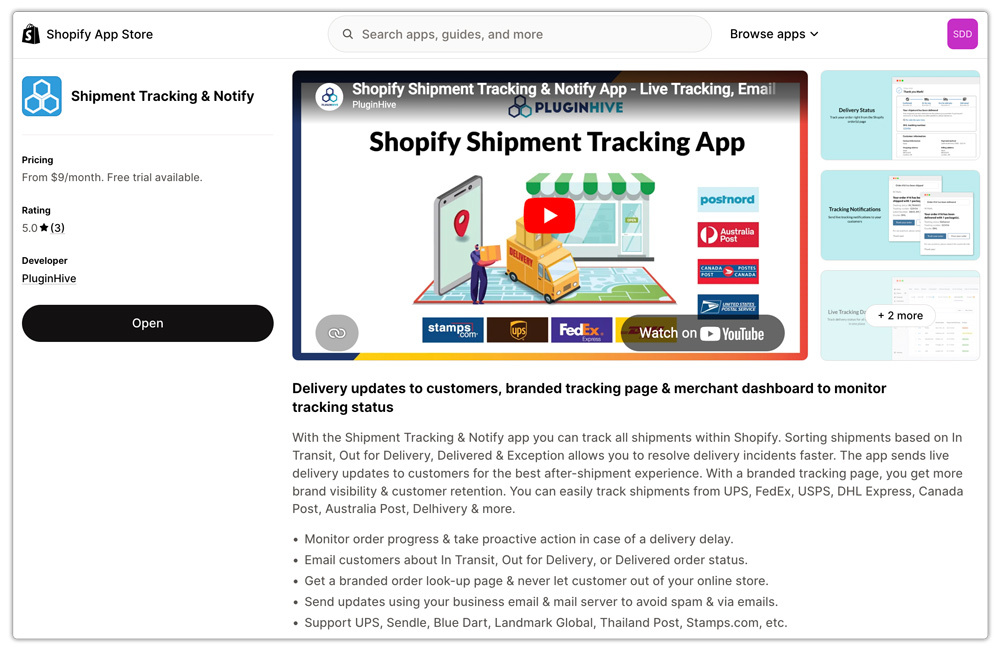
Here’s how it works:
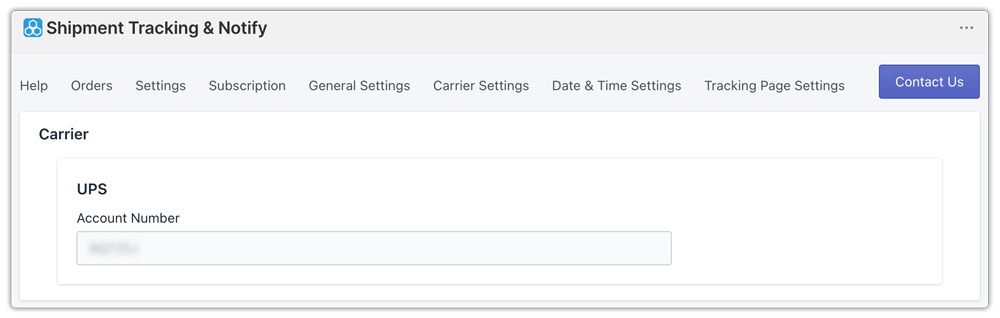
- Connect Your UPS Carrier Account. Inside the app, merchants add their own UPS carrier account. This gives the app direct access to shipment data for orders shipped under your account, ensuring that tracking updates are pulled from live UPS data.
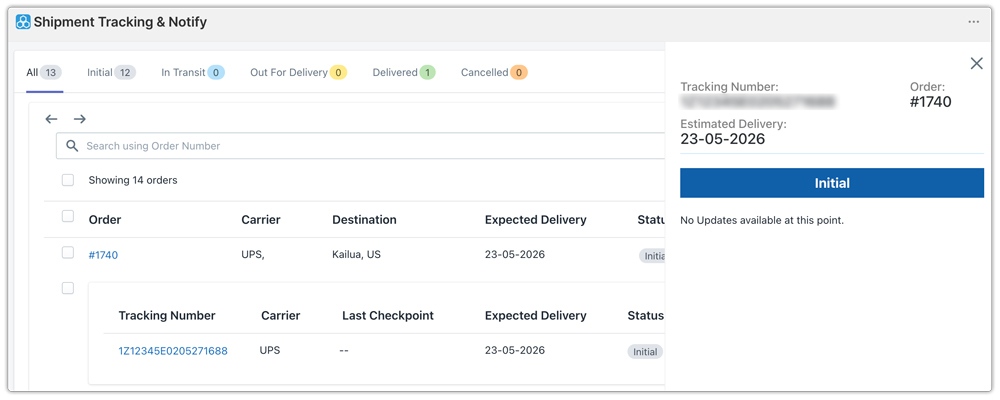
- Automatic Sync When Orders Are Fulfilled. Once your UPS account is connected, the app works in the background from the moment an order is fulfilled. When a UPS tracking number is added to a Shopify order, it automatically appears in the app’s shipment dashboard.

- Real-Time Shipment Visibility for Merchants. The app’s shipment dashboard shows merchants the current status of every active UPS shipment in real time. Shipments are organized by delivery status: In Transit, Out for Delivery, Delivered, Exception, giving your team a clear, at-a-glance view of where every package stands.
- Automated Email Notifications for Customers. As shipment status changes, the app automatically sends email notifications to customers. These emails are triggered by real UPS scan events.

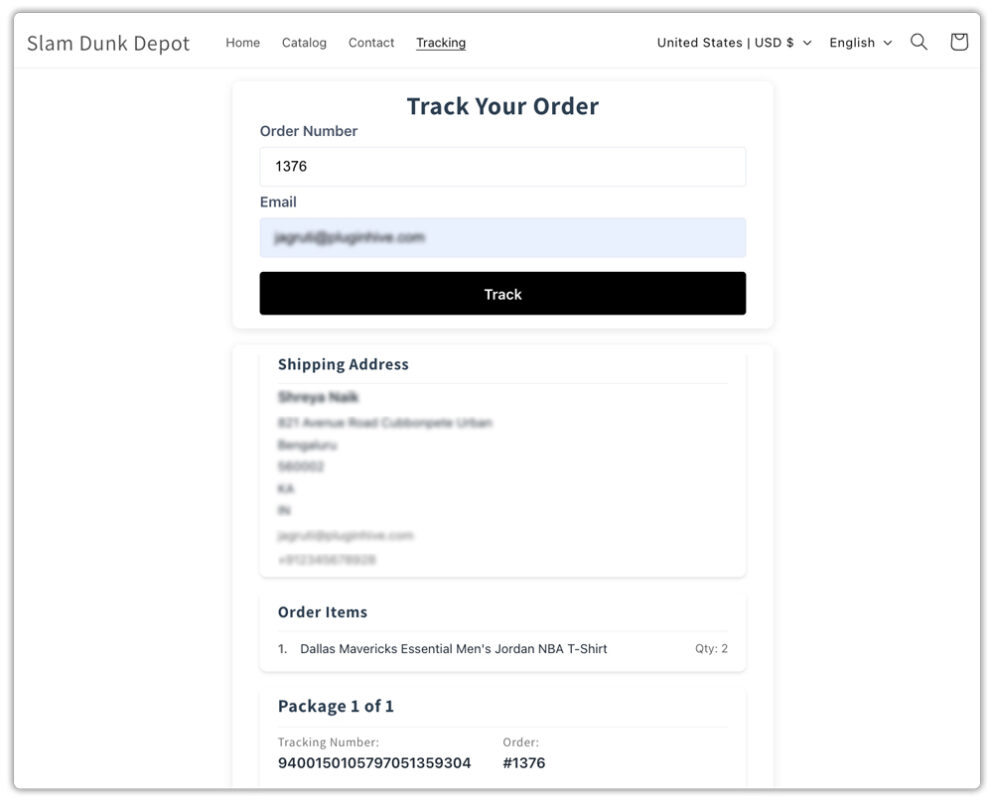
- Branded On-Store Tracking Page: The app creates a dedicated tracking page within your Shopify store. Customers visit the page, enter their order number and email address, and see their real-time UPS order tracking status.
The Shopify Customer-Facing Tracking Experience
From the customer’s perspective, the experience works like this:
- They place an order and receive a standard order confirmation. When your store fulfills the order and generates the UPS label, it sends customers a branded shipping notification email. This email contains their tracking details and a link to your store’s tracking page.
- At any point after that, they can visit the tracking page on your store, enter their order number and email, and view live UPS order tracking updates.
- Your store sends customers a delivery confirmation when the package is delivered. The experience is cohesive, branded, and requires zero effort on their part beyond the initial purchase.
This is the kind of post-purchase experience that earns repeat customers. Customers who feel informed and looked after are significantly more likely to return, and significantly less likely to leave negative reviews about a delivery that felt invisible to them.
UPS Order Tracking Benefits for Merchants in Shopify
The customer-facing benefits of proper UPS order tracking are clear, but there are meaningful operational benefits for merchants as well:
- Fewer support tickets. When customers can self-serve their tracking status and receive proactive notifications, the volume of “where is my order?” inquiries drops substantially.
- Proactive exception management. The shipment dashboard surfaces delivery exceptions, failed delivery attempts, address issues, and customs holds as they happen.
- Better carrier accountability. With a centralized view of all UPS shipments and their real-time statuses, you have the data you need to evaluate carrier performance over time, identify routes or service levels with higher delay rates, and make informed decisions about how you ship.
- Scalable operations. Manual tracking doesn’t scale. As order volume grows, automated UPS order tracking means your post-purchase process keeps pace without adding headcount or manual effort.
Best Practices for UPS Order Tracking on Shopify
- Always enter tracking numbers at the time of fulfillment. Every step in the automation depends on the tracking number being present. Build this into your fulfillment checklist as a mandatory step, not an afterthought.
- Use your own UPS carrier account for the connection. Connecting your own account rather than relying on a shared or generic API ensures your shipment data is specific to your orders and avoids cross-account tracking issues.
- Link the tracking page from multiple places. Add the tracking page to your store header, footer, and post-purchase emails. The easier it is for customers to find, the less likely they are to send a support email when they want a status update.
- Check the shipment dashboard daily during peak seasons. Automated notifications handle most situations, but during high-volume periods like the holidays, it’s worth reviewing the dashboard each morning for exceptions or shipments that have gone quiet.
Conclusion
UPS is a reliable carrier, but Shopify only provides a basic tracking link by default. By adding PluginHive Shipment Tracking & Notify, you can turn that tracking number into a complete post-purchase experience with real-time UPS updates, automated notifications, and a branded tracking page on your store.
The result is fewer support tickets, better shipment visibility, and a more professional customer experience that helps build trust and encourage repeat purchases.
FAQs
Q. How does connecting my UPS carrier account work?
In PluginHive Shipment Tracking & Notify, you add your UPS carrier account credentials directly in the app settings. This authenticates the app with UPS and allows it to pull live shipment data for all orders shipped under your account. It’s a one-time setup.
Q. Do customers have to visit UPS.com to track their orders?
No. With a branded tracking page set up through a tracking app, customers can check their UPS order tracking status directly on your Shopify store by entering their order number and email without ever leaving your domain.
Q. What happens if there’s a delivery exception or delay?
The merchant-facing shipment dashboard surfaces delivery exceptions, failed delivery attempts, address issues, and customs delays as they occur. This allows your team to act before the customer has to reach out about a delayed package.
