


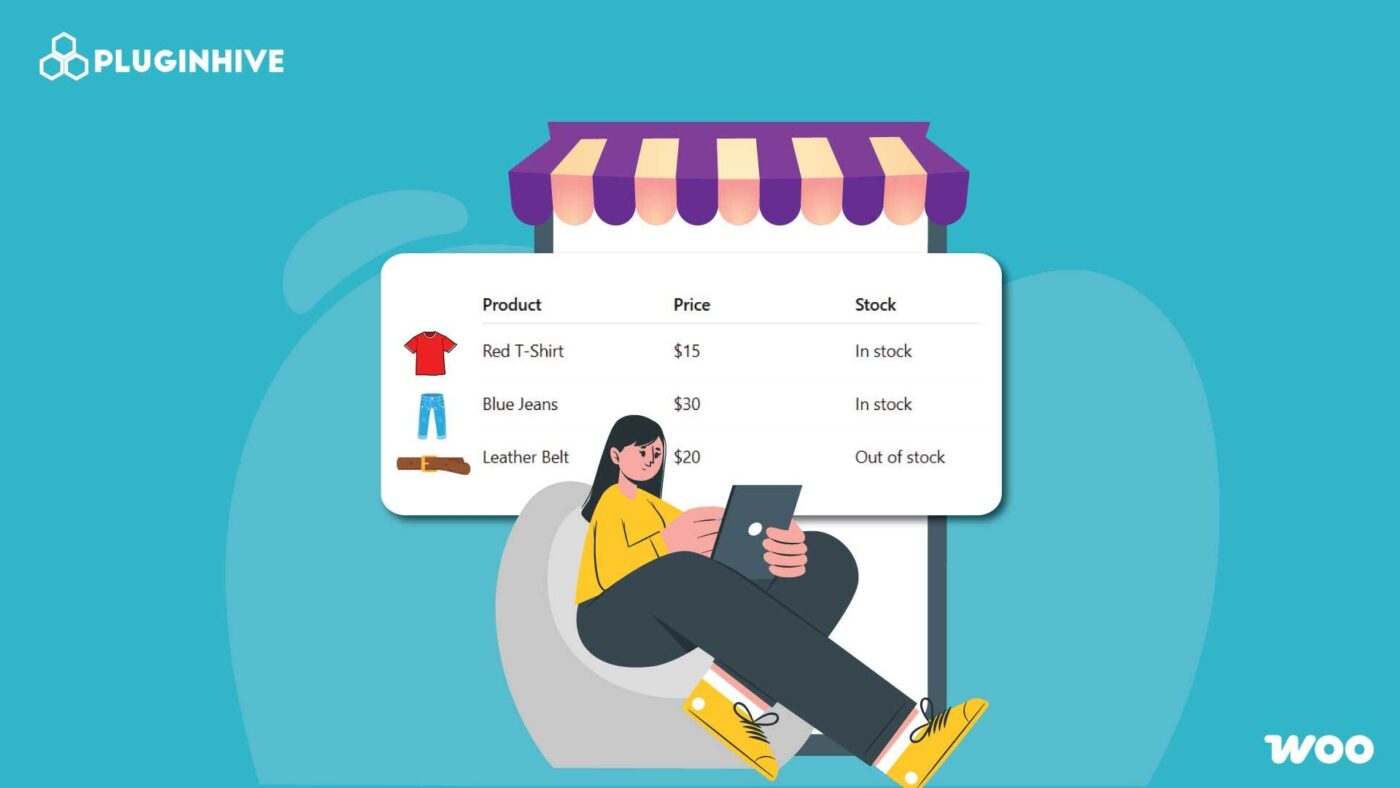
If you manage a WooCommerce store, you know how important it is to make the shopping process smooth and intuitive for customers. The default WooCommerce product grid layout works well for smaller stores, but as your catalog grows, it becomes less effective for users who want to browse, compare, and purchase quickly.
This is where WooCommerce product table plugins come into play. These plugins let you display your products in a clean, searchable, and filterable table layout, making it easier for users to find exactly what they want without endless scrolling or page loads.
In this guide, we’ll explain what a product table plugin is, why your WooCommerce store needs one, the key features to look for, and the best WooCommerce product table plugins you can use in 2025 to improve your store’s performance and user experience.
Article Contains:
- What is a WooCommerce Product Table Plugin?
- Why Your WooCommerce Store Needs a Product Table Plugin
- Key Features to Look For in a WooCommerce Product Table Plugin
- Top 5 WooCommerce Product Table Plugins (2025 Edition)
- Conclusion
- FAQs
What is a WooCommerce Product Table Plugin?
A WooCommerce Product Table Plugin is a tool that enables you to display products in a tabular format rather than the standard grid layout. Each row in the table represents a product, while columns can include various details such as product name, image, SKU, category, price, stock status, variations, and an add-to-cart button.
These tables are designed to make navigation and purchasing easier for customers. Instead of visiting multiple product pages, shoppers can filter, sort, and add products to their cart directly from one view.
Product table plugins are particularly useful for:
- Wholesale or B2B stores handling bulk purchases.
- Catalog-based websites where browsing efficiency is key.
- Food ordering, restaurant menus, or subscription products.
- Electronics, parts, or accessory stores with large inventories.
- Service-based or customizable product stores.
In essence, a product table plugin makes your WooCommerce store more interactive and data-driven — improving both usability and conversion rates.
Why Your WooCommerce Store Needs a Product Table Plugin
While WooCommerce’s default grid layout is visually appealing, it’s not always the most functional for stores with extensive product lines. Here are key reasons why integrating a product table plugin can significantly enhance your store’s usability and performance:
1. Improved User Experience: Customers can view multiple products, compare features, and make purchase decisions faster. Instead of navigating multiple pages, all the information is available in a single view.
2. Bulk Ordering Capabilities: For wholesale or B2B stores, product tables are ideal. They allow buyers to select quantities for multiple items and add them to the cart at once, improving bulk order efficiency.
3. Faster Product Search and Filtering: Product table plugins typically include AJAX-powered search, sorting, and filtering. Shoppers can filter by category, price, attributes, or even keywords in real-time without reloading the page.
4. Better Performance for Large Catalogs: Tables load products more efficiently, especially with pagination and lazy loading, preventing your website from slowing down under large product data loads.
5. Mobile-Responsive and SEO-Friendly: Modern plugins are built to adapt tables for mobile screens. They’re also optimized for SEO, maintaining structured data, schema markup, and product metadata for Google indexing.
6. Higher Conversion Rates: By reducing friction in the buying process and offering quick, easy access to add-to-cart options, product tables can lead to higher conversion rates, particularly for repeat or wholesale buyers.
Key Features to Look For in a WooCommerce Product Table Plugin
Choosing the right plugin requires careful consideration of features that align with your store’s goals. Below are the most important ones:
1. Customizable Columns
You should be able to choose which product details (name, image, SKU, stock, variations, etc.) appear in the table. Flexibility here ensures the table fits your product type and customer needs.
2. Search, Filter, and Sort Options
A powerful table should allow users to filter by category, tags, or attributes and sort by price or popularity. Real-time AJAX-based search is a must-have for speed and convenience.
3. Add-to-Cart Functionality
Direct add-to-cart buttons enable shoppers to purchase products instantly. Some plugins also support bulk add-to-cart, letting users add multiple products at once.
4. Variable Product Support
Ensure the plugin supports variable and grouped products. This is essential for stores selling items with different sizes, colors, or customizations.
5. Performance and Scalability
For large catalogs, plugins with lazy loading, caching, and pagination are essential to maintain fast load times and good Core Web Vitals and website audit checker scores.
6. Responsive Design
Tables should automatically adjust for different screen sizes. On mobile devices, columns can collapse or transform into lists to remain user-friendly.
7. Compatibility and Integration
Choose a plugin compatible with major WooCommerce extensions such as Product Add-Ons, Wholesale Suite, WPML, Elementor, and caching plugins.
8. Ease of Use
A user-friendly interface with shortcodes or Gutenberg blocks makes it easier to embed tables anywhere on your site, shop pages, landing pages, or category sections.
Top 5 WooCommerce Product Table Plugins (2025 Edition)
1. WooCommerce Product Table
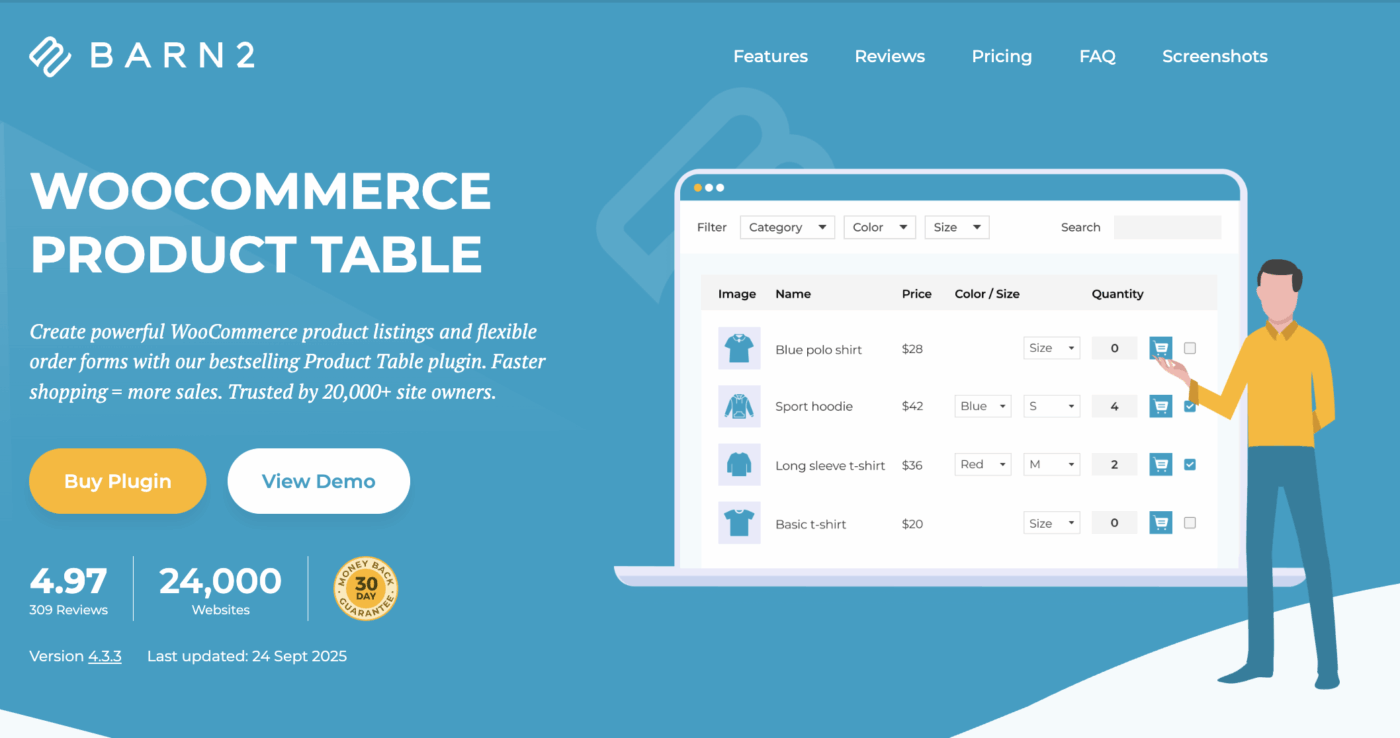
WooCommerce Product Table by Barn2 Plugins is a powerful and bestselling WooCommerce plugin designed to transform your store into a fast, one-page ordering system. It lets customers browse, filter, and purchase multiple products directly from a single, customizable product table, improving user experience and boosting conversions. Trusted by over 24,000 website owners, this plugin combines speed, flexibility, and ease of use, making it a top choice for both small stores and enterprise-level WooCommerce businesses.
Key Features:
- One-Page Ordering: Add multiple products and variations to the cart directly from a single product table.
- Instant Search & Filters: AJAX-powered search, sorting, and dropdown filters for quick product discovery.
- Customizable Tables: Choose what data to display — images, SKUs, stock, attributes, or even videos.
- Unlimited Products: Use lazy loading to display thousands of products efficiently.
- Seamless Integrations: Fully compatible with major plugins like Product Add-Ons, Quick View, and Dynamic Pricing.
Best Suited For: Ideal for wholesale stores, B2B businesses, restaurants, and large product catalogs that need fast, searchable, and flexible product tables to streamline the bulk ordering process and improve sales flow.
Pricing: WooCommerce Product Table is available from $99 per year for a single-site license or $139 per year when bundled with the Product Filters plugin. All plans include regular updates, professional support, and a 30-day money-back guarantee for complete peace of mind.
2. Ninja Tables – WooCommerce Product Table
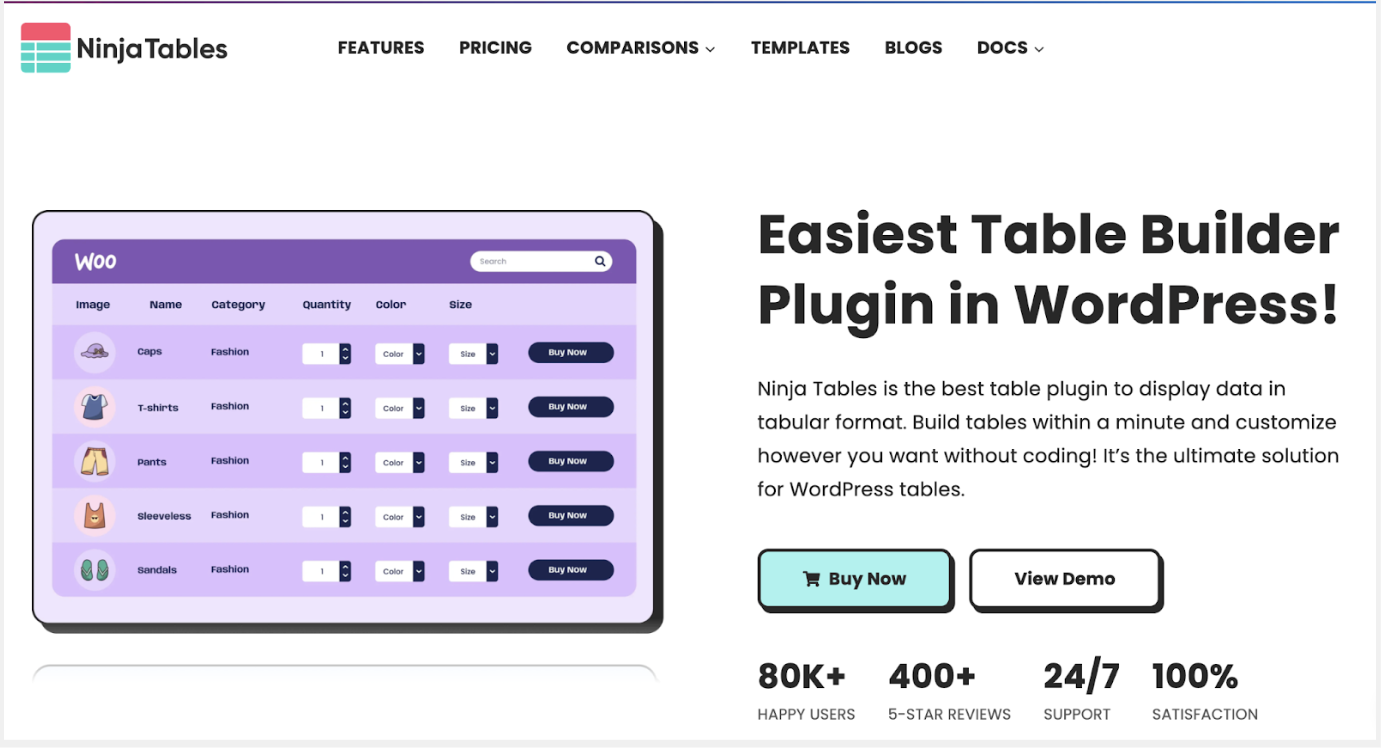
Ninja Tables is a powerful and user-friendly WordPress table plugin that allows you to create, customize, and manage any kind of responsive table within minutes—without touching a single line of code. From product comparison and pricing tables to WooCommerce product lists and Google Sheets data tables, Ninja Tables simplifies the process of displaying complex data beautifully and interactively. With advanced integrations, drag-and-drop functionality, and unlimited design flexibility, it’s a go-to solution for beginners, businesses, and developers alike.
Key Features:
- Drag & Drop Builder: Create dynamic and customizable tables easily with intuitive drag-and-drop controls.
- WooCommerce Integration: Display products, prices, and details in elegant, filterable product tables.
- Google Sheets & Fluent Forms Integration: Sync live data and form entries automatically into tables.
- Pre-built Templates & Styling Options: Choose from 100+ styles and 30+ free templates for quick setup.
- Conditional Formatting & Custom Filters: Highlight key data and improve readability with smart conditions.
Best Suited For: Ideal for eCommerce stores, bloggers, data-driven websites, and businesses that need to showcase organized, searchable, and responsive tables for better user engagement and analytics display.
Pricing: Ninja Tables offers a free version with essential features and a premium plan unlocking integrations, Google Sheets sync, and advanced customization tools. Paid plans start affordably, making it accessible for individuals and growing businesses alike.
3. WooCommerce Product Table Ultimate Plugin
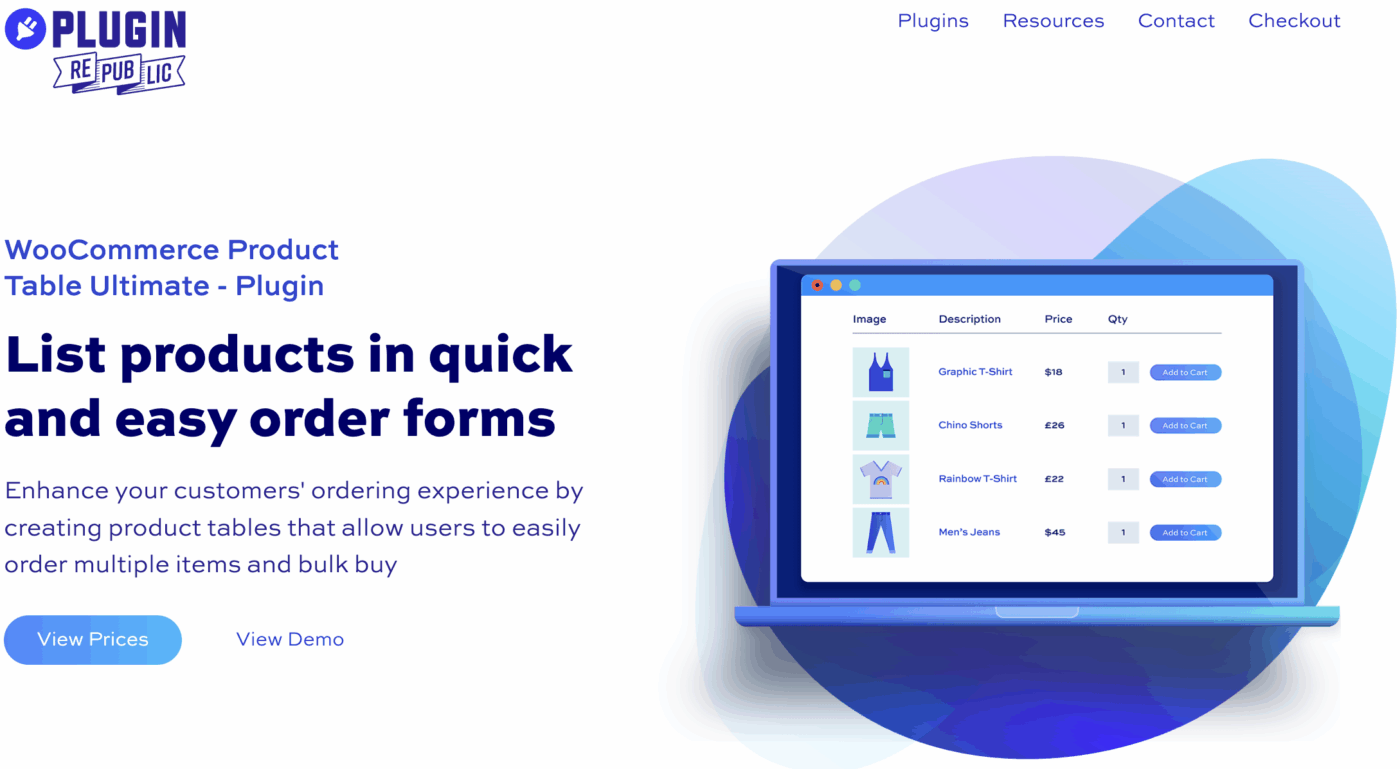
WooCommerce Product Table Ultimate by Plugin Republic transforms your standard WooCommerce store into a high-speed, table-based shopping interface. It lets you display multiple products and variations in a searchable, sortable, and filterable grid format—allowing customers to add items directly to their cart without visiting individual product pages. Designed for performance and flexibility, it’s the perfect solution for stores that need efficient bulk ordering or a compact, data-driven product layout.
Key Features
- AJAX Add to Cart: Add products instantly without page reloads.
- Search, Filter & Sort: Allow customers to refine results by category, tag, attribute, or keyword.
- Customizable Columns: Choose which details (image, title, price, stock, etc.) to display.
- Supports Product Variations: Show variations as separate rows or inline selectors.
- Responsive & Flexible Layout: Works with shortcodes, Gutenberg blocks, and can replace default shop pages.
Best Suited For: Ideal for wholesalers, B2B stores, restaurants, or large catalog WooCommerce shops that want to simplify bulk ordering and enhance the browsing experience with quick, table-style product listings.
Pricing: WooCommerce Product Table Ultimate offers annual plans starting at $59 and lifetime licenses from $149, providing flexibility for both small businesses and established eCommerce stores looking for a one-time investment.
4. EXT Product Table and List View for WooCommerce
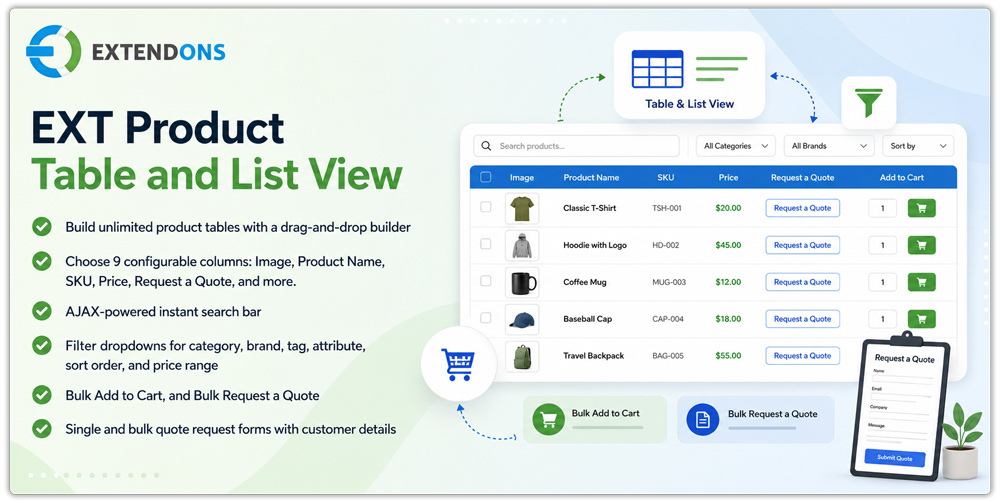
WooCommerce Product Table by Extendons is a feature-rich product table plugin that replaces the default shop layout with a customizable table view for faster product browsing and ordering. Customers can search, filter, compare, and purchase multiple products from a single page without opening individual product pages. Built for wholesale stores, B2B businesses, and large product catalogs, this WooCommerce product table helps simplify bulk ordering while offering built-in quote request functionality for customers who prefer personalized pricing.
Key Features
- Drag-and-Drop Table Builder: Create unlimited product tables with customizable columns and no coding required.
- AJAX Search & Smart Filters: Help customers quickly find products using instant search and filters for categories, attributes, tags, brands, price, and more.
- Bulk Ordering & Quotes: Allow customers to add multiple products to the cart or submit single and bulk quote requests directly from the table.
- Wholesale & B2B Features: Support variation matrices, user role visibility, shop page replacement, and variable product selection.
- Flexible Display & Export Options: Customize table layouts, enable sticky headers, choose pagination styles, and export product lists as CSV or PDF.
Best Suited For: Ideal for wholesale stores, B2B businesses, distributors, manufacturers, and WooCommerce stores with large product catalogs that need faster ordering, advanced product filtering, and integrated quote request capabilities.
Pricing: Available for AUD $58/year with a 1-year plan, or choose the 2-year plan for AUD $92.80 and save 20%. The annual plan works out to AUD $4.84/month, billed yearly.
5. Extend B2B – Product Table for WooCommerce

Extend B2B – Product Table for WooCommerce transforms your WooCommerce store into a seamless one-page shopping solution. It allows customers to browse, compare, and purchase multiple products directly from a single, customizable product table, eliminating the need to visit individual product pages. Designed for performance and convenience, it’s ideal for B2B and wholesale stores looking to streamline the ordering process, handle large catalogs efficiently, and improve customer experience across devices.
Key Features
- Buy Multiple Products Instantly: Let users add multiple products to their cart in one click for faster checkout.
- Smart Search & Filters: Enable instant, AJAX-powered filtering by categories or product attributes.
- Customizable Product Tables: Choose what product data to show and create unlimited, flexible table layouts.
- Variation Management: Allow shoppers to select product variations directly within the table (grouped or ungrouped).
- Optimized for Large Catalogs: Handles thousands of SKUs smoothly while maintaining fast load times.
Best Suited For: Perfect for B2B and wholesale stores, suppliers, large catalog retailers, and variable product sellers who want to simplify bulk ordering, improve navigation, and deliver a faster, data-driven shopping experience.
Pricing: Extend B2B – Product Table for WooCommerce offers flexible plans: $49 for a 1-year license and $78.40 for a 2-year plan, making it a cost-effective choice for both small and enterprise-level WooCommerce businesses.
6. Product Table by Tableberg
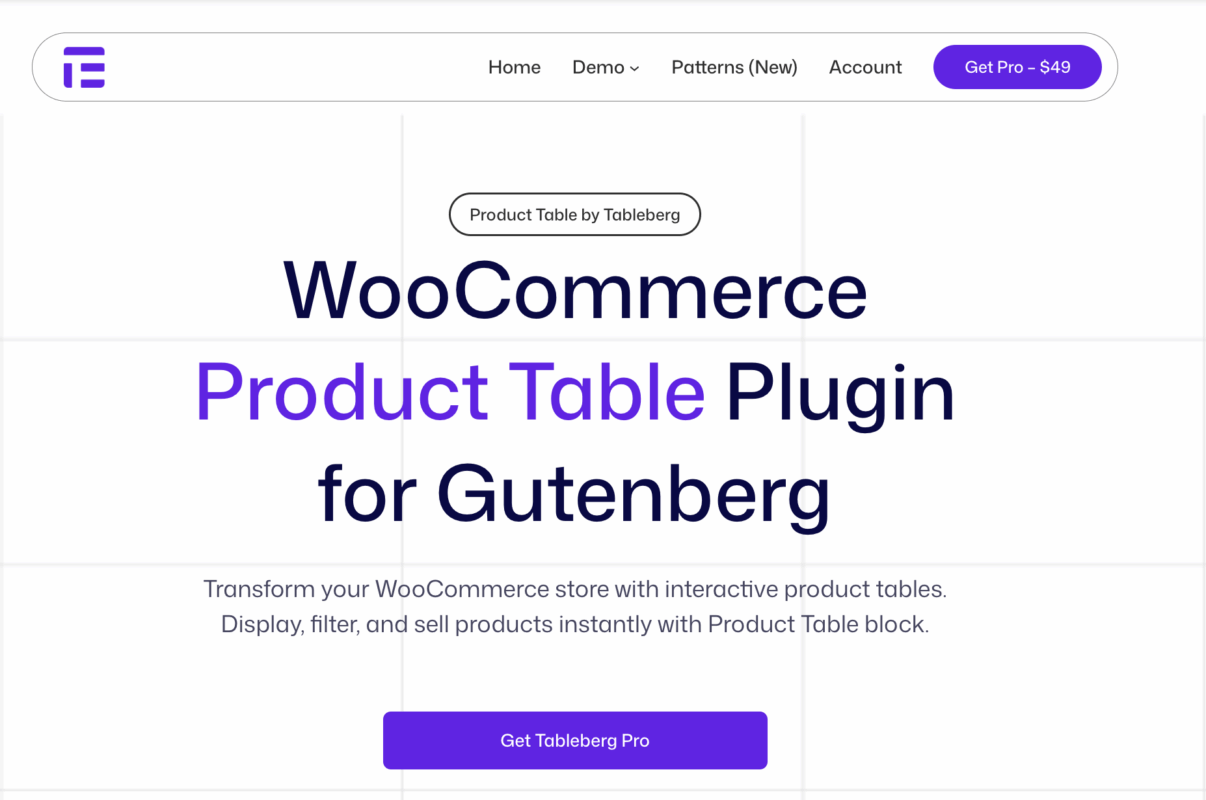
Product Table by Tableberg is a modern, Gutenberg-native WooCommerce plugin designed to display your products in a clean, structured table layout directly within the Block Editor. Instead of standard grid views, it enables shoppers to compare multiple products side by side—showing key details like price, ratings, stock, and SKU. With fast AJAX-powered interactions and a mobile-optimized design, it’s the perfect solution for building product catalogs, quick-order forms, or comparison tables seamlessly inside WordPress.
Key Features
- Gutenberg Block Integration: Create and edit product tables visually within the WordPress Block Editor.
- Customizable Columns: Add and arrange columns for product images, prices, ratings, SKUs, and more.
- AJAX Functionality: Enable instant search, sorting, and add-to-cart actions without page reloads.
- Responsive Design: Optimized for flawless performance on mobile, tablet, and desktop.
- Supports Variations & Reviews: Display product variations, customer reviews, and custom fields effortlessly.
Best Suited For: Ideal for wholesale stores, tech retailers, and catalog-based WooCommerce sites that want to present structured, comparison-style product listings with quick ordering options.
Pricing: Product Table by Tableberg is available for $49 per year, covering unlimited sites, making it an affordable and efficient choice for businesses looking to enhance their WooCommerce product display.
7. GS WooCommerce Product Slider

The GS WooCommerce Product Slider Plugin helps WooCommerce store owners display products in a more engaging and organized way. The plugin focuses on clarity, speed, and visual appeal so products get attention without distracting visitors. Pages feel more dynamic, product discovery improves, and featured items become easier to promote, all without writing any code.
Built specifically for WooCommerce, the plugin blends smoothly with existing themes and page builders while keeping performance stable across the site.
Key Features:
- Quick Slider Setup: Create product sliders in minutes using clear and simple configuration options for layout, navigation, and autoplay.
- Controlled Product Display: Show products by category, tag, featured status, sale items, or custom selections to support targeted promotions.
- Customizable Design Options: Adjust spacing, typography, buttons, and slider structure to match your store’s branding and layout.
- Fully Responsive Layouts: Sliders adapt automatically to desktop, tablet, and mobile screens to maintain a consistent shopping experience.
- Lightweight and Performance Friendly: Optimized code ensures rapid loading times and smooth interaction without hurting Core Web Vitals.
Best Suited For: This product is ideal for WooCommerce store owners, agencies, and marketers who aim to highlight products, enhance the browsing experience, and boost engagement through interactive sliders.
Pricing: GS WooCommerce Product Slider offers a free version with essential features and a premium version that unlocks advanced layouts and deeper customization options. Pricing remains affordable for small stores and growing businesses.
Conclusion
A WooCommerce Product Table Plugin is more than just a layout enhancement. It’s a strategic tool for improving navigation, user experience, and conversions. By presenting products in a structured and easily filterable table format, you simplify the buying journey and allow shoppers to make quicker, more confident purchase decisions.
Whether you’re managing a wholesale business, an online catalog, or a store with complex product variations, implementing a product table plugin can streamline your operations and deliver measurable improvements in sales performance.
The right plugin depends on your store’s size, functionality requirements, and design preferences. Regardless of which one you choose, focusing on usability, speed, and customer convenience will help you create a more efficient and engaging WooCommerce shopping experience.
Frequently Asked Questions (FAQ)
1. What does a WooCommerce product table plugin do?
It allows you to display your products in a table format with features like filtering, sorting, and instant add-to-cart, offering a more interactive shopping experience.
2. Is a product table layout better than a grid layout?
Yes, especially for large or wholesale stores. Tables let customers view multiple products, compare details, and order faster than the standard grid layout.
3. Do these Product Table plugins support variable products?
Most premium product table plugins support variable and grouped products, enabling users to select product options directly from the table.
4. Can I use product tables on specific pages only?
Yes. Most plugins provide shortcodes or Gutenberg blocks that allow you to insert product tables on any page, category, or landing section.
5. Are product table plugins SEO-friendly?
Yes. Reputable plugins preserve WooCommerce’s schema markup and structured data, helping maintain SEO performance and visibility in search engines.
6. Will the Product Table plugin work on mobile devices?
Absolutely. Modern product table plugins are responsive, ensuring seamless functionality across desktops, tablets, and smartphones.
7. Do I need coding knowledge to set up a product table plugin?
No. Most product table plugins offer user-friendly dashboards and drag-and-drop interfaces that make setup simple even for non-technical users.
8. Can I customize the table design to match my website?
Yes. Many product table plugins offer options for adjusting colors, fonts, and column visibility to align with your brand’s design.
