


As more businesses adopt e-commerce models, the boundaries between B2C and B2B commerce are becoming increasingly blurred; however, B2B stores face a distinct set of challenges and requirements. WooCommerce, by default, is built for standard retail (B2C) flows. To properly support B2B use cases (such as bulk pricing, custom registration, quotes, and role-based pricing), you need specialized plugins. In this blog, we’ll define what B2B means, contrast it with B2C, dig into the cost, SEO, sales, and customer aspects, and then present a curated list of the top WooCommerce B2B / wholesale plugins (as of 2025).
Article Contains
- What Does B2B Mean?
- How B2B Differs from B2C
- Wholesale Operations and Cost Management in B2B
- Why B2B Plugins Are Essential for WooCommerce Stores
- Top 10 WooCommerce B2B Plugins
- Conclusion
- FAQs
What Does B2B Mean?
“B2B” stands for Business-to-Business — i.e., commercial transactions where one business sells goods or services to another business. In the eCommerce context, B2B eCommerce refers to online platforms or stores where the customers are companies (resellers, wholesalers, retailers, institutions) rather than individual consumers.
Some key characteristics of B2B eCommerce:
- Larger order volumes and higher average order value
- Longer sales cycles (negotiation, quotes, approvals)
- Customized pricing, discounts, or contract-based pricing
- Purchase orders, invoicing, and sometimes credit/terms, rather than immediate payment
- Complex logistics, supply chains, or scheduled replenishment
- Multiple stakeholders or approval layers in a buying decision
Because of these complexities, B2B stores require features and workflows quite different from typical B2C stores.
How B2B Differs from B2C
Here’s a comparative breakdown of how B2B commerce differs from B2C (consumer) commerce:
| Aspect | B2C | B2B |
|---|---|---|
| Target Customer | Individuals, end consumers | Businesses, institutions, resellers |
| Buying Motivation | Emotional, impulse, convenience, deals | Rational, volume-driven, long-term relationships |
| Order Size & Frequency | Often small, one-off purchases | Larger quantities, recurring, bulk orders |
| Pricing Model | Fixed, transparent prices | Tiered, negotiated, custom price lists |
| Sales Process | Instant checkout, minimal friction | Quotation, negotiation, approval workflows |
| Payment Terms | Payment at time of purchase (credit card, digital) | Often with net-30, net-60, purchase order, invoicing |
| Decision Makers | Single buyer | Multiple stakeholders (procurement, finance, etc.) |
| Marketing & Sales Approach | Mass marketing, discounts, impulse triggers | Nurture, account-based marketing, relations, proposals |
| Customer Relationship | Transactional, one-time or loyalty-based | Long-term, contract-based, retention critical |
These differences come from the nature of B2B: higher stakes, more complexity, recurring business, and deeper negotiation. So, to run a B2B eCommerce store, you should plan your store, pricing, UX, and backend workflows differently.
Wholesale Operations and Cost Management in B2B
In B2B eCommerce, managing wholesale pricing, warehousing, and logistics directly impacts profitability. Bulk operations require careful control over margins and operational costs.
- Tiered Pricing & Margins: Selling in volume demands flexible, role-based, or tiered pricing. Your WooCommerce B2B plugin should support price breaks (e.g., 100+, 500+ units) and contract pricing.
- Minimum Order Rules (MOQ): Define minimum quantities or cart values to keep orders profitable.
- Warehouse & Handling Costs: Bulk shipments increase expenses in storage, packing, and labor. Reflect those in your pricing model.
- Shipping & Freight Flexibility: B2B stores need advanced rules, such as freight-free thresholds, zone-based rates, or partial delivery options.
- Inventory & Safety Stock: Maintain buffer stock to avoid stockouts on large orders and balance between retail (B2C) and wholesale inventory.
- Returns & Restocking: Bulk returns can be costly. Set clear restocking and inspection terms.
Strong control over these operational costs is essential — and a good B2B plugin helps automate many of these processes.
Why B2B Plugins Are Essential for WooCommerce Stores
You might ask: why not just use “regular” WooCommerce plus a few tweaks?
The answer: B2B needs are often outside the scope of default WooCommerce, and ham-fisted hacks can become brittle, insecure, or unmaintainable. Here are the key reasons a specialized B2B / wholesale plugin is essential:
- Role-Based Pricing & Visibility: B2B stores often require differential pricing depending on customer roles (e.g., “Wholesaler”, “Distributor”, “Retailer”). Plugins let you define and assign those roles, set pricing rules per role, hide certain prices or products, or even show a privileged catalog.
- Bulk / Tiered Pricing / Volume Discounts: Setting up tiered pricing or “buy X get Y” discounts is cumbersome manually; B2B plugins built for this handle it elegantly.
- Quoting & Negotiation Workflows: Allowing customers to request quotes, for you to submit custom offers, converting quotes to orders, etc, something WooCommerce lacks by default.
- Custom Registration, Approval & B2B Onboarding: Plugins let you customize registration forms with extra fields (company, tax/registration numbers), conditionally show fields, and approve or reject applications.
- Role-Based Shipping and Payment Rules: Different customers may get different payment terms (e.g., credit vs credit card), or access to certain shipping methods. Plugins can make it conditional.
- Order Form / Quick Order Interfaces: B2B buyers expect efficiency: bulk entry, SKU lists, quick reorder, not product-by-product browsing. Dedicated plugins help.
- Catalog or Private Store Modes: Ability to hide prices or “Add to Cart” until login; possibly show “catalog mode” (browsing only) to public visitors, while enabling checkout only for approved B2B users.
- Seamless Integration: Avoid conflicts or custom hacks: good plugins are built to integrate cleanly into WooCommerce, support updates, and maintain compatibility.
- Scalability & Maintenance: As your B2B business grows, you may need more complex workflows or extensions. A modular plugin gives you room to scale without rewriting your store.
Given these reasons, selecting a robust B2B plugin is critical for your long-term success.
Top 10 WooCommerce B2B Plugins
Here’s a curated list of top WooCommerce plugins (free, freemium, premium) for B2B / wholesale capabilities, as of 2025. Use this as a reference or shortlist for your evaluations.
1. Wholesale Suite

Wholesale Suite is a suite of WooCommerce plugins that add B2B wholesale capabilities to your existing store. You can manage wholesale pricing, registration, order forms, and more, all while keeping your normal retail storefront. They support integrations with many plugins and aim to make wholesale operations easy.
Key Features:
- Tiered & Role-Based Pricing: Set flexible wholesale prices by user role, product, or category with automated volume discounts.
- Controlled Product Visibility: Show or hide products and categories based on customer roles for a tailored shopping experience.
- One-Page Bulk Order Form: Enable quick bulk ordering with an easy, single-page form to add multiple items at once.
- Wholesale Registration & Approval: Capture new wholesale leads and approve them before granting access to special pricing and features.
- Custom Shipping, Tax & Payment Rules: Configure role-specific shipping options, tax rates, and payment gateways for business customers.
Pricing: Free version available. Premium plugins start at $99/year, or get the full bundle for $299/year.
Best suited for: Wholesale Suite is ideal for WooCommerce store owners, distributors, and retailers who want to add B2B functionality, offer wholesale pricing, and manage retail and wholesale customers in one store without coding.
2. WooCommerce Wholesale Pro
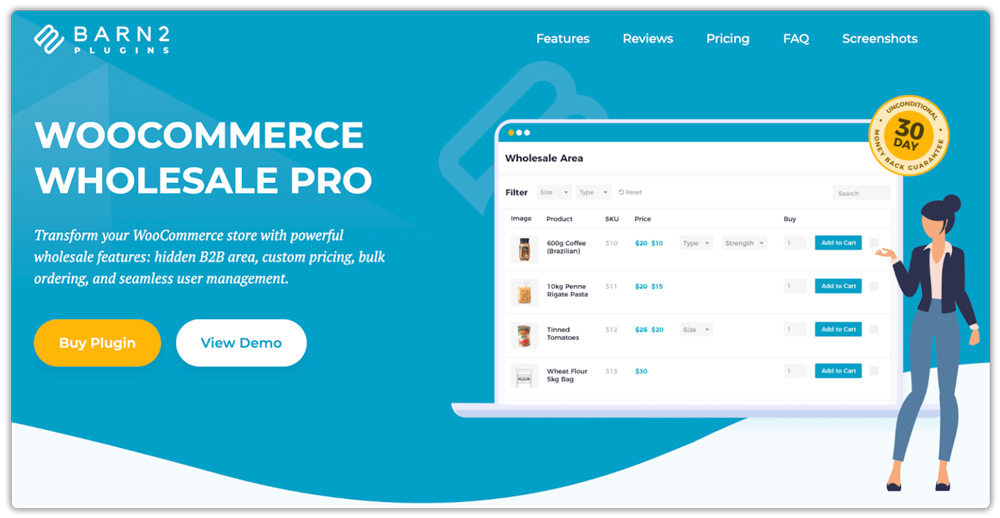
WooCommerce Wholesale Pro is a comprehensive B2B plugin designed to transform your WooCommerce store into a fully functional wholesale platform. It offers advanced features like customizable pricing, bulk ordering, and streamlined user management, making it ideal for businesses looking to expand their wholesale operations.
Key Features:
- Unlimited Wholesale Roles: Create multiple wholesale user roles, each with unique pricing structures tailored to different customer groups.
- Flexible Pricing Options: Set global, category-specific, or product-specific wholesale prices and discounts, including percentage-based reductions.
- Customizable Registration Forms: Design advanced wholesale registration forms with up to 10 additional fields, and choose between instant access or manual approval for new users.
- Wholesale Visibility Control: Manage the visibility of products, categories, taxes, coupons, and shipping options to ensure that only authorized wholesale customers can access specific areas.
- Seamless Integration with Order Forms: When combined with the WooCommerce Product Table plugin, it enables efficient one-page order forms optimized for bulk purchasing.
Pricing: WooCommerce Wholesale Pro starts at $119/year for a single site, with plans up to $599/year or $1,999 lifetime for 20 sites. All plans include updates, new features, and unlimited support.
Best Suited For: This plugin is perfect for businesses seeking to launch or grow their wholesale operations on WooCommerce, providing a smooth and fully customizable B2B shopping experience. It suits retailers adding wholesale, wholesale-only businesses, multi-tier distribution networks, and B2B service providers who need custom pricing and advanced account management.
3. Wholesale for WooCommerce
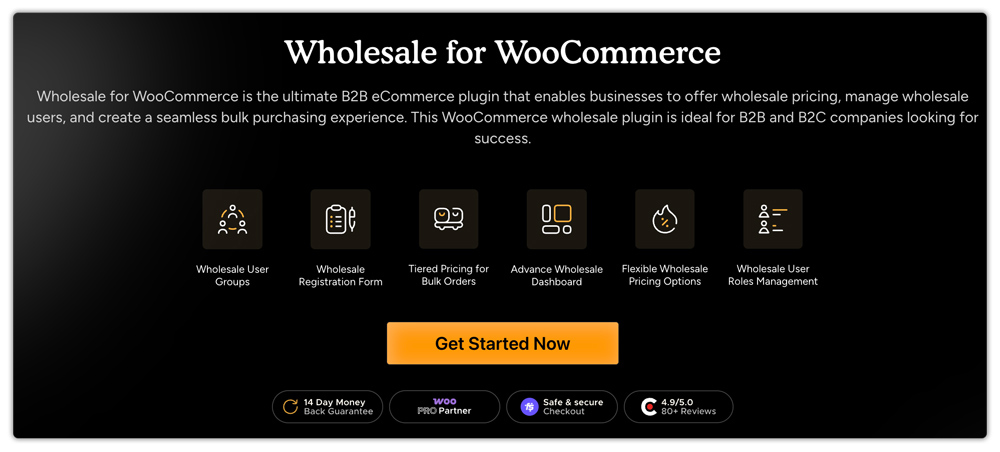
Wholesale for WooCommerce simplifies managing a B2B e-commerce store with some powerful and must-have features. It offers variable wholesale pricing, user roles, and bulk order handling. It’s an ideal add-on for businesses selling to retail and wholesale clients alike.
Key Features:
- Create and maintain wholesale user groups with flexible pricing.
- Monitor sales and performance from a separate wholesale dashboard.
- Provide tiered pricing for users to make larger bulk purchases.
- Create custom wholesale registration forms for simple onboarding.
- Assign role-based discounts, taxes, and order rules.
Pricing: The plans begin at $129.99/year and have Pro and Agency license options.
Best Suited For: This add-on is most suitable for B2B business owners, wholesale distributors, and manufacturers looking to increase sales and ROI.
4. WholesaleX – B2B Wholesale Plugin for WooCommerce

WholesaleX is one of the most popular B2B wholesale plugins for WooCommerce. With this single plugin, anyone can easily add wholesale prices and tiered pricing to their existing products. It also comes with a bulk order form and dynamic discount rules, a private store, a request quote feature, and more, making it possible to serve both B2B and B2C customers from the same storefront. To make these B2B features truly effective, partnering with experienced web design companies ensures your storefront is designed for bulk buyers, wholesale clients, and seamless B2B navigation
Key Features:
- Unlimited Wholesale Roles: Create unlimited user roles to make customer segmentation effective and set different pricing for the same products for different customers.
- Wholesale Pricing: Set wholesale pricing based on user roles for all products, specific products, product categories, and product attributes.
- Tiered Pricing: Set quantity-based tiered pricing to encourage bulk purchases and increase the average order value.
- Bulk Order Form: Enhance your wholesale buying experience with the wholesale bulk order form, which enables customers to select multiple products and place orders efficiently.
- Registration Form Builder: Make your B2B customers’ acquisition easier and more effective by creating a custom registration page with additional custom fields.
- Product Visibility Control: Hide specific/multiple products or make your store private from unregistered B2C customers.
- Dynamic Discount Rules: Offer exclusive offers with 16+ discount rules, including cart discount, payment method discount, buy x get y offer, BOGO, and more.
Pricing: The pricing for WholesaleX starts at $129/year for a single-site license and increases to $699 for the lifetime plan, covering up to 20 sites. You will get all features with any plan except the white labelling, which is only available with the agency plan.
Best Suited For: WholesaleX is ideal for entrepreneurs who want to build and manage a comprehensive WooCommerce B2B or B2B + B2C hybrid store. Plus, those who want to offer discounts to get more sales, while offering a better wholesale buying experience.
5. B2BKing

B2BKing is a complete B2B and Wholesale solution for WooCommerce, enabling businesses to run wholesale, B2B, hybrid B2B+B2C, or private membership stores. With over 137 features, it handles everything from basic wholesale functionality like hiding prices for guests to complex requirements such as tiered pricing, tax exemptions, company account management, and custom quote systems. B2BKing is trusted by thousands of businesses worldwide for its comprehensive feature set and ease of use.
Key Features:
- Flexible User Management – Separate B2B/B2C registration forms, business approval workflows, and multiple buyers on one company account.
- Advanced Pricing Control – Tiered pricing structures, negotiated offers, product bundles, and group-specific wholesale prices.
- Quote & Order Management – Full quote request system with custom fields, PDF generation, conversion to offers, and quick orders via CSV upload.
- Tax & Payment Flexibility – VAT/VIES validation, tax exemptions, invoice payment gateway, purchase order gateway, and payment method restrictions.
- Company Account Features – Company order approval workflows, purchase lists for re-ordering, conversations/messaging, and separate B2B/B2C inventory management.
Pricing: B2BKing offers annual subscriptions starting at $179 (first year) for single sites, $249 for up to 3 sites, and $399 for unlimited sites. Lifetime licenses are also available starting at $699, providing exceptional long-term value for businesses.
Best Suited For: Perfect for WooCommerce store owners and developers looking to add B2B functionality to existing B2C stores or build dedicated wholesale/B2B operations. Ideal for businesses needing advanced features like company accounts, custom pricing, and quote management without complex setup.
6. B2B Request a Quote for WooCommerce

B2B Request a Quote for WooCommerce enables your customers to request custom quotes rather than adding products straight to the cart. It’s an easy means to manage bulk or custom orders with enhanced customer communication.
Key Features:
- Create quote request forms using a handy form builder.
- Make users able to download or print PDF quotes.
- Make guest or wholesale users capable of requesting quotes.
- Approved quotes can be converted into WooCommerce orders.
- Establish quote rules according to user roles and products.
Pricing: Begins at $49.99/year with Pro and Agency options.
Best Suited For: Ideal for wholesale stores and B2B stores that deal with custom pricing or bulk orders.
7. WooCommerce Quantity Manager

WooCommerce Quantity Manager is a powerful plugin designed to give store owners precise control over product quantities. It enables the setting of minimum and maximum purchase limits, default quantities, and step increments, ensuring that customers adhere to desired purchasing behaviors. Ideal for businesses aiming to streamline their order processes and optimize inventory management.
Key Features:
- Minimum & Maximum Quantities: Set required minimum and maximum quantities or order values per product, category, or variation to ensure profitable and manageable orders.
- Quantity Increments: Define step values, requiring customers to purchase in specific groupings, such as sets of 5 or 10, aligning with packaging or inventory constraints.
- Default Quantity Settings: Customize the default quantity displayed in the quantity field, encouraging customers to purchase in larger quantities by default.
- Role-Based Rules: Apply quantity restrictions selectively based on user roles, allowing different rules for wholesale customers, regular shoppers, or specific user groups.
- Error Handling & Prompts: Provide clear error messages and guidance when customers attempt to add quantities that don’t meet the set rules, enhancing user experience and reducing checkout issues.
Pricing: WooCommerce Quantity Manager starts at $69/year for a single site, with plans up to $249/year or $799 lifetime for 20 sites, all including updates, new features, and unlimited support.
Best Suited For: Perfect for wholesale stores requiring bulk purchase minimums, businesses selling products in specific groupings or multiples, retailers needing to enforce minimum order values, and stores with role-based pricing structures requiring different quantity rules for various customer segments.
7. ELEX WooCommerce Catalog Mode, Wholesale & Role-Based Pricing

The ELEX WooCommerce Catalog Mode, Wholesale & Role-Based Pricing plugin simplifies managing complex pricing strategies for wholesalers, retailers, and guest users. It lets you effortlessly control product visibility, set role-based prices, and activate catalog mode, all from a single, intuitive dashboard.
Key Features
- Role-Based Pricing & Discounts: Set custom prices, discounts, and tax rules for different WooCommerce user roles or customer groups.
- Category-Specific Pricing: Offer unique pricing or discounts by product category to manage wholesale and retail tiers easily.
- Customer-Specific Wholesale Pricing: Assign personalized pricing and discounts to individual customers to create tailored B2B deals.
- Catalog Mode Customization: Enable catalog mode to hide or modify the ‘Add to Cart’ button, perfect for quote-only or inquiry-based stores.
- Conditional Payment Methods: Show or hide specific payment options at checkout depending on user role or purchase type.
Pricing: The plugin is available for $79 per year for a single-site license, with updates and support included.
Best Suited For: WooCommerce stores that need to serve both retail and wholesale audiences, enforce role-specific pricing, or hide product purchase options for visitors or guest users.
8. WooCommerce Wholesale & B2B Plugin Bundle
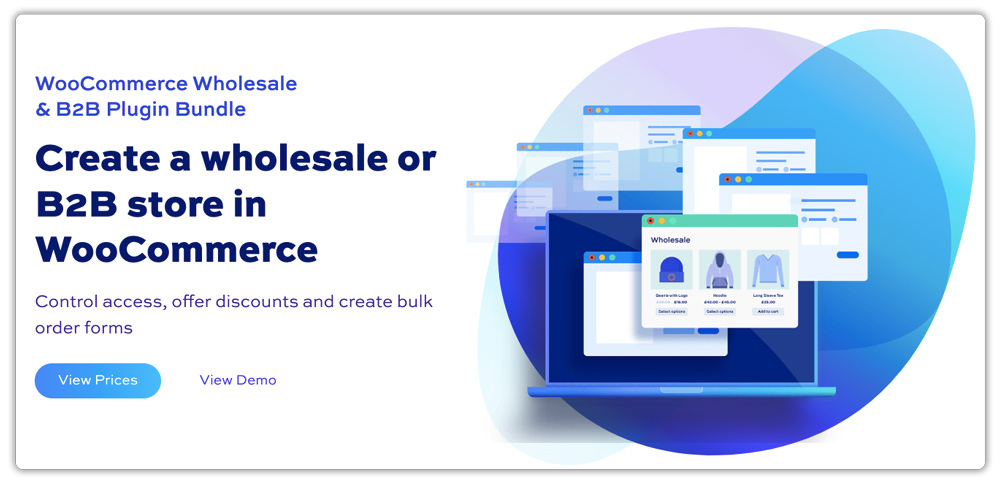
The WooCommerce Wholesale & B2B Plugin Bundle from Plugin Republic is a comprehensive suite for turning a standard WooCommerce store into a wholesale or B2B platform.
It combines tools to restrict access, set up multiple pricing tiers, and streamline bulk orders. With customizable user registration, discount rules, and visibility controls, store owners can offer tiered pricing, role-based discounts, and exclusive products to specific customer groups.
The bundle also includes product tables for easier ordering and options to hide prices or taxes for designated roles. It’s designed to simplify the management of wholesale customers and enhance order efficiency in business-to-business WooCommerce stores.
Key features
- Role-based pricing and discount rules (bulk, tiered, percentage, fixed) by user role, product, or category
- Product visibility and access control (hide products/categories, public/private stores)
- Customizable wholesale order forms with searchable, sortable tables
- Flexible registration with custom fields, approval workflow, and VAT collection
- Tax, discounts, payments, and shipping method controls per user role
Pricing: Pricing ranges from $99 to $399, depending on licence type and duration. Yearly licences ($99 basic, $169 pro) renew annually, while lifetime licences ($259 basic, $399 pro) are one-time purchases and include updates/support for life. All purchases have a 14-day money-back guarantee.
Best suited for: This bundle is ideal for WooCommerce store owners needing to sell wholesale or B2B, especially those who want robust role-based pricing, controlled product access, and efficient bulk ordering workflows without complex custom development.
9. YayWholesale
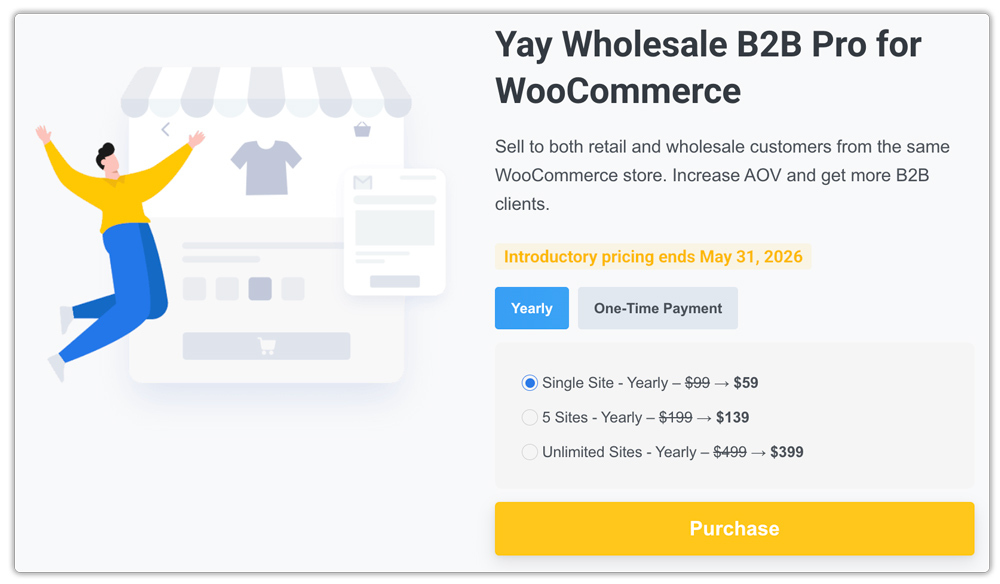
YayWholesale is a powerful WooCommerce plugin designed to help store owners transform their standard retail store into a fully functional B2B or hybrid B2B/B2C wholesale platform. Built by the team behind several popular WooCommerce extensions, YayWholesale focuses on simplifying complex wholesale workflows while maintaining the flexibility WooCommerce users expect.
With YayWholesale, merchants can easily create role-based pricing structures, allowing different customer groups, such as wholesalers, distributors, or VIP buyers, to access exclusive pricing and product visibility. Instead of manually adjusting prices or creating duplicate products, store owners can automatically apply tiered pricing, bulk discounts, and wholesale rates based on user roles or purchase quantities.
Key features:
- Role-Based Pricing: Set custom pricing rules for different customer roles such as wholesalers, distributors, or VIP clients. This ensures each customer group receives the correct pricing automatically.
- Tiered & Bulk Pricing: Encourage larger purchases by offering quantity-based discounts or tiered pricing structures tailored for wholesale buyers.
- Wholesale Customer Registration & Approval: Create custom wholesale registration forms and review applications before approving access to wholesale pricing and products.
- Product Visibility Control: Restrict certain products, categories, or prices so that only authorized wholesale customers can view or purchase them.
- Flexible Pricing Rules: Apply discounts by product, category, or user role, making it easier to manage complex wholesale pricing strategies.
- Seamless WooCommerce Integration: Works smoothly with the WooCommerce ecosystem, allowing you to combine it with other extensions for marketing, checkout optimization, or advanced store customization.
Pricing: YayWholesale offers a premium pricing model designed to support growing WooCommerce businesses, starting at $59/year for a single site, with plans up to $799 for lifetime and unlimited sites.
Best Suited For: YayWholesale is perfect for manufacturers and suppliers selling products in bulk to distributors or retailers, WooCommerce stores transitioning from B2C to B2B operations, businesses running hybrid B2B + B2C stores that require different pricing levels for different customers, wholesale marketplaces that need structured pricing and controlled customer access, and growing eCommerce businesses that want to automate bulk pricing and streamline wholesale management
Conclsion
In conclusion, building a successful B2B eCommerce store on WooCommerce is not just possible, it’s a powerful opportunity when done right. By addressing the unique needs of business buyers through role-based pricing, flexible payment options, and efficient bulk-order workflows, you can transform WooCommerce into a robust B2B platform. The right WooCommerce B2B plugins make all the difference, streamlining complex operations and enhancing the buying experience. Ultimately, investing in a well-optimized B2B setup ensures long-term growth, stronger client relationships, and a competitive edge in the wholesale eCommerce market.
FAQ (Frequently Asked Questions)
Q1. Can I run both B2B and B2C from the same WooCommerce store?
Yes — many modern B2B plugins support hybrid mode, where retail (B2C) customers see regular pricing, and wholesale/B2B users (after login or approval) see custom pricing, discounts, or catalogs. B2BKing, Wholesale Suite, and Addify’s B2B plugin are examples.
Q2. How do I choose the “right” B2B plugin?
Start by listing must-have features: e.g., tiered pricing, quote requests, payment terms, bulk order forms, user roles, shipping rules, etc. Evaluate how well the plugin supports each and test it in a staging environment. Also consider performance with your catalog size and support quality.
Q3. Will using a B2B plugin slow down my WooCommerce site?
It can, if many dynamic pricing/role-based logic is processed on every page load. Use caching, object caching, and exclude certain dynamic parts. Good plugins are built with performance in mind — but check reviews and benchmarks.
Q4. Do these plugins support tax exemption / VAT handling for B2B customers?
Many do — you can often exempt certain user roles, validate VAT/TIN numbers, or assign tax rules per role. Always review plugin docs to confirm your local tax requirements (e.g., India, EU, etc.).
Q5. Can I migrate from one B2B plugin to another?
Yes, though with care. You’ll need to migrate role definitions, pricing tables, customer assignments, discount rules, and test thoroughly. Some plugins offer migration tools; others may require manual mapping.
