


Returns are a routine part of running a Shopify store, and the way you handle them shapes how customers feel about buying from you again. A clear, frictionless return process builds trust. A slow or confusing one costs you future sales. As one of Australia’s most familiar and widespread delivery networks, Australia Post is a strong partner for making Shopify returns manageable for both merchants and customers and create australia post return label for the appropriate service.
This guide walks through how Australia Post return labels work and the methods available depending on your account type.
In This Article:
- Australia Post Return Label Options by Account Type
- How to Generate an Australia Post Return Label via MyPost Business
- Australia Post Return Label Options Under eParcel Contract
- Where Can Shopify Customers Drop Off Returns with Australia Post
- How the PluginHive Australia Post Ship App Simplifies Return Labels on Shopify
- Best Practices for Australia Post Returns on Shopify
- Conclusion
- FAQs
Australia Post Return Label Options by Account Type
The method you use to generate an Australia Post return label depends on which account you hold. Australia Post offers return label capabilities under both MyPost Business and eParcel Contract.
- With a free MyPost Business account, you can easily create a return label for your customers, offer 20,000+ drop-off points, and provide printer-less returns.
- With the eParcel Contract, you have a choice of parcel returns options, including a convenient co-branded portal, plus features such as printer-less returns, drop-off locations, and customisation.
Both account types support the core requirement: generating and distributing an Australia Post return label to your customer.
How to Generate an Australia Post Return Label via MyPost Business
For Shopify merchants on MyPost Business, return labels are created manually through the MyPost Business portal. This approach is straightforward and works well for lower-volume stores or merchants who prefer direct control over each return.
Steps to generate a return label in MyPost Business:
- Log in to your MyPost Business account.
- Select “Create a shipment” and switch to the Return option.
- Enter the customer’s name, address, and contact information.
- Add the parcel weight, dimensions, and relevant item notes.
- Select the Australia Post service you want to use for the return.
- Generate the label and download the PDF.
- Email the label to your customer or attach it to your Shopify return notification.
Once the customer has the label, they can print it at home or use Print at Post at a participating Post Office.
If you’re deciding between MyPost Business and eParcel, the guide on Australia Post MyPost Business for your Shopify store covers the key differences and which account type suits different shipping volumes.
Australia Post Return Label Options Under eParcel Contract
eParcel Contract provides Shopify merchants with more structured, scalable return label options. eParcel Contract parcel returns are a seamless process that gives your customers the confidence to buy from your business. You can offer customers a choice of 4 parcel return options.
These four options are:
- Returns Portal: Your customer self-serves through a co-branded online portal and prints their parcel return label at home or at a Post Office, for domestic parcel returns only.
- Returns Portal Plus: A fully integrated option that allows your customer to print their own parcel return label at home, or at a Post Office, through a co-branded online portal.
- Merchant-generated label: You create a return label using your eParcel Contract account and email it to the customer, who can print it at home or at a select Post Office.
Both you and your customers can track the progress of returns online, with notifications provided throughout the delivery journey. This transparency builds trust and keeps customers informed, reducing the need for follow-up inquiries.
For more on whether eParcel is the right account tier for your Shopify store, see Australia Post parcel rates: when is it worth upgrading to eParcel on Shopify?
Where Can Shopify Customers Drop Off Returns with Australia Post
One of the strongest reasons to use Australia Post for Shopify returns is the breadth of drop-off options available to customers.
- With 20,000+ drop-off locations across Australia, including Post Offices, free 24/7 Parcel Lockers, and street posting boxes, customers can find a location that suits their schedule. You can access 15,000+ of these locations 24/7.
- For Parcel Lockers specifically: parcels must be appropriately packed in either a prepaid satchel or mailing box, or a satchel with a postage label. Parcels must be under 16kg and no larger than 35 x 44 x 61cm in size.
This network coverage means customers outside metro areas still have convenient access to return their items, which reduces friction and support inquiries for your Shopify store. It also removes one of the most common objections to purchasing online, uncertainty about how easy returns will be if something doesn’t fit.
How the PluginHive Australia Post Ship App Simplifies Return Labels on Shopify
With the PluginHive Australia Post Ship app, creating return labels for eParcel and StarTrack is fast and straightforward. After the shipping label is generated in Shopify, you can generate the corresponding return label directly from the order.
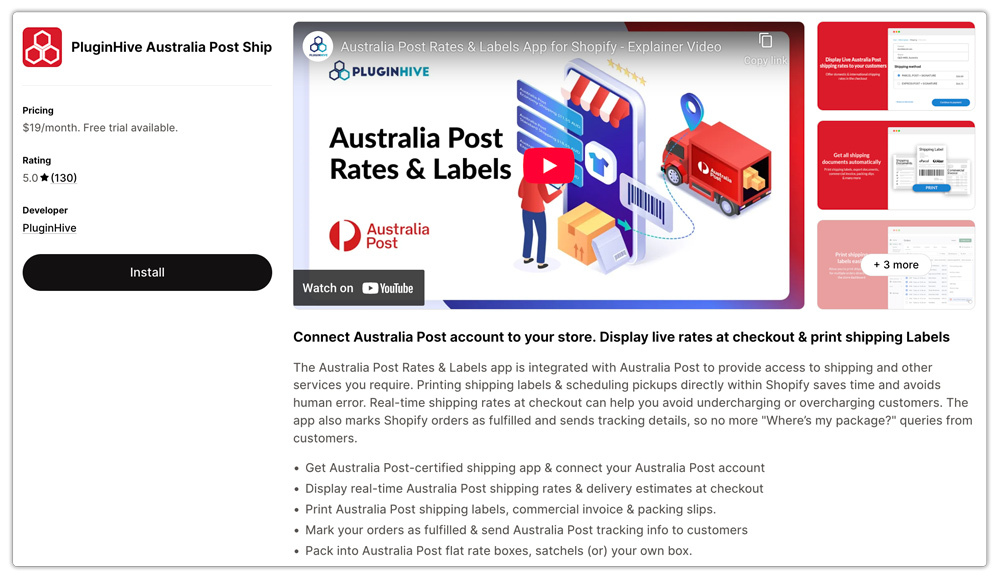
How to create a return label:
- Go to the order where the original shipping label was created.
- Click on “Return Packages” inside the PluginHive app section.
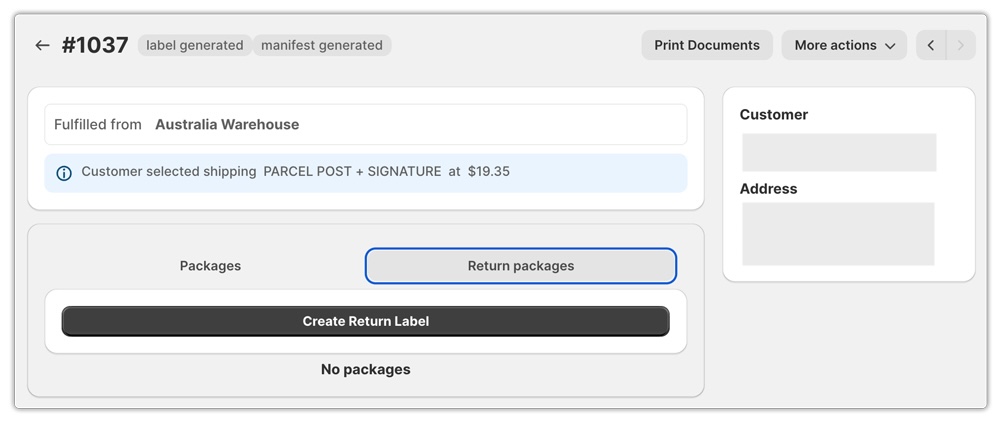
- Select the quantity or specific items the customer is returning.

- Confirm the details, and the return label will be generated instantly.

- You can then download the label or email it directly to the customer so they can drop off the parcel at any Australia Post location.
Whether you’re on StarTrack or managing higher volumes on an eParcel Contract, the app connects to both account types and supports the return label workflow within the same Shopify interface you already use for outbound shipping. You can read more about how the app handles the full Australia Post setup in the guide on Australia Post shipping services for Shopify.
Best Practices for Australia Post Returns on Shopify
Setting up the label generation process is only part of what makes returns work well. These practices make the overall experience smoother for both sides:
- State your returns policy clearly. Include return timeframes, packaging requirements, and which items are eligible. Customers who understand the process before they buy are less likely to contact support during a return.
- Use tracking and notifications. Return tracking keeps customers informed and reduces “Did you receive my return?” queries. For eParcel merchants, tracking and notifications are included throughout the return journey.
- Include a matching return label for high-return product categories. Including the label in the box at dispatch removes the need for customers to wait for a label.
- Account for peak periods. Australia Post’s broad drop-off network helps absorb return volume during busy periods like post-Christmas sales. For delivery timeline expectations, see the article on Australia Post delivery times and holiday deadlines for Shopify.
Conclusion
Generating an Australia Post return label for a Shopify order isn’t complicated once you understand which method matches your account type. MyPost Business covers the needs of lower-volume stores with a straightforward manual process and access to Print at Post drop-off. eParcel Contract opens up more structured options, a self-service portal, a Returns Portal Plus with Shopify integration, merchant-generated labels, and matching labels included at dispatch. Across both account types, customers have access to 20,000+ drop-off locations, which removes one of the biggest friction points in any return process.
The PluginHive Australia Post Ship app brings return label generation inside Shopify for eParcel and StarTrack accounts, saving the steps between a return approval and the label reaching the customer.
FAQs
Q. Can I create an Australia Post return label without an eParcel account?
Yes. MyPost Business accounts can generate return labels through the MyPost Business portal.
Q. What is a matching return label?
A matching return label is created alongside the outbound shipping label and included inside the parcel at dispatch. The customer uses it to return the item without waiting for you to issue a new label. It matches the original shipment’s dimensions, weight, and service.
Q. Does the PluginHive Australia Post Ship app support return label generation?
Yes. The app supports return label generation for eParcel and StarTrack accounts directly from the Shopify order page.
