


Every Shopify order that ships with UPS goes out in one of two types of packaging: a box you source yourself or UPS shipping boxes. That choice affects your shipping costs, the rates shown at checkout, and how accurately Shopify can calculate dimensional weight. Getting it right matters more than most merchants realize.
Table of Contents
- UPS Packaging Options for Shopify Merchants
- What Are UPS Carrier Boxes and When to Use Them
- UPS Simple Rate: Flat Rate Shipping with UPS Shipping Boxes
- What Are Custom Boxes in Shopify and When Do They Make More Sense
- UPS Packaging Rules Shopify Merchants Need to Know
- How to Configure UPS Shipping Boxes in Shopify
- Conclusion
- FAQ
UPS Packaging Options for Shopify Merchants
When you ship a Shopify order with UPS, you have two paths for packaging:
- UPS carrier packaging: Boxes, envelopes, and tubes supplied by UPS, often used with specific service types or flat rate programs
- Custom boxes: Your own branded or generic packaging, sourced independently, used with standard UPS rate calculations based on actual dimensions and weight
The right choice depends on what you’re shipping, how often you’re shipping it, and whether predictable flat pricing or flexibility matters more for your catalog.
What Are UPS Carrier Boxes and When to Use Them
UPS provides a range of carrier packaging that can be ordered directly from UPS. Packaging supplies such as shipping boxes, shipping envelopes, labels, tubes, pouches, and forms are available through the UPS supplies portal free of charge for UPS account holders.
UPS carrier packaging options include:
- UPS Express Boxes: Corrugated boxes available in multiple sizes for a wide variety of merchandise. These boxes are designed for UPS Express services.
- UPS Express Envelopes: Available in standard, reusable, and window formats, best suited for documents, correspondence, and other flat items.
- UPS Express Hard Pak: Designed for thin, valuable, or sensitive items such as passports, certificates, and important records that require additional protection from bending.
- UPS Express Tubes: Ideal for posters, blueprints, architectural drawings, maps, and other rolled documents.
For Shopify merchants shipping with UPS, UPS carrier boxes are most useful when you need a quick, standardized packaging solution and your products fit standard dimensions comfortably.
UPS Simple Rate: Flat Rate Shipping with UPS Shipping Boxes
UPS Simple Rate is a flat-rate shipping program that removes the zone-based variable pricing from the equation. It’s one of the most practical ways to use UPS shipping boxes for predictable checkout costs on Shopify.
UPS Simple Rate offers five packaging size tiers and four delivery speeds:
The five size tiers are:
| Size Tier | Volume | Common Dimensions | Starting Price |
|---|---|---|---|
| Extra Small | 1–100 cubic inches | 4×4×4 in, 6×4×4 in, 8×6×2 in | $12.20 |
| Small | 101–250 cubic inches | 6×6×6 in, 8×6×5 in, 12×9×2 in | $15.80 |
| Medium | 251–650 cubic inches | 8×8×8 in, 12×9×6 in, 13×11×2 in | $18.95 |
| Large | 651–1,050 cubic inches | 10×10×10 in, 12×12×7 in, 15×11×6 in | $24.85 |
| Extra Large | 1,051–1,728 cubic inches | 12×12×12 in, 16×12×9 in, 18×12×6 in | $30.95 |
Simple Rate is well-suited for Shopify stores selling products with consistent dimensions, such as apparel, accessories, books, or small electronics, where knowing the cost upfront simplifies checkout and margin planning. You can review which UPS shipping services for Shopify are compatible with Simple Rate packaging before configuring it in your store.
What Are Custom Boxes in Shopify and When Do They Make More Sense
Custom boxes are packaging you source yourself, either plain corrugated boxes or branded packaging with your store’s design. They offer more flexibility for unusual product dimensions and allow you to present a branded unboxing experience that UPS carrier packaging doesn’t support.
Custom UPS shipping boxes make more sense when:
- Your products don’t fit neatly into standard UPS carrier box dimensions
- You ship a wide variety of product sizes with different dimensional profiles
- You want branded packaging that reflects your store’s identity
UPS recommends using a rigid box with flaps attached and avoiding the reuse of boxes. Adequate cushioning material should be used, and strong tape designed for shipping. Shippers should never use string or paper over-wrap.
UPS Packaging Rules Shopify Merchants Need to Know
Whether you use UPS carrier boxes or custom packaging, these general UPS rules apply:
- Packages can be up to 150 pounds, up to 165 inches in length and girth combined, and up to 108 inches in length.
- A UPS irregular parcel is a package that requires special handling because of its shape, packaging, dimensions, or weight. Packages that are not fully enclosed in corrugated cardboard or that exceed certain UPS size or weight thresholds are classified as irregular parcels and may incur additional handling surcharges.
- Use strong pressure-sensitive plastic or nylon-reinforced shipping tape to seal packages. UPS does not recommend masking tape, cellophane tape, duct tape, string, or paper over-wrap. All closures and seams should be secured.
- Any labels, hazardous materials indicators, or previous shipment markings on the box must be removed or covered before shipping.
- A duplicate address label should be placed inside the box displaying clear, complete delivery and return information.
How to Configure UPS Shipping Boxes in Shopify
Getting box dimensions right across every order is where most manual workflows break down. The PH Multi-Carrier Shipping Label App by PluginHive lets you configure both custom boxes and UPS carrier box dimensions directly in Shopify.
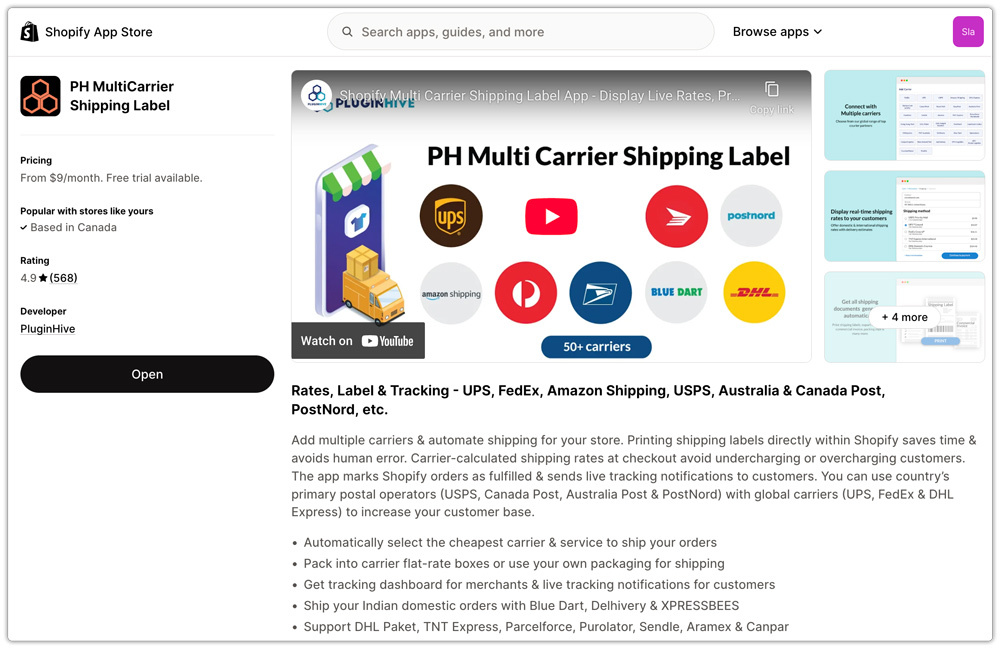
Here’s how it works for UPS shipping boxes:
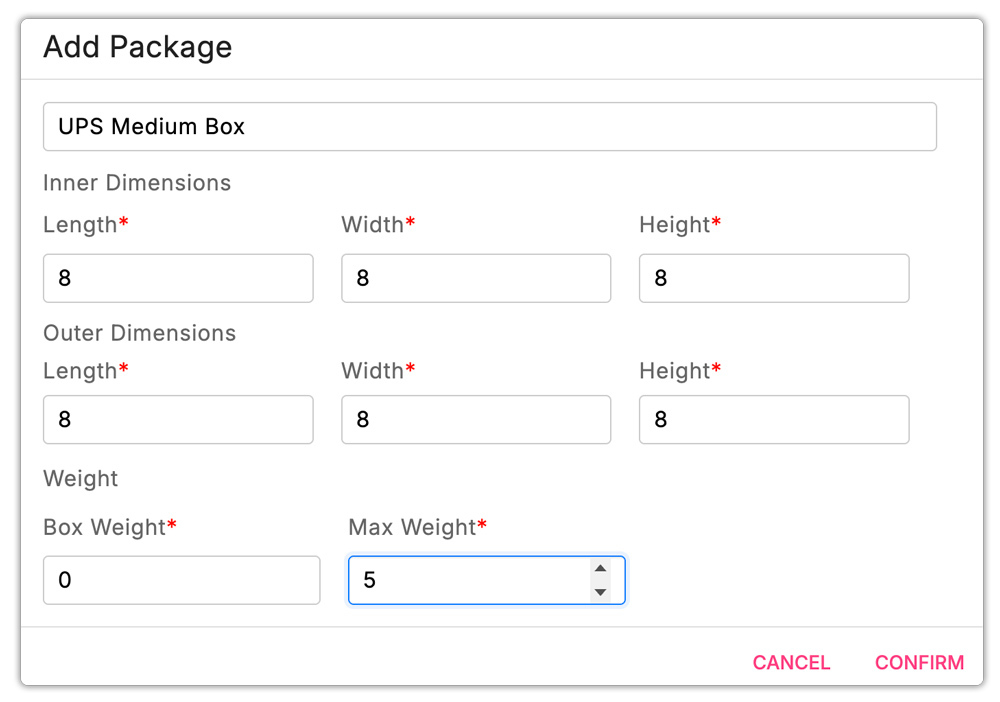
- Configure custom box dimensions: Add your own branded or plain packaging to the app by entering the length, width, height, and weight of each custom box.

- Add UPS carrier box dimensions: You can also enter the dimensions of standard UPS carrier packaging within the app. Once saved, these boxes are available for selection at label creation, ensuring that the correct size is used and that rates reflect the actual package dimensions.
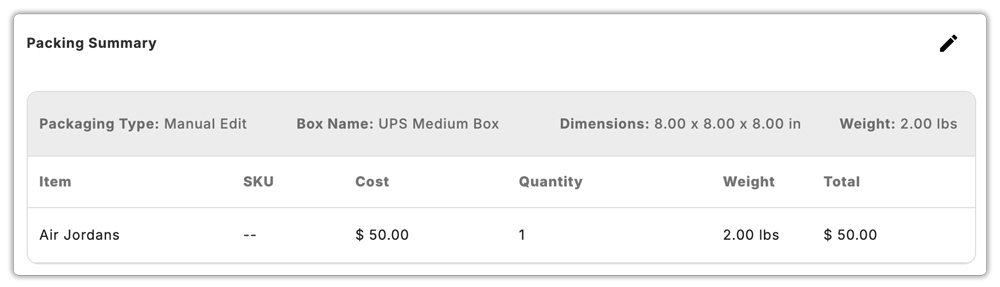
- Label generation from saved box configurations: When you generate a UPS label, the app uses the saved box dimensions to calculate dimensional weight, apply the correct rate, and produce a print-ready label, all without manual re-entry of dimensions for each order.
- Bulk label generation: For stores processing multiple orders at once, the app supports bulk label creation using pre-configured box types, which is especially useful when shipping the same product repeatedly in the same packaging.

- Live rates at checkout: Because the app pulls real-time UPS rates based on the actual package dimensions you’ve configured, the rates shown to customers at checkout reflect what you’ll actually pay at label generation, reducing rate discrepancies at the point of fulfillment.
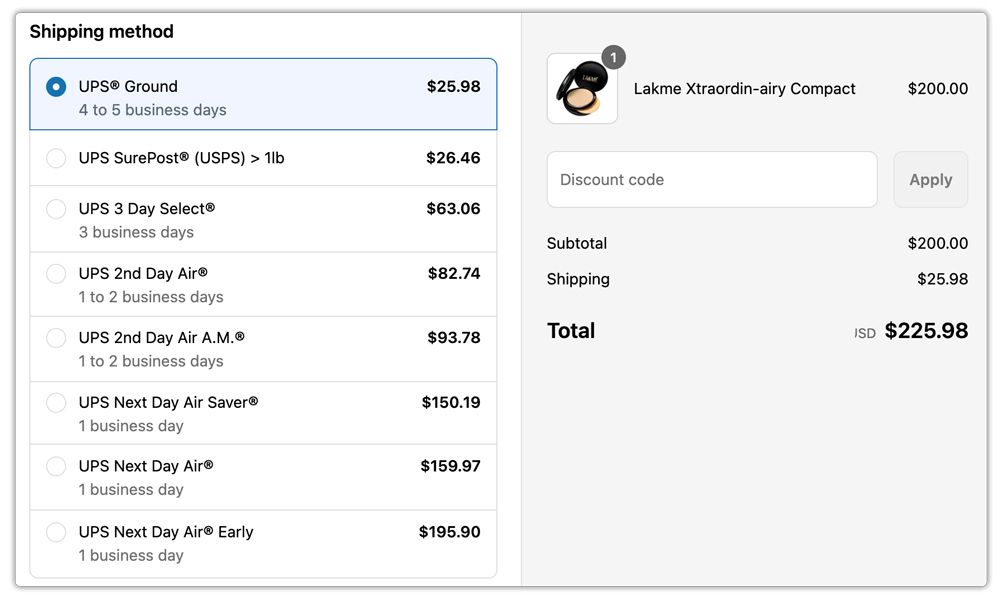
For merchants managing a catalog with multiple product sizes, the ability to save multiple custom and carrier box profiles means the right box is always applied to the right order. This connects directly to accurate dimensional weight calculations and more reliable UPS rates at Shopify checkout.
You can also explore how the app handles UPS return labels in Shopify to complete your end-to-end UPS shipping workflow.
Conclusion
The choice between UPS shipping boxes and custom packaging comes down to your product catalog, volume, and pricing goals. UPS Simple Rate carrier boxes offer predictable flat pricing for standard-sized products, while custom boxes give you the flexibility and branding control that many growing Shopify stores need. Either way, configuring your box dimensions accurately in Shopify is what ensures that rates at checkout match what UPS charges at fulfillment. The PH Multi-Carrier Shipping Label App makes this straightforward by letting you save and apply both custom and UPS carrier box profiles directly within your Shopify workflow.
FAQ
Q. Can I use my own boxes with UPS Simple Rate?
Yes. UPS Simple Rate does not require special carrier packaging. You can use any box or mailer up to one cubic foot in size (1,728 cubic inches) as long as the total weight does not exceed 50 pounds. The rate is determined by the size tier your package falls into, not by whether it’s a UPS-branded box.
Q. What is UPS’s dimensional weight, and how does it affect my Shopify shipping costs?
Dimensional weight is calculated by multiplying a package’s length, width, and height and dividing by a divisor (139 for Daily Rates, 166 for Retail Rates). If the dimensional weight is greater than the actual weight, UPS charges based on the dimensional weight. Using right-sized packaging, whether UPS carrier boxes or custom boxes, keeps dimensional weight as low as possible and avoids overpaying.
Q. What qualifies as a UPS irregular parcel?
A UPS irregular parcel is one that is not a standard, fully-encased corrugated cardboard box, or one that exceeds 48 inches in length or 70 pounds in weight. These shipments typically incur an additional handling surcharge. Using proper corrugated boxes within UPS size limits avoids this classification.
