


Managing an online store on Shopify involves dealing with customer orders, and it’s common for customers to request changes after placing an order. These changes can include modifying the shipping address or adjusting product quantities. These updates can happen frequently, and as a merchant, you need a reliable solution to handle them efficiently. Thankfully, the PH Multi-Carrier Shipping Label app is here to simplify the Shopify shipping process and make updating orders a breeze.
Updating Unprocessed Shopify Order
Before an order is processed and a shipping label is created, updating the order is straightforward with the PH Multi-Carrier Shipping Label app. When a customer requests changes, you can update the order in Shopify, and the app shows a refresh button to pull the updated data for label generation.
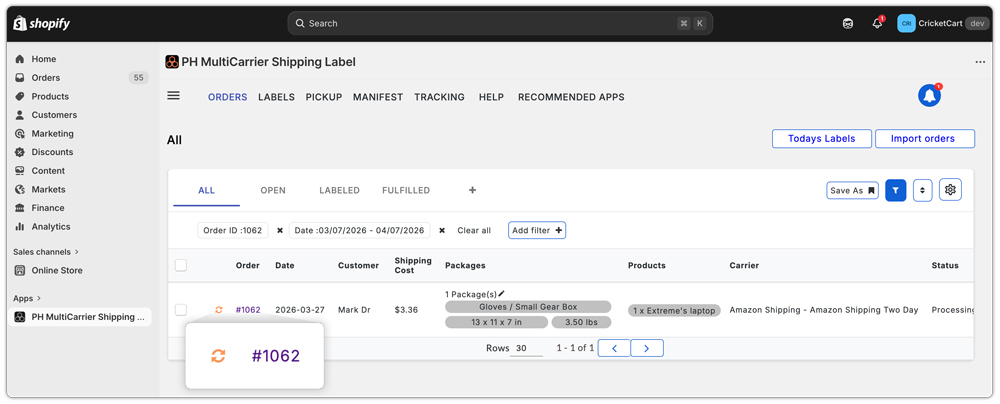
After that, the app promptly displays a clear message for the merchant, showing all the modifications made to the order. This user-friendly message allows the merchant to review the changes and make necessary updates to the order. The best part is that there are no manual adjustments required, ensuring that the correct items are shipped to the right address without any hassle.
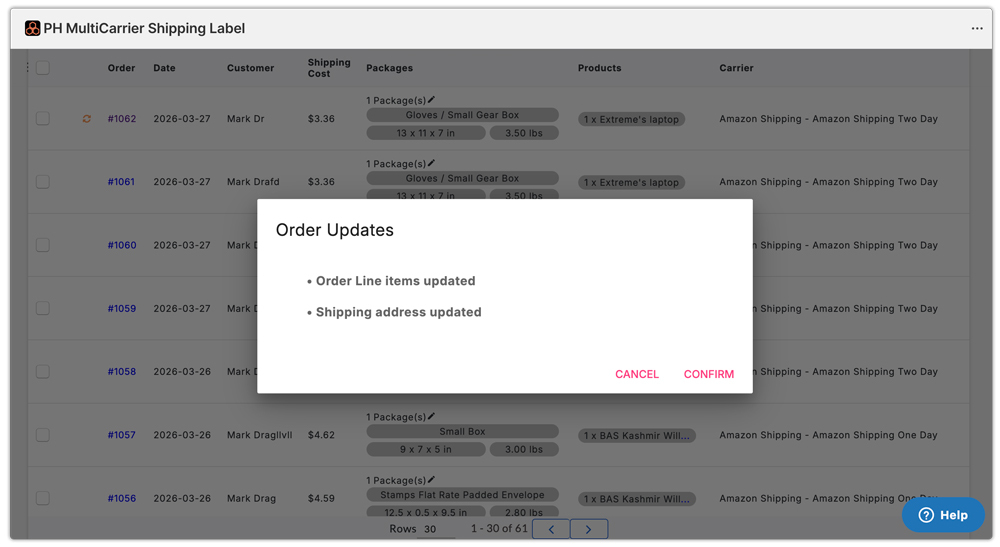
With the app, you can bid farewell to the old, time-consuming way of handling order updates and welcome a streamlined process that enhances your customers’ experience.
Managing Updates for Processed Shopify Orders
Sometimes, an order may already have a shipping label generated when a customer requests updates. While this could create a hiccup in the process, the PluginHive app provides an easy solution.
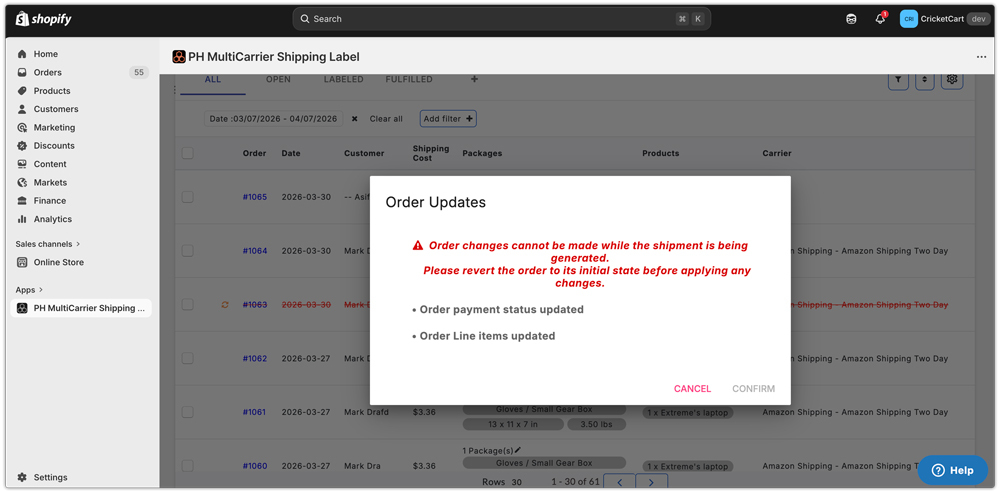
When the app encounters a processed order, it promptly displays an error message informing the merchant to cancel the shipping label before making any updates.
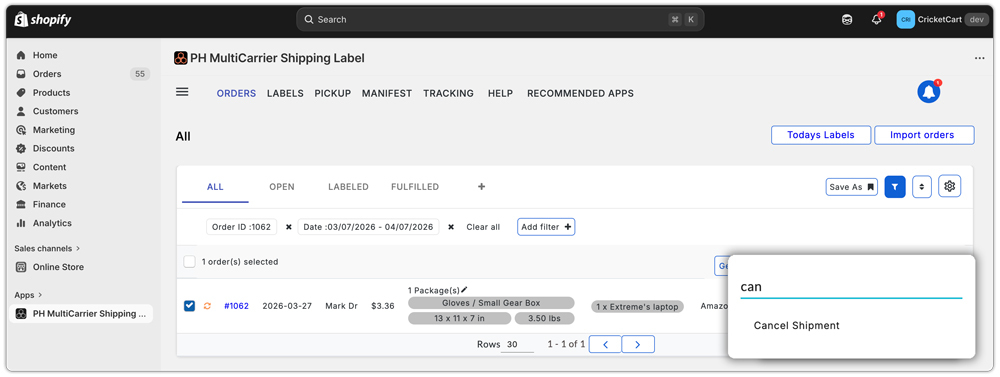
To ensure a smooth update, the merchant can simply cancel the shipping label and revert the order status back to ‘initial.’ By doing so, the app can accept order changes and process the shipments accurately based on the latest information.
With the PluginHive Multi-Carrier shipping label Shopify app, managing updates for both unprocessed and processed orders becomes effortless.
Conclusion
Effortlessly updating orders is crucial for providing excellent customer service in the world of e-commerce. The PH Multi-Carrier Shipping Label Shopify app is a game-changer in simplifying the shipping process and making order updates a breeze for Shopify merchants.
The app guides you through the necessary steps for both unprocessed and processed orders, ensuring shipment processing uses the latest information.
