


If you’ve ever noticed your FedEx shipping costs suddenly spike even though you’re shipping the same products to the same destinations, incorrect FedEx box dimensions could be the silent culprit. For Shopify merchants, getting box measurements wrong isn’t just a minor inconvenience. It can lead to unexpected surcharges, billing discrepancies, and margin erosion that compounds with every order you fulfill.
This guide breaks down exactly how FedEx box dimensions factor into your rates, what happens when those dimensions are wrong, and how to get them right so you stop leaving money on the table.
In This Article:
- How FedEx Actually Calculates Shipping Rates
- Why Incorrect FedEx Box Dimensions are a Problem
- The Rounding Rule Change Makes Accuracy Even More Critical
- How To Get Your FedEx Box Dimensions Right
- How to Audit and Fix Your FedEx Box Dimensions in Shopify
- Conclusion
- FAQ’s
How FedEx Actually Calculates Shipping Rates
Before diving into the impact of incorrect FedEx box dimensions, it’s worth understanding the mechanics behind FedEx’s rate calculation. FedEx doesn’t just charge by weight; it charges based on whichever is greater: the actual weight of your package or its dimensional (DIM) weight.
The formula is straightforward:
DIM Weight = (Length × Width × Height in inches) ÷ 139
You multiply the length by width by height in inches, rounding each measurement to the nearest whole inch. The resulting total is the cubic size of your package, which is then divided by 139 for U.S., Puerto Rico, and international shipments.
This means a large, lightweight box, say, one filled with pillows or t-shirts, can end up costing significantly more to ship than a compact, heavier one.
Why Incorrect FedEx Box Dimensions are a Problem:
1. You Get Charged for the Air You’re Shipping
- The most straightforward consequence of entering oversized FedEx box dimensions in your Shopify store is paying for space your products don’t actually need.
- If the box is bigger than what is required, you will end up paying much more to send it. So, find a box that’s perfect, improves the use of packaging materials, and reduces the overall shipping costs.
- For example, you can easily fit a T-shirt into a padded envelope by neatly folding it, instead of packing it into a box.
2. Incorrect Dimensions Trigger Surcharges You Could Avoid
- FedEx applies a range of surcharges that are directly tied to package size. One of the most common traps Shopify merchants fall into is unknowingly crossing a dimensional threshold.
- While calculating the shipping cost for a package, if the dimensions of the package are more than 48 inches, FedEx charges a dimensional surcharge on top of all other shipping costs.
3. Customers Are Shown Wrong Rates at Checkout
- When FedEx box dimensions are incorrect in your Shopify product settings, the rates your customers see at checkout won’t match what FedEx actually charges you once you ship.
- The rates mismatch could happen due to incorrect or missing configurations in the Ship From Address, Ship To Address, Weight, Dimensions, Package Type, Special Services, FedEx Services & Rates.
4. FedEx Can and Does Re-Measure Your Packages
- Even if you’re confident in your own FedEx box dimensions, FedEx reserves the right to verify them independently. FedEx reserves the right to re-weigh and measure each package to verify the actual weight and dimensional weight provided by the sender.
- If the dimensional weight exceeds the actual weight, the package will be rated based on dimensional weight and subject to additional charges.
The Rounding Rule Change Makes Accuracy Even More Critical
- The stakes around correct FedEx box dimensions have risen sharply since August 2025. FedEx implemented a significant change to how it rounds package measurements for DIM weight calculations.
- Starting August 18, 2025, FedEx implemented a major adjustment to how they measure packages: they began rounding up each fractional dimension to the next whole number.
- Consider this example: A package with dimensions of 12.2″ x 10.3″ x 6.4″ previously rounded down to 12″ x 10″ x 6″ would now round up to 13″ x 11″ x 7″. The dimensional weight jumps from 6 lbs to 8 lbs, increasing Ground shipping cost by 6.2% and Priority Overnight by 9%. Multiply that across hundreds or thousands of weekly shipments, and the numbers add up fast.
- A box measuring 9.6″ × 13.2″ × 17.1″ now rounds to 10″ × 14″ × 18″, a nearly 20% increase in volume, which could push the package into a higher DIM weight tier and even trigger oversize or additional handling fees.
For Shopify merchants who haven’t audited their product dimensions recently, this change is a hidden cost multiplier operating quietly in the background.
How To Get Your FedEx Box Dimensions Right
One of the most effective ways to avoid dimension-related shipping cost problems on Shopify is to use an integration that handles the complexity automatically. PH Ship, Rate & Track for FedEx by PluginHive is a FedEx-certified app built specifically for this purpose.
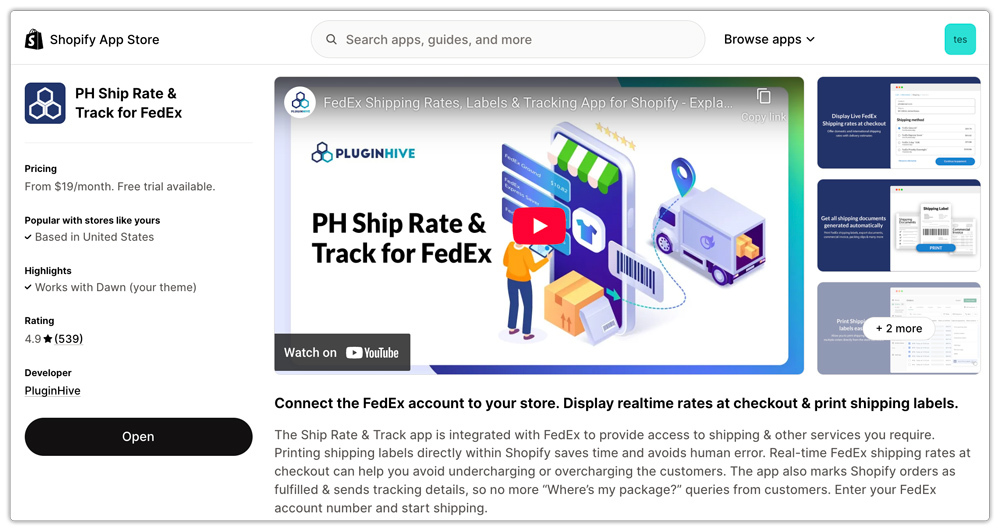
Here’s how the app directly addresses the dimension accuracy problem:
Box Packing Method with Actual Dimensions
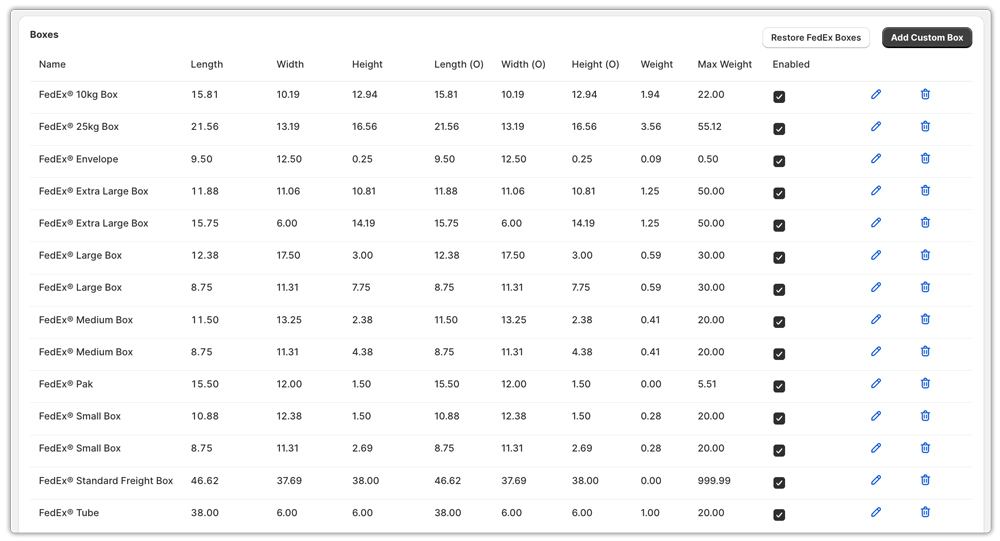
The app supports a sophisticated box packing mode that factors in real FedEx box dimensions, both standard FedEx packaging and your own custom boxes. Under Box Packing, the system automatically packs items into boxes based on their dimensions and weight.
Custom Box Support
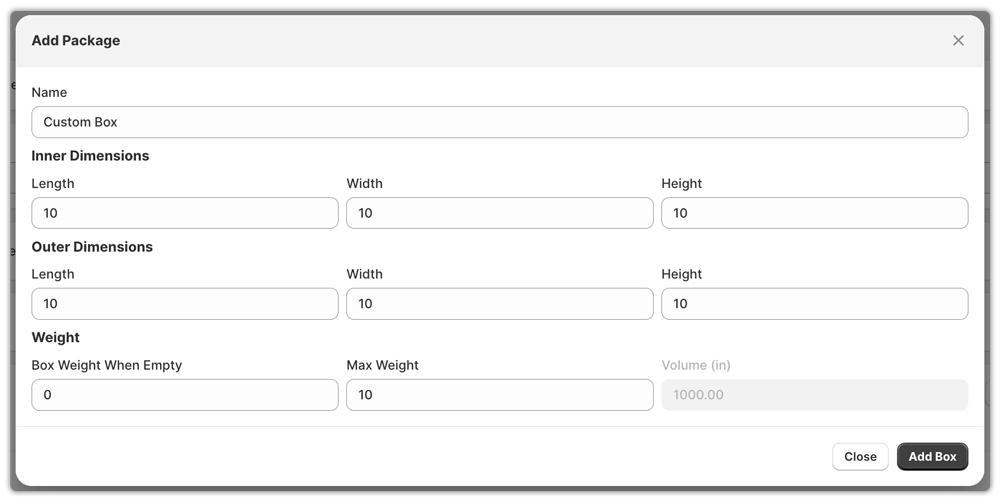
Merchants add custom boxes for convenience. If none of the available FedEx boxes meet your needs, you can choose a custom box and pack your products using it.
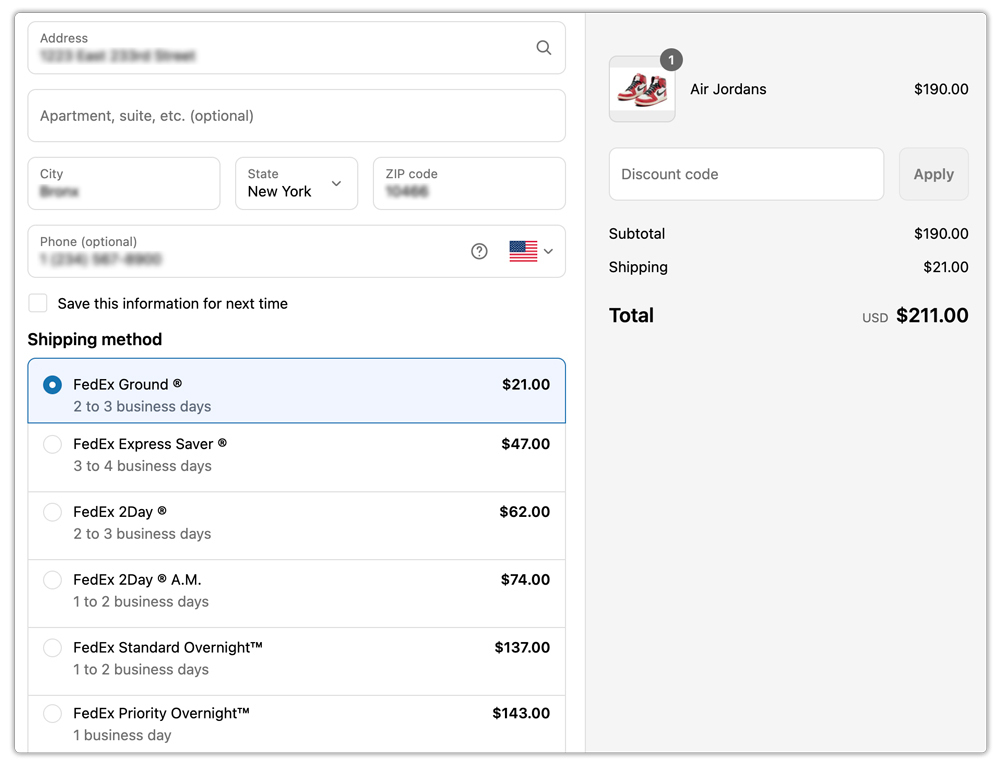
Live FedEx Rates at Checkout
The app pulls live rates directly from FedEx during checkout based on the selected box or packaging. This ensures that your customers see accurate Shopify shipping rates in real time.
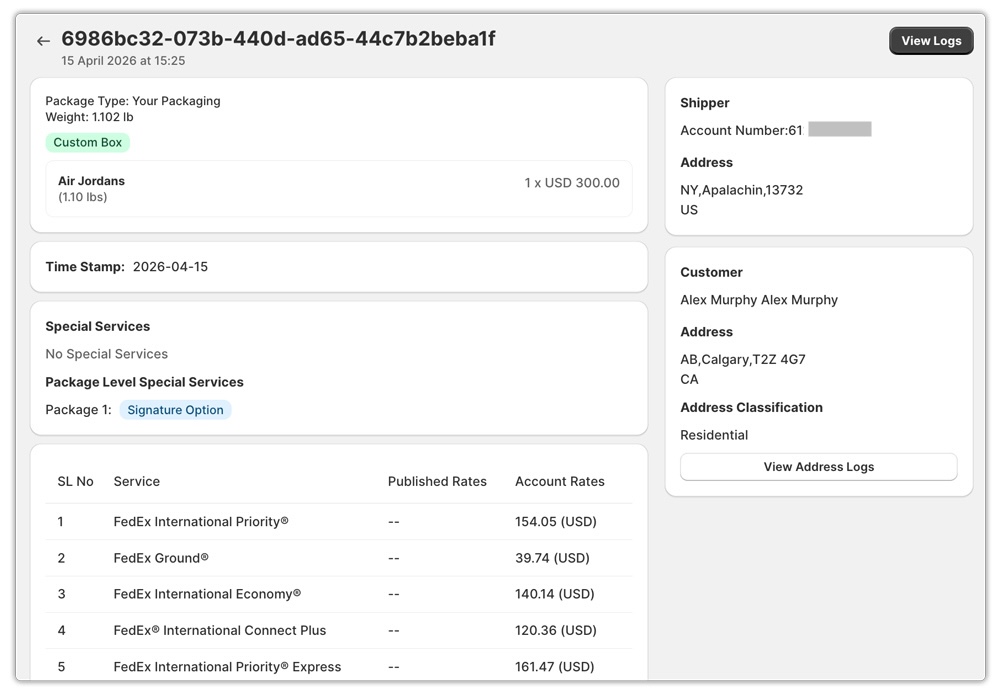
Rates Log for Troubleshooting
When something doesn’t look right, the app’s Rates Log lets you trace exactly where a discrepancy is coming from, whether it’s an address issue, a weight mismatch, or a dimension configuration problem, without guesswork.
How to Audit and Fix Your FedEx Box Dimensions in Shopify
If you suspect your dimensions are off, here’s a practical approach to cleaning them up:
Step 1: Measure your actual shipping boxes. Pull out the boxes you use most frequently and measure their length, width, and height using a tape measure.
Step 2: Update product dimensions in Shopify. Go into your product catalog and verify that each SKU has accurate length, width, and height values. These should reflect the product itself, not the shipping box.
Step 3: Configure box dimensions in your shipping app. Within PH Ship, Rate & Track for FedEx, add your real-world boxes under the Box Packing settings. Include inner dimensions, outer dimensions, box weight, and maximum capacity.
Step 4: Test with real orders. Place test orders with products of varying sizes and compare the rates shown at checkout against what FedEx’s own rate calculator returns for the same package details.
Conclusion
Incorrect FedEx box dimensions in Shopify are not a back-office technicality; they’re a direct drain on your shipping profitability. Whether the issue is undersized dimensions causing FedEx to re-bill you, oversized dimensions inflating the rates you show customers, or dimension entries that push packages into surcharge territory, the consequences are measurable and avoidable.
With FedEx’s 2025 rounding rule now in full effect, the margin for error on FedEx box dimensions has narrowed further. Every fraction of an inch matters more than it used to. The merchants who take the time to configure accurate dimensions and use tools like PH Ship, Rate & Track for FedEx to enforce that accuracy at scale are the ones who keep their shipping costs predictable and their checkout rates competitive.
FAQ’s
Q. What size is a 25 kg FedEx box?
A 25 kg FedEx Box (25 kg capacity) typically has the following dimensions: 54.8 cm × 42.1 cm × 33.5 cm. This box supports heavier shipments and is commonly used for international shipping where weight limits are higher.
Q. Does FedEx charge by box size?
Yes, FedEx calculates shipping costs based on either the dimensional weight (dim weight) or the actual weight of the package. Dimensional weight reflects a package’s density, meaning how much space the box occupies relative to its actual weight. In simple terms, larger boxes (even if lightweight) can cost more because they take up more space during shipping.
Q. Are boxes free from FedEx?
Yes, FedEx offers free packaging for customers with a FedEx account. This includes envelopes, paks, poly bags, boxes, and tubes, which are complimentary when you use FedEx shipping services.
