


Running a Shopify store today is more than just listing products online. Customers expect a seamless, fast, and flexible checkout experience. While Shopify provides built-in payment gateways like Shopify Payments, many store owners need additional features such as partial payments, installment options, or vendor split payouts. This is where Shopify payment apps come in.
These apps give you the power to customize how your customers pay, whether it’s a full payment, a deposit, or a split payment for multi-vendor marketplaces. By integrating the right payment app, you can reduce cart abandonment, enhance cash flow, and expand your global reach.
Whether you are a small business in India, a growing eCommerce store in the US, or a multi-vendor marketplace in Europe, using specialized Shopify payment solutions can make your checkout process smarter, faster, and more customer-friendly.
Read About
- Why You Should Use Shopify Payment Apps
- Recommended Shopify Payments Apps
- How to Choose the Right Shopify Payment App
- Conclusion
- FAQs
Why You Should Use Shopify Payment Apps
Using Shopify payment apps provides more than just extra payment options; it helps improve your store’s overall performance and customer experience. Here’s why:
1. Offer Flexible Payment Options
Many customers can’t pay the full amount upfront. With apps supporting “Shopify deposits” or “partial payments”, you can:
- Collect a percentage or fixed deposit at checkout
- Allow customers to pay the remaining balance later
- Offer pre-orders or installment plans for expensive products
Flexible payments make your products more accessible and increase the likelihood of completing a sale.
2. Simplify Payments for Marketplaces
If your store works with multiple vendors, “Shopify split payments” apps are essential. They allow you to:
- Automatically distribute payments to vendors
- Track earnings and commissions for each seller
- Reduce manual payout errors and save time
This ensures a smooth and professional experience for both vendors and your business.
3. Expand Shopify Business Globally
Reaching customers worldwide requires apps that support international payments. The best Shopify payment apps let you:
- Accept payments in multiple currencies
- Integrate with popular gateways like Stripe, PayPal, and Adyen
- Offer local payment options for specific countries
This opens your store to a larger audience and increases your potential revenue.
4. Enhance Customer Experience
A smooth, secure checkout builds trust and reduces cart abandonment. Payment apps help by:
- Offering multiple payment methods
- Enabling secure and fast transactions
- Sending reminders for pending Shopify deposit payments
Happy customers are more likely to complete their purchase and return for future orders.
5. Boost Sales and Cash Flow
Flexible payment solutions can directly increase revenue:
- Deposit payments encourage customers to commit even if they can’t pay in full
- Split payments make larger orders manageable, increasing order value
- Businesses benefit from steady cash flow through partial or recurring payments
By choosing the right apps, you make shopping easier for customers and streamline your store operations.
Recommended Shopify Payments Apps
1. Depo: Deposit & Partial Payment App for Shopify
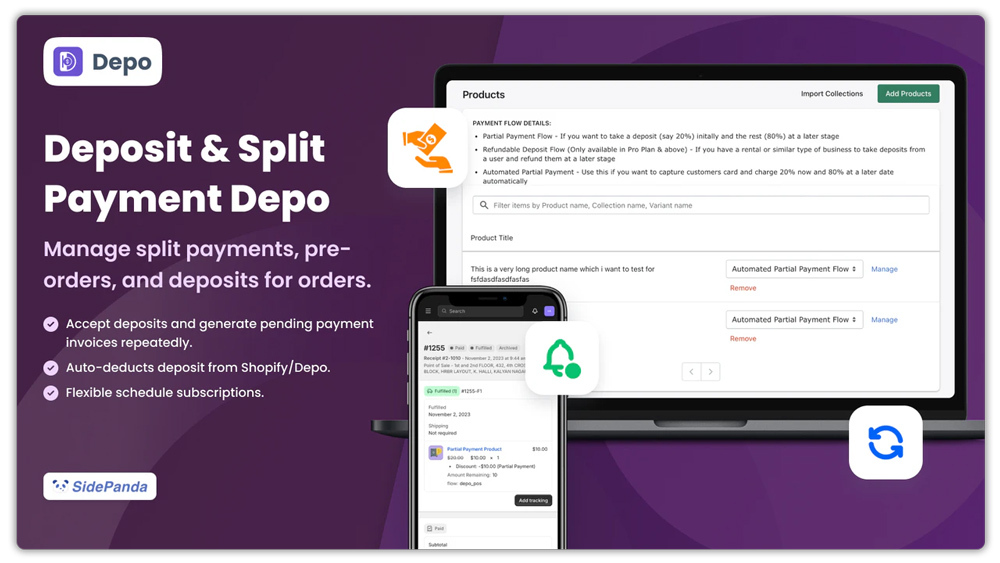
Depo is a versatile Shopify app that helps merchants manage partial payments, deposits, pre-orders, and split payments. Ideal for stores handling high-value items or cash-on-delivery (COD) orders, it lets you collect deposits, auto-charge remaining balances, and reduce returns. With support for draft orders and multi-language storefronts, Depo simplifies payment management while boosting sales and customer trust.
Key Features
- Collect deposits and partial payments on online and draft orders
- Auto-charge remaining balances or send invoices for pending payments
- Manage pre-orders, split payments, and COD orders to reduce returns
- Bulk import and manage payments directly from the dashboard
- Supports multiple languages and integrates with Shopify POS, checkout, and customer accounts
Pricing
Depo plans start at $9/month with a 14-day free trial. Higher plans offer lower processing fees, priority support, and additional features for growing stores.
Reviews & Ratings
Depo has a 4.3/5 rating from 82 reviews, with merchants praising its flexibility, easy integration, and responsive support. Users highlight its effectiveness in reducing COD returns and improving average order value (AOV).
2. Downpay: Partial Pay & Deposit App for Shopify
Downpay is a powerful Shopify app that simplifies flexible payment solutions for merchants. Designed for high-value, custom, or made-to-order products, it allows store owners to manage pre-orders and installments efficiently. With full support for Shopify themes, Flow, Hydrogen, and headless setups, Downpay helps businesses streamline operations while boosting customer confidence.

Key Features
- Let customers pay Shopify deposit payments or partial amounts upfront and complete the rest later
- Auto-charge cards, send invoices, or collect partial payments manually
- Add Shopify deposit or split payment options to product pages or landing pages
- Allow customers to view orders, update payment info, and track Shopify deposit payment balances
- Integrate with Shopify Flow, APIs, Hydrogen, and all storefront types
Pricing
Plans start at $29/month with a 7-day free trial. Higher tiers increase order limits, include API access, and provide priority support.
Reviews & Ratings
Downpay has a 4.9/5 rating from 75 reviews, with users praising its flexibility, easy integration, and excellent customer support. Many merchants note a clear impact on pre-order sales and overall conversions.
3. Discount Depot: All-in-One Discount App for Shopify
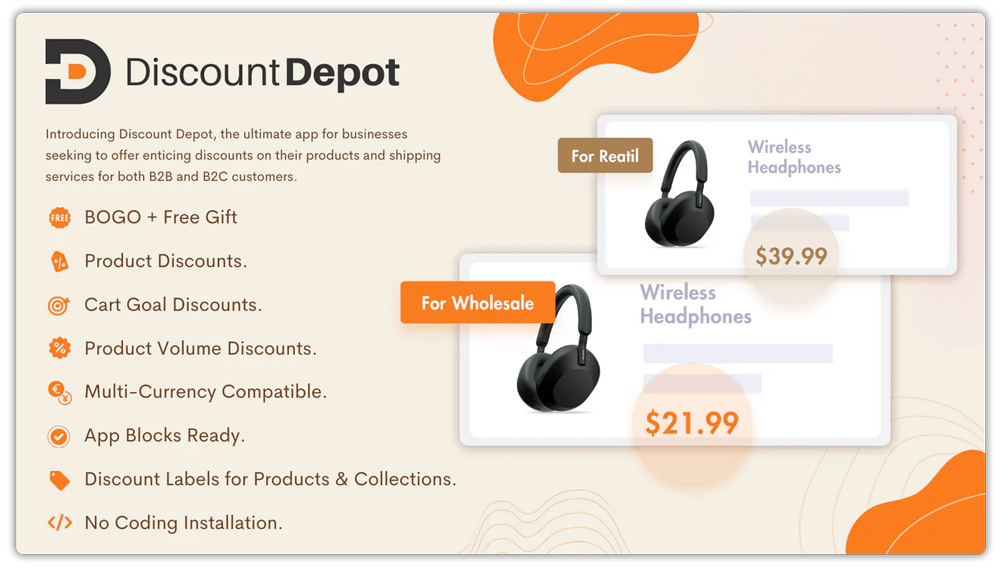
Discount Depot is a fully native Shopify app that helps merchants create product, shipping, volume, BOGO, free gift, and wholesale discounts effortlessly. Designed to boost revenue and improve customer engagement, it allows store owners to manage complex discount strategies without any coding. With support for multi-currency, custom labels, and Shopify App Blocks, Discount Depot works seamlessly across all themes and checkout setups.
Key Features
- Create product, BOGO, volume, shipping, and gift discounts
- Support for tiered pricing and wholesale discounts
- App Blocks for live editing and customizing discount displays
- Multi-currency discounts and custom discount labels
- Control over country exclusions, round discounts, and preventing double discounts
Pricing
Discount Depot offers a free forever plan for development stores and test accounts. Paid plans start at $7.99/month with all features included and a 7-day free trial.
Reviews & Ratings
Discount Depot has a 4.9/5 rating from 42 reviews, with users praising its ease of use, flexibility, and responsive customer support. Merchants highlight its effectiveness in displaying automatic discounts and supporting both B2C and B2B setups.
How to Choose the Right Shopify Payment App
Selecting the right payment app is key to improving checkout and boosting sales. Here’s what to consider:
- Business Type
- Single-vendor stores: Focus on apps with partial payments or deposits.
- Multi-vendor marketplaces: Look for split payment support to automate vendor payouts.
- Service-based businesses: Apps with recurring payments or pre-pay options work best.
- Payment Needs: Determine if you need deposit payments, installments, pre-orders, or split payments. Choose an app that fits your store’s specific checkout requirements.
- Integration: Ensure the app works seamlessly with Shopify checkout, POS, and accounting tools. Support for draft orders, APIs, or Shopify Flow can save time and reduce errors.
- Global Reach: For international sales, select apps with multi-currency support and compatible gateways like Stripe, PayPal, or Adyen to boost conversions worldwide.
- Fees & Reliability: Check transaction fees, subscription costs, app ratings, and support quality. A reliable app reduces issues and keeps your store running smoothly.
Conclusion
Using the right Shopify payment apps makes checkout easier, faster, and more flexible for your customers. Whether you need deposit payments, partial payments, or split payments, these apps help boost sales, improve cash flow, and expand your store globally.
Investing in the best payment solutions ensures a smooth shopping experience, increases conversions, and helps your Shopify store grow efficiently.
FAQs
1. What is the best payment gateway for Shopify in India?
For Shopify stores in India, Razorpay and PayU are popular options due to their local payment support (UPI, NetBanking, wallets) and easy Shopify integration. PayPal and Stripe (in supported regions) can also be used for international transactions.
2. What is the best payment provider for Shopify?
The best provider depends on your business needs. Shopify Payments (powered by Stripe) is the easiest for most stores as it integrates directly with checkout. For flexibility, providers like PayPal, Stripe, and Razorpay are widely trusted.
3. Can I accept split payments on Shopify?
Yes. Shopify itself doesn’t natively support split payments, but third-party apps like Depo or Downpay make it easy to offer Shopify split payments and deposits. This is especially useful for high-ticket products or pre-orders.
4. Does Shopify allow deposits or partial payments?
Yes, with third-party apps. Tools like Depo and Shopify deposit payment apps let you collect a portion upfront and charge the balance later—ideal for pre-orders, COD orders, or expensive items.
5. Which Shopify payment apps support multi-currency?
Apps that work with Shopify Payments, Stripe, and PayPal generally support multi-currency. This allows international customers to pay in their local currency, boosting trust and conversions.
