


Shipping is one of the most visible parts of the customer experience, and for Shopify merchants using Australia Post, it’s also one of the most complex if there are issues with your Australia Post Delivery. When things go wrong, the impact travels fast. Customers don’t distinguish between your store and your carrier. A parcel delivered to the wrong suburb, a tracking number that never updates, or a checkout showing no shipping rates at all all of these become your problem, even when the root cause sits entirely outside your warehouse.
Australia Post delivery issues are a reality for merchants of all sizes. The good news is that most of them are predictable, diagnosable, and preventable with the right setup. This guide walks through the most common problems Australian Shopify merchants face with Australia Post, explains why they happen, and provides clear fixes for each.
In This Article:
- Why Australia Post Delivery Issues Happen in Shopify
- Australia Post Shipping Rates Not Appearing at Shopify Checkout
- Australia Post Rate Mismatches Between Shopify Checkout and Actual Postage
- Australia Post Parcels Delivered the Shopify Order to the Wrong Address
- Australia Post Delivery Tracking Issue
- How the PluginHive Australia Post Ship App Helps Resolve These Issues
- Conclusion
- FAQ’s
Why Australia Post Delivery Issues Happen in Shopify
- Before jumping into specific problems, it helps to understand the landscape. The top complaints about Australia Post relate to lost letters and parcels and delivery problems such as the failure to attempt delivery and incorrect safe drop procedures, accounting for 31% and 27% of complaints respectively.
- On the merchant side, many Australia Post delivery issues that appear to be carrier problems actually stem from configuration errors within the Shopify store itself — missing product weights, unvalidated addresses, incorrect API credentials, or packaging settings that don’t match what’s physically being shipped. Separating carrier-side issues from store-side issues is the first step toward fixing them.
Australia Post Shipping Rates Not Appearing at Shopify Checkout
One of the most frustrating Australia Post delivery issues merchants encounter is customers reaching checkout and seeing no shipping options at all.
Why does it happen:
If you’re not seeing live shipping rates at checkout, a few things could be causing it:
- Ensure you properly connect your Australia Post account.
- Or your Shopify plan may not support third-party carrier-calculated rates if you are using them.
- There’s also an address-specific cause that catches many merchants off guard. Australia Post rates can only be provided if the suburb and postal code entered at checkout are valid and match.
How to fix it:
Start by verifying the following in order:
- Go to Shopify → Settings → Shipping and Delivery and confirm the rates are assigned to the correct shipping zones.
- Confirm your Australia Post account (MyPost Business, eParcel, or StarTrack) is properly connected with valid API credentials.
- Check whether your Shopify plan supports carrier-calculated shipping if you are using it.
Australia Post Rate Mismatches Between Shopify Checkout and Actual Postage
Customers are charged one amount at checkout, but you end up paying a different amount when you generate the label. This is among the more financially damaging Australia Post delivery issues.
Why does it happen:
The mismatch usually comes down to product data.
- If product weights or dimensions entered in Shopify don’t match what’s actually being shipped, the rate calculation at checkout is based on incorrect inputs.
- Australian Shopify merchants are reporting growing fulfilment pressure from shipping apps, particularly due to misquoted checkout rates.
- Packaging is another major factor. Australia Post pricing is sensitive to parcel dimensions, not just weight, so oversized boxes increase costs quickly.
How to fix it:
- Audit your product weights and dimensions in Shopify. Every SKU should have accurate weight, length, width, and height values.
- Make sure your packaging settings reflect the actual boxes and satchels you use. If you ship in a 3kg satchel, that should be configured as a packaging option, not a generic “custom box.”
Australia Post Parcels Delivered the Shopify Order to the Wrong Address
This is one of the most reported Australia Post delivery issues in Australia, and it can result in customer disputes, refund requests, and reputation damage, often for something that happened entirely outside your control. Misdeliveries sometimes occur when carriers mark parcels as delivered to a different suburb entirely or safely drop them at a neighbouring property.
Why does it happen:
- On the carrier side, misdeliveries can result from driver error or safe-drop decisions made in the field. On the merchant side, they often trace back to inaccurate or incomplete address data, either from the customer at checkout or from how address information is being passed.
- Australia Post requires that street address details be provided in a single line via their API. As a result, both address line 1 and address line 2 are merged into one line on the label. This format is mandated by Australia Post, but it can still be confusing.
How to fix it:
- Enable address validation in your shipping setup to catch suburb/postcode mismatches before you generate a label.
- Where possible, add clear delivery instructions at checkout — options like “leave at front door” or “do not safe drop without authority.”
- If a misdelivery does occur, contact Australia Post promptly with the tracking number.
Australia Post Delivery Tracking Issue
Customers reaching out asking, “Where’s my order?” is a direct consequence of tracking that isn’t working properly.
Why does it happen:
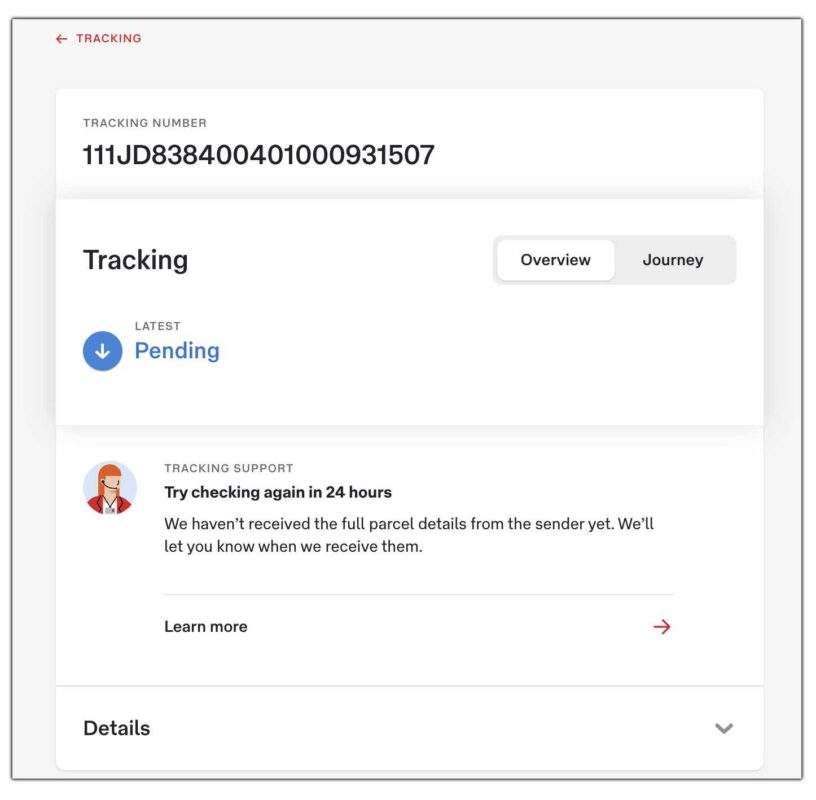
- A status of “Pending” means Australia Post hasn’t scanned your item into its system yet. This usually happens because you haven’t lodged the parcel yet.
- On the store configuration side, tracking fails to appear or update when you don’t generate labels correctly or fail to sync tracking numbers.
How to fix it:
- Always verify that the system successfully generated the shipping label, not just initiated it before you mark the order as fulfilled. The tracking number should appear on the label and sync to the order.
- Ensure you correctly configure your Australia Post account type. MyPost Business and contract accounts (eParcel, StarTrack) handle tracking differently, and using credentials from one account type with settings configured for another can cause gaps.
How the PluginHive Australia Post Ship App Helps Resolve These Issues
While the problems above span across carrier behaviour, address validation, and store configuration, a properly integrated shipping app addresses the majority of them at the source. PluginHive Australia Post Ship is built specifically to connect Shopify stores with Australia Post.
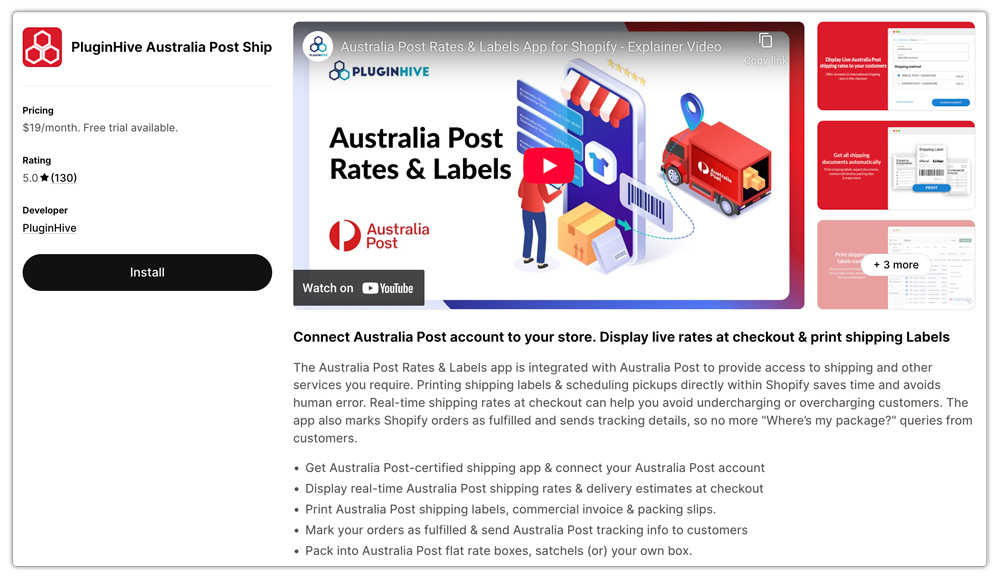
Here is how it helps:
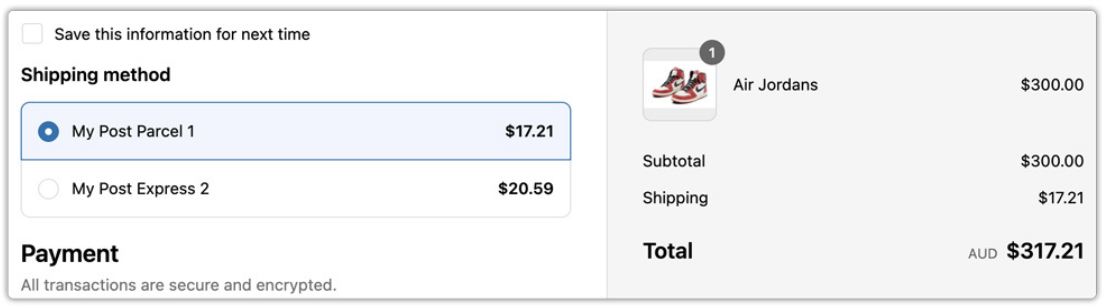
Accurate rates at checkout: The app fetches live rates directly from Australia Post’s API based on actual product weight, dimensions, and destination.
Automated tracking sync: Once you generate the label after placing the order, the app displays a tracking option on the right-hand side of the order, allowing you to view real-time shipment progress without leaving Shopify.
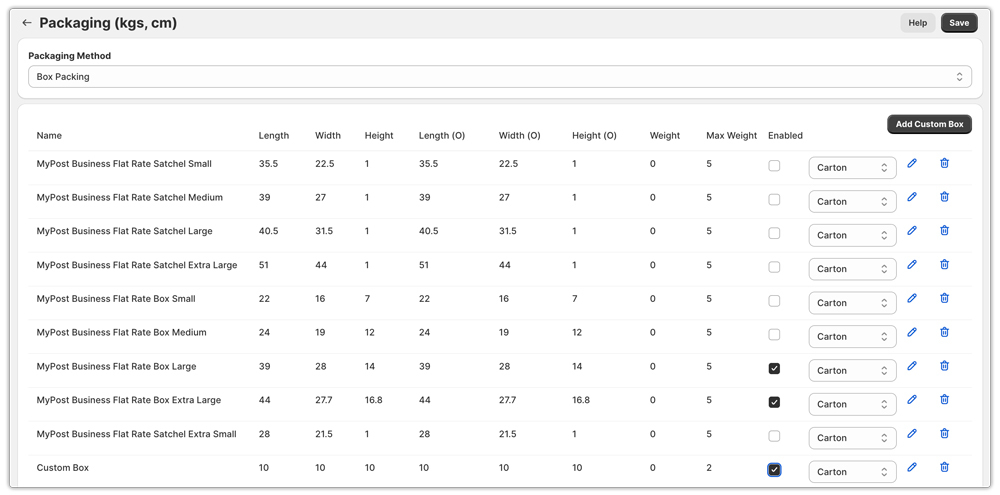
Smart packaging and packing method support: The app supports box packing and satchel packing modes, allowing you to configure your exact packaging options.
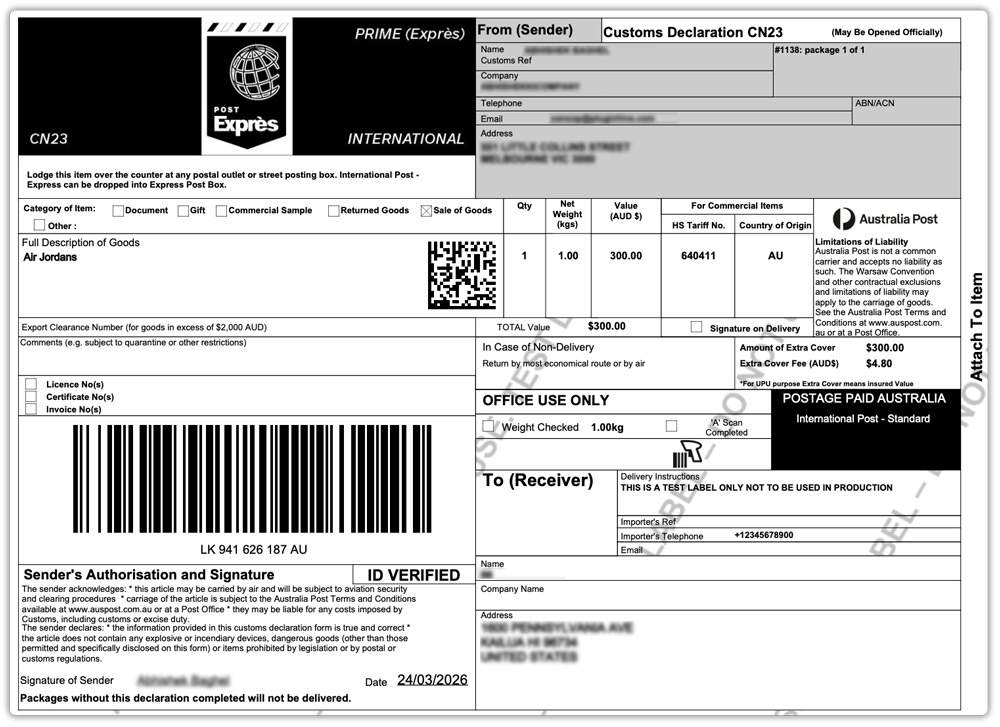
International customs documentation: For merchants shipping internationally, the app handles HS codes, commercial invoices, CN 22 and CN 23 labels, and country of manufacture fields — all within Shopify.
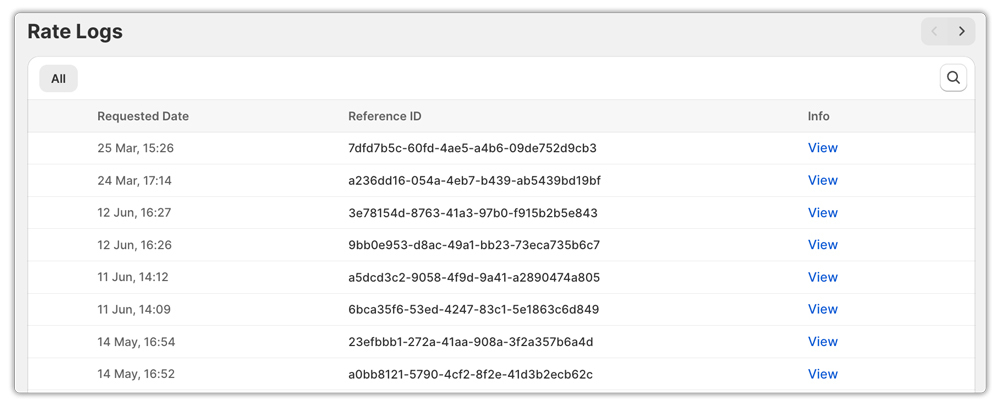
Rates Log for diagnostics: When something does go wrong, the app’s Rates Log lets you trace the exact cause of a rate failure.
Conclusion
Australia Post delivery issues range from carrier-side misdeliveries to configuration problems within your own Shopify setup. Understanding which category a problem falls into determines the correct fix. Carrier issues require prompt lodgement of enquiries and clear escalation paths. Store configuration issues require accurate product data, proper API setup, and the right packaging settings.
The merchants who experience the fewest disruptions aren’t necessarily those with the simplest catalogues or the most straightforward shipping zones they’re the ones who have taken the time to configure their setup correctly, audit it regularly, and use tools like PluginHive Australia Post Ship App that handle the complexity of Australia Post’s API automatically. That combination of good setup and reliable automation is what turns shipping from a recurring headache into a quiet background process that just works.
FAQ’s
Q. Why are Australia Post shipping rates not showing at Shopify checkout?
This usually happens due to incorrect shipping zone setup, missing API credentials, or using a Shopify plan that doesn’t support carrier-calculated rates. It can also occur if the customer enters an invalid suburb and postcode combination.
Q. Why do Australia Post shipping rates at checkout differ from the actual postage cost?
Incorrect product weights or dimensions in Shopify typically cause rate mismatches. Packaging also plays a big role; if your configured packaging doesn’t match the actual parcel, Australia Post may charge more when generating the label.
Q. How can I fix missing Australia Post shipping rates in my store?
Ensure you properly connect your Australia Post account, correctly configure your shipping zones, and assign accurate weight and dimension data to all products. Also, verify that your Shopify plan supports live carrier rates if you’re using them.
