



As your Shopify store grows, shipping often becomes more complex than a single FedEx setup can handle. Many merchants use multiple FedEx accounts when they ship from different warehouse locations, separate domestic and international orders, or manage billing across departments. For example, one warehouse may use one account while another location uses a different one, helping keep shipping costs organized and easier to track.
Some businesses also maintain an extra account as a backup if one account faces billing restrictions or temporary shipping issues.
The main challenge is that Shopify’s default shipping system does not natively support multiple carrier accounts with automatic switching. This means merchants often need a more advanced setup to decide which FedEx account should be used for each order.
In This Article:
- Can Shopify Connect Multiple FedEx Accounts Natively?
- Why Businesses Use Multiple FedEx Accounts in One Shopify Store
- Method to Connect Multiple FedEx Accounts to Shopify
- Managing Multiple Shopify Warehouse Fulfillment with Multiple FedEx Accounts
- Benefits of Multi-Account FedEx Setup for Growing Shopify Stores
- Common FedEx Account Problems and Fixes in Shopify
- Conclusion
- FAQ’s
Can Shopify Connect Multiple FedEx Accounts Natively?
By default, Shopify does not offer native support for connecting multiple FedEx account credentials under one shipping configuration. In most standard setups, merchants can link only one carrier account directly for live rates, label generation, and tracking.
This limitation becomes noticeable when a store needs different shipping accounts for separate warehouses, regions, or billing purposes. Shopify’s built-in carrier settings are designed for a single connection, so there is no way to switch between accounts based on conditions.
That is why merchants usually turn to shipping apps when they need more control. These apps connect multiple FedEx accounts and automatically apply shipping rules for each order.
Why Businesses Use Multiple FedEx Accounts in One Shopify Store
As shipping operations become more complex, many merchants prefer more than one FedEx account.
- Separate shipping origins
Businesses with multiple warehouses often assign a different shipping account to each location. This helps ensure labels, billing, and pickups are tied to the correct warehouse. - Region-based fulfillment
Orders can be shipped from the nearest fulfillment center, reducing transit time and improving delivery speed for customers. - Different pricing contracts
Some accounts may have better negotiated rates for certain shipment types, product categories, or delivery zones. - Volume-based discounts
Merchants sometimes maintain separate accounts because shipping discounts vary depending on order volume or service usage. - Business unit separation
Stores managing multiple brands or departments may use separate accounts to keep shipping expenses organized.
Method to Connect Multiple FedEx Accounts to Shopify
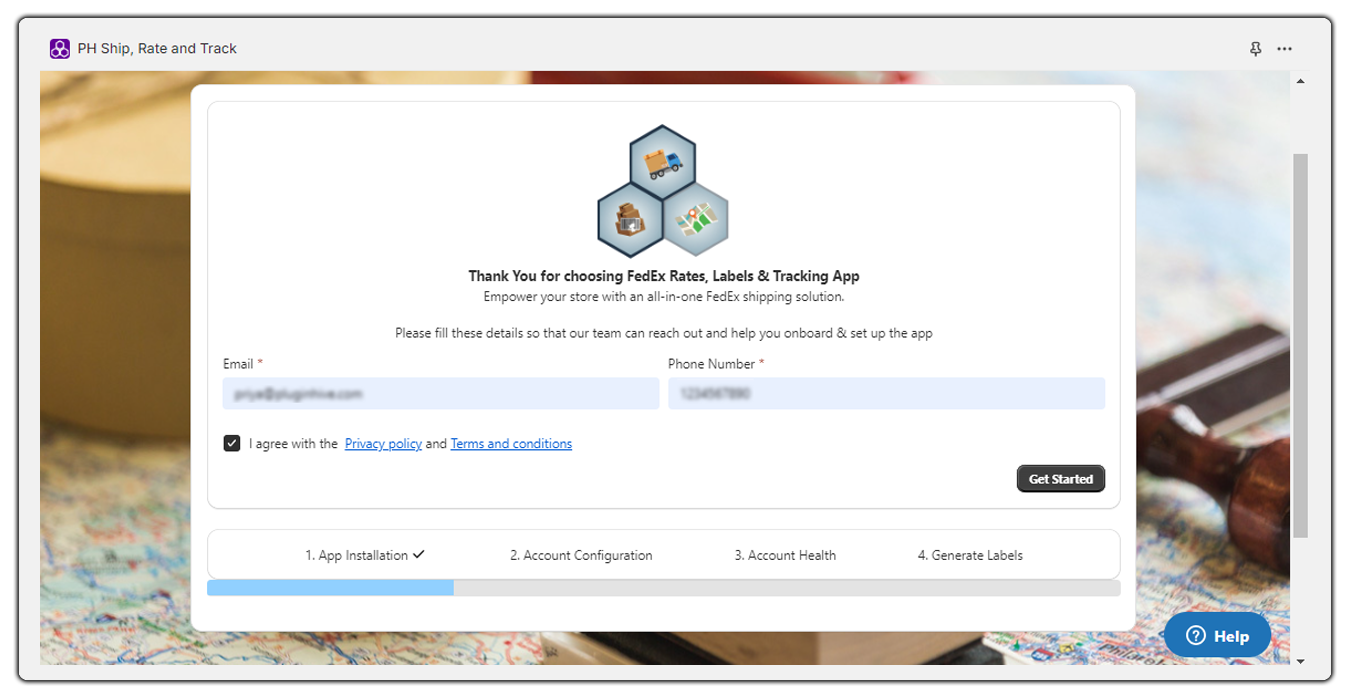
One practical way to connect multiple FedEx account setups to Shopify is by using PH Ship, Rate, and Track for FedEx. This type of integration gives merchants more control than Shopify’s default carrier setup and allows multiple accounts to work inside one store.
- Sign up and connect your first account
After installing the app, you can add your primary FedEx account using your carrier credentials directly inside the app settings.

- Add multiple accounts in the same app
Once the first account is connected, the app gives you the option to add additional FedEx accounts under the same Shopify store.

- Assign countries to specific accounts
You can configure rules so that certain countries are handled by a specific account. For example, one account can be used only for domestic shipments while another handles selected international destinations.

- Full shipping support in one workflow
The app supports live shipping rates, label generation, and tracking updates directly inside Shopify. It also supports the newer FedEx REST API.

Managing Multiple Shopify Warehouse Fulfillment with Multiple FedEx Accounts
For stores shipping from more than one location, using multiple FedEx account setups becomes especially useful because each warehouse can follow its own shipping workflow.
- Link warehouse origin addresses
Each fulfillment location can be configured with its own warehouse address so shipments are created using the correct origin details. - Match the account by fulfillment location
Assign a specific shipping account to each warehouse so the system generates labels and billing from the correct location. - Use inventory-based shipping logic
When you fulfill an order from a particular inventory location, the system automatically selects the matching account. - Keep billing organized across warehouses
This helps businesses separate shipping costs by location and makes operational tracking easier. - Improve regional fulfillment speed
Orders can ship from the nearest warehouse, reducing delivery time and improving customer experience.
Benefits of Multi-Account FedEx Setup for Growing Shopify Stores
As order volume increases, having more than one FedEx account can make shipping much easier to manage and far more flexible for daily operations.
- Better rate control
Different accounts may have different negotiated shipping rates, so businesses can choose the account that gives the best pricing for certain destinations or package types. - More operational flexibility
If merchants tie one account to a specific warehouse, department, or shipping flow, they can organize fulfillment without forcing everything through a single account. - Improved regional fulfillment efficiency
Use the account linked to the nearest warehouse to ship orders and improve delivery performance. - Lower operational risk
If one account faces billing issues, service restrictions, or temporary interruptions, another account can continue handling shipments so fulfillment does not stop.
For growing stores, this setup often becomes less about convenience and more about keeping shipping reliable as the business scales.
Common FedEx Account Problems and Fixes in Shopify
When you connect multiple shipping accounts, small configuration issues can sometimes affect shipping workflows. You can usually fix most problems once you identify the source.
- Authentication errors
This usually happens when account credentials, API details, or account permissions are incorrect. Rechecking the account number, authentication details, and API access usually resolves the issue. - Wrong account selected
If orders are using the wrong account, review the shipping rules. Country rules, or service conditions may need adjustment. - Rates not showing at checkout
This happens when the selected service does not support the destination, package details are incomplete, or required account settings are missing. - Pickup conflicts
When multiple accounts are used across warehouses, pickup requests may overlap if origin addresses are not clearly separated. Assigning the correct pickup address to each shipping account usually prevents this issue.
In most cases, careful rule setup inside the shipping app keeps daily fulfillment running smoothly.
Conclusion
As shipping grows more complex, businesses often need more flexibility than Shopify’s default setup can offer.
Using a shipping solution that supports multiple FedEx accounts helps keep fulfillment organized across warehouses, regions, and billing needs. It also makes shipping more reliable by reducing manual work and allowing orders to move through the most suitable setup for each shipment.
FAQ’s
Q. Can Shopify connect more than one FedEx account by default?
No. Shopify’s native carrier setup supports only one direct carrier connection at a time, so multiple accounts require an app.
Q. Can different warehouses use different shipping accounts?
Yes. Through PH Ship Rate and Track for FedEx, the warehouse can be linked to its own origin address and shipping account, allowing orders to be processed from the correct fulfillment location.
Q. How can I use different accounts for different countries?
With PH Ship, Rate and Track for FedEx account-based rules, you can assign destination countries to specific accounts so shipments use the correct setup automatically.
