


Running a Shopify store is great right up until returns start piling in. That’s where things can get difficult fast. Customers expect an easy return experience, and if your workflow isn’t tight, you end up having unnecessary costs. A streamlined return setup isn’t just nice to have anymore. It’s how you keep customers happy and protect your margins.
FedEx return labels take a lot of the pain out of reverse shipping. Instead of manually coordinating every return, you can generate ready-to-use labels, send them to customers instantly, and track the package all the way back to your warehouse. It makes the whole process feel controlled and predictable instead of chaotic.
In this article, we’ll break down how FedEx return labels work, how to set them up inside Shopify.
In This Article
- Why FedEx Is Ideal for Shopify Returns
- How FedEx Return Labels Work
- Setting Up FedEx Return Labels in Shopify
- Best Practices for Smooth FedEx Returns
- Conclusion
- FAQ’s
Why FedEx Is Ideal for Shopify Returns
Every brand has different needs, and FedEx makes it easy to match your workflow.
You can choose to:
- Send Printable return labels that customers can stick on right away through emails using an app like PH Ship Rate and Track for FedEx.
This flexibility gives you the kind of polished return experience customers expect from big retail brands.
Cost advantages and extra perks for merchants
Returns cost money, but FedEx gives Shopify merchants some smart ways to keep expenses under control.
A few standout perks:
- Negotiated rates for brands shipping higher volumes
- Better visibility reduces customer support workload
- Predictable transit times that help you process refunds faster
All of this adds up to a smoother, more affordable returns workflow that your team and your customers will both appreciate.
How FedEx Return Labels Work
FedEx return labels are basically your shortcut to a cleaner, less chaotic return process. Instead of emailing back and forth with customers or manually creating labels every time someone wants to send something back, you generate a label once, and FedEx takes it from there. The customer gets what they need, and you stay organized.
How charges are applied
FedEx keeps the billing side pretty painless.
Two main ways it works:
- Pay on use. You only get charged if the customer actually ships the package. This is the go-to for most Shopify stores because it avoids paying for returns that never happen.
- Pre-billed. You get charged as soon as you create the label. Some brands use this for warranty or service repairs, but it’s not super common for everyday eCommerce.
Most Shopify merchants stick with pay-on-use because it keeps return costs predictable and avoids waste.
Supported package types and service levels
You can use return labels with pretty much all the major FedEx services, depending on how fast you want the product back.
Typical options include:
- FedEx Express Saver
- FedEx 2Day
- FedEx Standard Overnight
- International FedEx services for cross-border returns
Whether you’re sending back a hoodie, a phone accessory, or something a bit more delicate, you’re covered.
Setting Up FedEx Return Labels in Shopify
Getting FedEx return labels running in Shopify is way simpler than most people expect. You just need the right tool, a connected FedEx account, and a workflow that lets you generate a return label the moment you need it.
- Using PH FedEx Ship, Rate & Track. Once it’s installed, the app handles everything: rates, labels, tracking, and yes, return labels too. It also keeps everything tied neatly to your Shopify orders, so you’re not jumping between multiple dashboards.
Note: To learn how to set up the app in detail, check out Setting up Shopify Ship, Rate, and Track for FedEx.
- Adding your FedEx account to the app: As soon as the app is installed, you just need to add your FedEx carrier details like (account number, meter number, credentials.
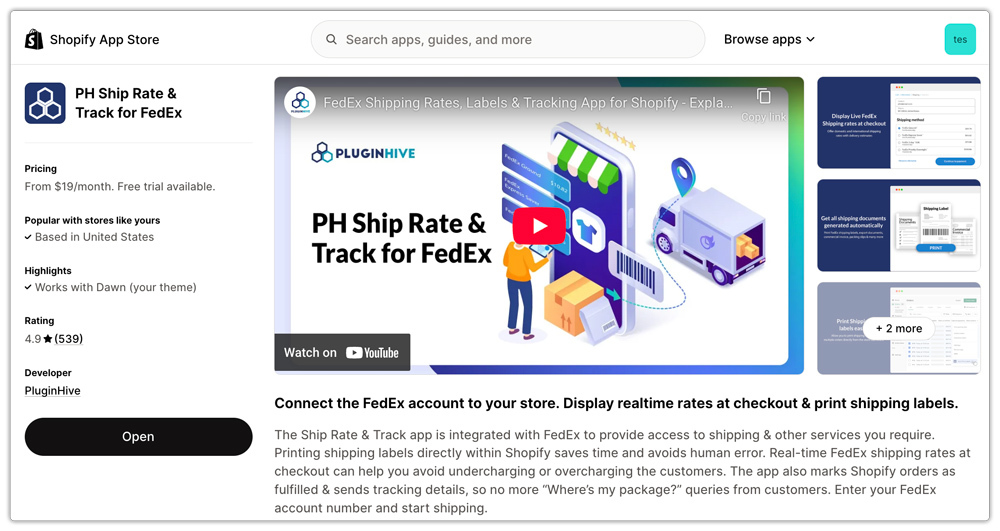
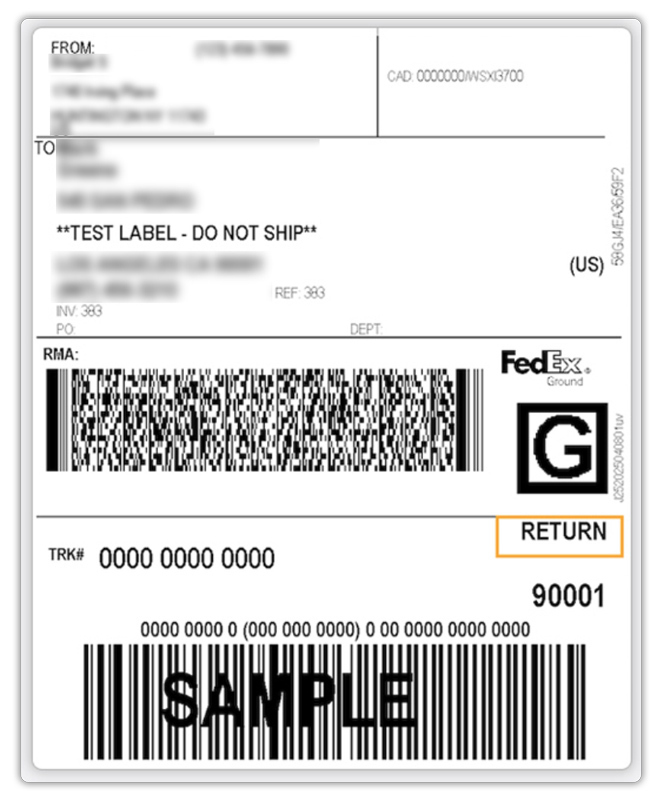
- Creating the return label after an order is fulfilled: After the order is fulfilled, things get even easier. You just open the fulfilled order in the app, and you’ll see a Return Label button. Click it once, choose the service if needed, and the app instantly generates the FedEx return label.

Additional Features:
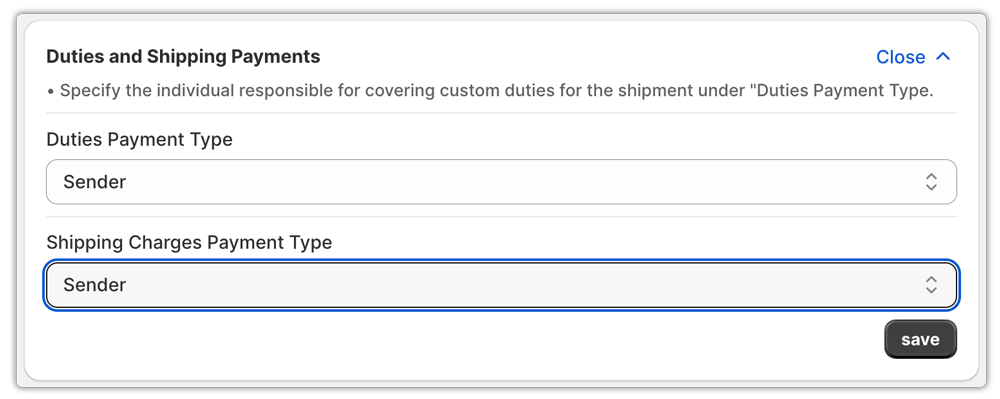
One handy bonus inside the PluginHive FedEx Ship, Rate & Track app is the ability to control who pays for what. If you deal with international returns or product categories that trigger duties and taxes, you can set the duties and shipment payor directly in the app.
You get options like:
- Sender pays (you cover the return shipping and any duties)
- Customer pays (the returner takes on those costs)
This flexibility is great because not every return policy is the same. Some brands absorb the cost for a smoother customer experience, while others pass it on for certain products or international orders.
Best Practices for Smooth FedEx Returns
- Set clear return rules: Make your return window and conditions easy to understand. When customers know the rules upfront, you avoid confusion and support headaches.
- Share simple packaging tips: Tell customers to use sturdy packaging and add padding, especially for fragile items. A quick note goes a long way in preventing damaged returns.
- Stick to pay-on-use labels: Pay-on-use labels keep costs down because you only get charged when the customer actually ships the return. No more paying for labels that go unused.
- Prevent fraud and unauthorized returns: Approve returns before sending labels, require order numbers, and keep tracking connected. These small steps protect your margins without making returns harder for honest customers.
Conclusion
A smooth return process can make or break the customer experience, and FedEx return labels give Shopify merchants a simple way to stay in control. With flexible label options, predictable costs, strong tracking, and tools like the PH FedEx Ship, Rate & Track app doing the heavy lifting, you can turn returns from a headache into a streamlined, repeatable workflow.
Whether you’re handling a few returns a week or managing a busy store with constant order volume, FedEx makes it easy to keep things organized while giving customers the kind of return experience they actually appreciate. Set your rules clearly, use pay-on-use labels to save money, and your whole returns operation becomes a lot more manageable.
In the end, a clean return system builds trust, boosts repeat purchases, and frees you up to focus on growing the store.
FAQ’s
- How do you create a return label for FedEx?
You can create a FedEx return label directly through the PH FedEx Ship Rate and Track app in Shopify. After installing the app and adding your FedEx account, just open the fulfilled order and click the Return Label button. The label is generated instantly, and you can download it or send it to the customer in one click.
- Are FedEx return labels free?
FedEx return labels themselves are free to generate, but you’re charged when the customer actually ships the package. This is called pay on use, and it’s the most common setup for Shopify merchants.
- Which is cheaper, FedEx or UPS?
UPS is often cheaper for domestic ground shipments, especially for heavier packages. FedEx can be more cost-effective for express services and some international routes. The best choice depends on your package weight, speed, and the discounts you have with each carrier.
