


Once a customer hits “Place Order” on your Shopify store, their attention immediately shifts to one question: when will my order arrive? That post-purchase window is one of the most engaged moments in the entire buyer journey, yet most merchants handle it with nothing more than a default confirmation email and a carrier link. A well-built Shopify order tracking page changes that entirely. It keeps customers informed without manual effort and turns a routine delivery check into a professional brand experience.
This guide covers everything you need to know about setting up automatic order tracking on Shopify, what it is, how it works, what to look for, and how to make it run without constant manual input.
In This Article:
- What Is a Shopify Order Tracking Page?
- How Order Tracking Works on Shopify by Default
- What the Default Shopify Tracking Page Is Missing
- How to Set Up Automatic Order Tracking on Shopify
- What to Look for in a Shopify Tracking App
- How PluginHive Shipment Tracking & Notify Helps
- Conclusion
- FAQ’s
What Is a Shopify Order Tracking Page?
A Shopify order tracking page is a page on your store where customers can enter their order details to view the status of their order.
Unlike a generic carrier tracking page, a proper order tracking page lives within your own store domain. It reflects your branding, shows carrier-synced shipping updates, and keeps the customer experience consistent from checkout to delivery.
When paired with automated notifications, it becomes a fully self-service tracking system: customers can check their order at any time without contacting your support team, and they receive proactive updates without having to look anything up themselves.
How Order Tracking Works on Shopify by Default
Shopify provides a built-in order status page that customers can access after completing checkout. This page displays their order summary and fulfillment status, and it continues to update as the order progresses.
- When you fulfill an order in Shopify and add a tracking number, Shopify generates a tracking link and sends an automated shipping confirmation email to the customer. This email includes the tracking number and a link that allows customers to track their shipment.
- Customers can use this tracking link to check their shipment status either on the order status page or on the carrier’s tracking page, depending on the carrier and how tracking information is supported.
- Shopify may also send additional shipping updates, such as in-transit or delivery notifications, depending on the carrier and notification settings. Customers can also receive real-time tracking updates through the Shop app.
- This setup is functional and provides essential tracking capabilities. However, the full tracking experience may still rely on the carrier’s tracking page, and advanced features such as fully branded tracking pages or enhanced customer engagement are not available.
What the Default Shopify Tracking Page Is Missing
The default setup leaves several gaps that matter to both merchants and customers:
- Limited ongoing notifications. Shopify sends a shipping confirmation email when you mark an order as fulfilled, and may send additional updates depending on the carrier and settings. However, it does not consistently provide proactive, detailed shipment updates (such as all in-transit milestones, exceptions, or delivery events) across all carriers.
- Limited on-store tracking experience. Customers can view tracking information on the order status page, but detailed tracking is often handled through the carrier’s tracking page. This means customers may leave your store environment to view the full shipment progress.
- No centralized live shipment dashboard. Shopify allows merchants to view fulfillment and tracking information within each order, but it does not provide a dedicated native dashboard that aggregates and displays real-time shipment status across all orders in one place.
- No automated exception visibility. Shopify does not automatically surface shipment exceptions such as failed delivery attempts, customs delays, or address issues in a centralized or proactive way.
These limitations can become more noticeable as order volume grows, potentially increasing customer support workload.
How to Set Up Automatic Order Tracking on Shopify
There are two main approaches to enabling automatic order tracking on Shopify:
Option 1: Use Shopify’s Native Features
Shopify allows you to add tracking numbers to fulfilled orders, which triggers a shipping confirmation email with a tracking link. Customers can then track their orders through the order status page, email notifications, or the Shop app.
- You can also customize parts of the order status page and notifications to match your brand using Shopify settings and theme customization options.
- However, Shopify’s native tracking depends on carrier support and provides limited automation beyond standard notifications.
- It does not offer a fully branded, standalone tracking page experience, advanced multi-carrier tracking management, or a centralized shipment monitoring dashboard.
This option works well for small stores with low order volumes and simple fulfillment needs, but may require additional tools as operational complexity increases.
Option 2: Install a Dedicated Shopify Tracking App
For many Shopify stores, installing a purpose-built tracking app helps extend the default tracking capabilities.
A tracking app can add features such as:
- A dedicated order tracking page hosted on your store domain
- Enhanced and automated customer notifications based on shipment updates
- Support for tracking across multiple carriers in a unified interface
- A centralized view of shipments and their statuses
- Improved visibility into delays or delivery issues
Once installed and configured, these apps can automate much of the tracking process after fulfillment, reducing manual effort and improving the customer experience.
What to Look for in a Shopify Tracking App
Not all tracking apps are built the same. When evaluating options, focus on these capabilities:
- Branded tracking page. The page should be hosted on your Shopify store, not a third-party subdomain. This keeps customers on your domain, supports SEO, and maintains your brand experience end to end.
- Real-time status updates. The app should sync with carriers in real time and reflect accurate shipment status, not just a static fulfillment note.
- Automated notifications. Look for event-driven email notifications that trigger automatically at key milestones: shipped, in transit, out for delivery, delivered, and exception.
- Multi-carrier support. If you ship with more than one carrier or serve international customers, you need an app that handles multiple carriers in one place — UPS, FedEx, USPS, DHL, regional carriers, and more.
- Shipment dashboard. A consolidated view of all active shipments with sortable status filters makes it easy for your team to catch delays proactively rather than reactively.
- Customizable notifications. Your tracking emails should match your brand’s tone, colors, and messaging.
How PluginHive Shipment Tracking & Notify Helps
Shipment Tracking & Notify by PluginHive is an app built specifically to fill the gaps in Shopify’s default tracking experience. It adds automated tracking to your store without requiring any development work.
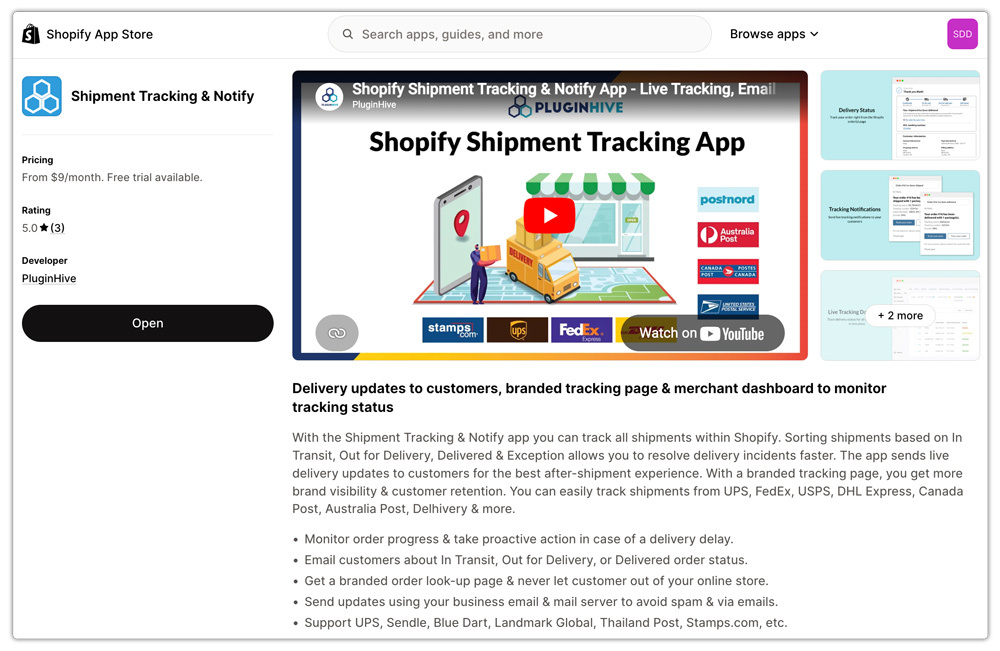
Here’s how it works in practice:
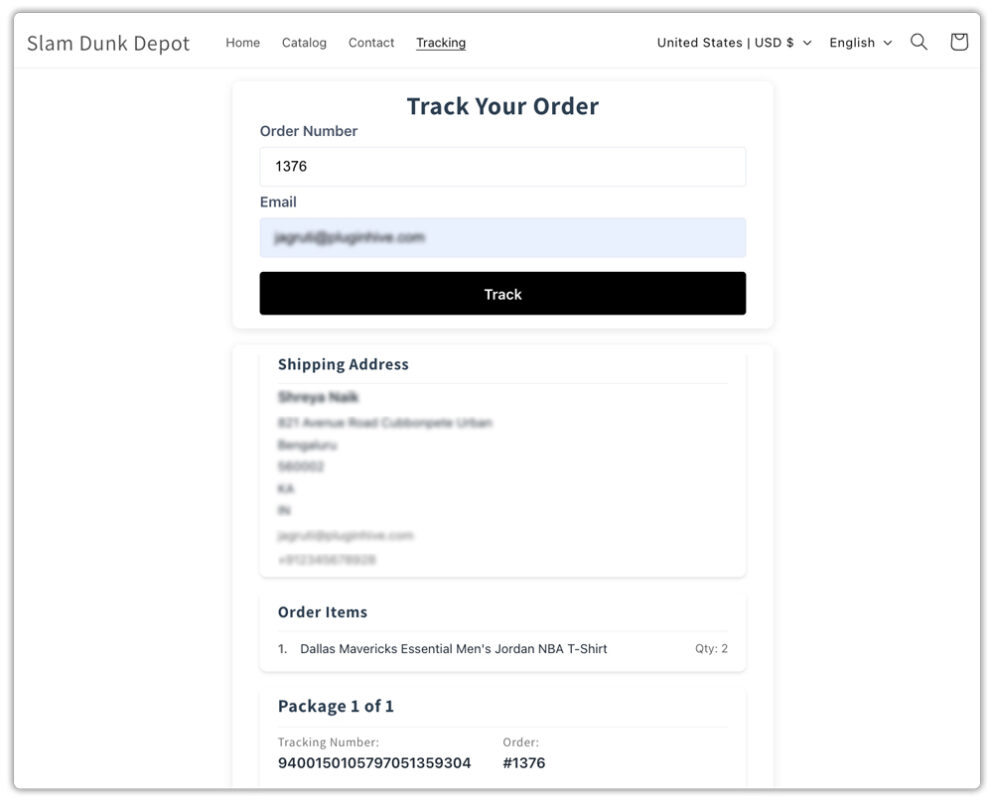
Branded Shopify Order Tracking Page. The app creates a dedicated order tracking page directly on your Shopify store. Customers visit the page, enter their order number and email, and instantly view real-time shipment status.
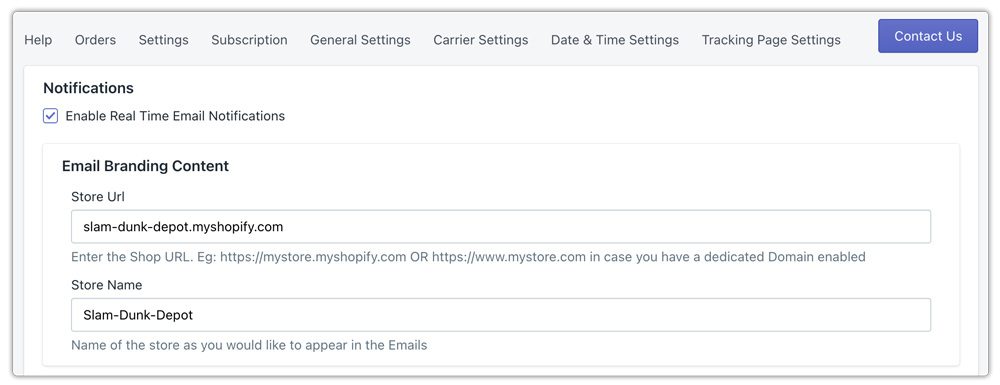
Automatic Email Notifications. Every time a shipment status changes, whether it moves to in transit, out for delivery, or delivered, the app automatically sends an email notification to the customer.
Centralized Shipment Dashboard. Store admins get a unified view of all fulfilled orders and their live tracking statuses. Shipments are organized by status: In Transit, Out for Delivery, Delivered, and Exception, so your team can identify and act on delivery issues.

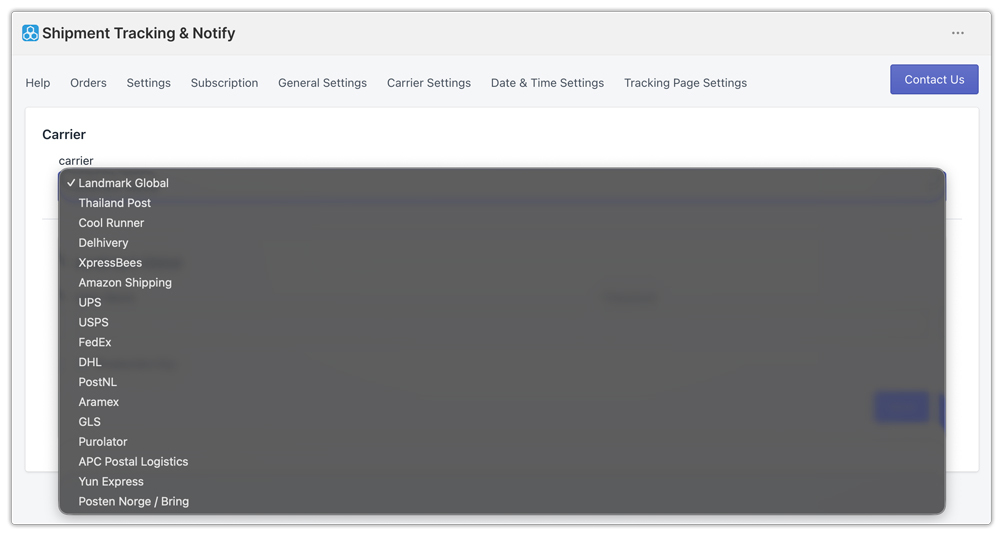
Wide Carrier Coverage. The app supports major global and regional carriers, including UPS, FedEx, USPS, DHL, and many others, making it practical for both domestic and international Shopify stores.
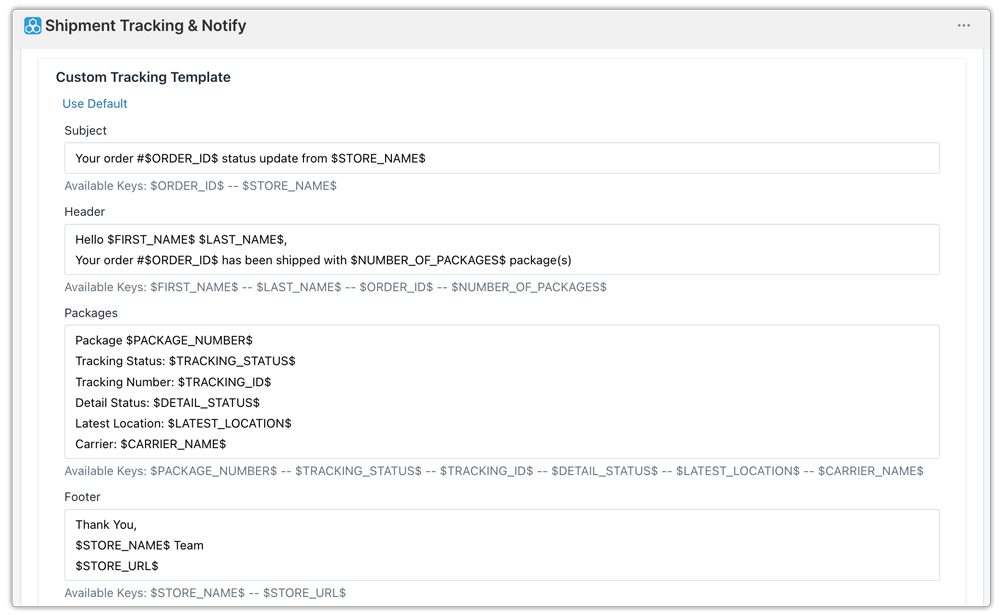
Customizable Notification Templates. Email notifications can be tailored to match your brand’s voice, colors, and style, ensuring that every tracking update feels like a natural extension of your store rather than a third-party service.
The result is a fully automated post-purchase tracking experience that runs in the background and requires no ongoing manual effort once it’s set up.
Conclusion
A well-configured Shopify order tracking page is one of the highest-leverage improvements a Shopify merchant can make to their post-purchase experience. It reduces support volume and builds customer confidence, all without requiring manual effort at scale.
Shopify’s default tracking tools cover the basics, but they leave meaningful gaps in notification coverage, branding, and merchant visibility. For stores that want tracking to work automatically and consistently, a dedicated app is the practical solution.
Shipment Tracking & Notify by PluginHive brings together branded tracking pages, automated status notifications, multi-carrier support, and a centralized shipment dashboard in one app, giving merchants the tools to handle order tracking at any volume without adding support overhead.
FAQ’s
Q. How do I add an order tracking page to my Shopify store?
You can add a basic order status page through Shopify’s native checkout settings, or install PluginHive Shipment Tracking & Notify to create a fully branded, real-time tracking page hosted on your Shopify domain.
Q. Can I track orders from multiple carriers in one place on Shopify?
Yes, with a multi-carrier tracking app. Shipment Tracking & Notify supports major carriers, including UPS, FedEx, USPS, and many regional carriers, all managed through a single dashboard.
Q. Will a branded order tracking page help reduce support tickets?
Significantly. When customers can self-serve their tracking information through a clear page on your store, “Where is my order?” inquiries drop.
