


If you have set up FedEx shipping on your Shopify store, but the FedEx shipping rate is not showing up at checkout, you are not alone. This is one of the most commonly reported issues by Shopify merchants who rely on carrier-calculated shipping. The problem can be frustrating, especially when customers abandon their carts because they see no shipping options or incorrect totals.
This guide walks you through the most common reasons why FedEx shipping rates fail to load at checkout and what you can do to fix each one.
In This Article:
- Understanding How Shopify Fetches Live Carrier Rates
- Reasons Why FedEx Shipping Rate Does Not Show In Shopify
- Your Shopify Plan Does Not Support the FedEx Shipping Rate
- Carrier-Calculated Shipping Is Not Enabled in Your Shipping Zone
- FedEx Account Credentials Are Incorrect or Expired
- Product Weight and Dimensions Are Missing or Set to Zero
- Your Store Origin Address Is Incomplete
- FedEx Shipping Rate Timeout or Connectivity Issues on FedEx’s End
- FedEx Shipping Rate Caching Issues in the Shopify Checkout
- How to Show Live FedEx Shipping Rate at Shopify Checkout
- Quick Checklist Before You Contact FedEx Support
- Conclusion
- FAQ’s
Understanding How Shopify Fetches Live Carrier Rates
Before jumping into fixes, it helps to understand how the rate-fetching process works. When a customer reaches the checkout page, Shopify sends a request to FedEx servers in real time, passing details like package weight, dimensions, origin address, and destination. FedEx then responds with the applicable rates, which Shopify displays to the customer.
If anything breaks in this chain, whether it is a:
- Missing plan feature
- An incomplete store setup
- FedEx account configuration issue
Sometimes Shopify displays a fallback rate or an error message. Other times, the shipping section appears blank, which can cause customers to leave without completing their purchase.
Reasons Why FedEx Shipping Rate Does Not Show In Shopify
Your Shopify Plan Does Not Support the FedEx Shipping Rate
- This is the single most common reason FedEx shipping rates fail to load. Carrier-calculated shipping, which is what allows Shopify to pull live rates from FedEx in real time, is only available on the Advanced and Plus plans.
- If you are on the Basic Shopify plan, you will not have access to this feature by default. You can request it from Shopify support in some regions, but it may come with an additional monthly fee. If you recently downgraded your plan, you may have lost this feature from your account.
To check: Go to Settings, then Shipping and Delivery, and look for the Carrier and App Rates option. If it is not visible or grayed out, your plan likely does not support it.
Carrier-Calculated Shipping Is Not Enabled in Your Shipping Zone
- Even if your plan supports it, you need to explicitly enable carrier-calculated shipping within each shipping zone where you want live rates to appear.
- Go to Settings, then Shipping and Delivery, then Manage next to your shipping profile. Under each zone, click Add Rate and choose Use carrier or app to calculate rates. If you only see flat rate options here, refer back to point one about your plan.
FedEx Account Credentials Are Incorrect or Expired
If you are using your own FedEx account, your store needs to connect to FedEx using valid API credentials. If your FedEx account number or API keys are entered incorrectly or if they have expired, the rate request will fail silently.
Double-check the following in your FedEx shipping app settings:
- FedEx account number
- Use the API key and password or the secret key, depending on the API version you’re using.
- Whether your FedEx account is active and in good standing
If you recently migrated from the older FedEx Web Services API to the newer FedEx REST API, your credentials will have changed, and you will need to update them.
Product Weight and Dimensions Are Missing or Set to Zero
FedEx shipping rates are calculated based on the weight and size of the package. If your products do not have weight entered in Shopify, or if the weight is set to zero, FedEx cannot return an accurate rate and may return nothing at all.
Go through your product listings and make sure every product that needs to be shipped has:
- A defined weight in either pounds, ounces, kilograms, or grams
- Dimensions, if you are using dimensional weight pricing or specific box sizes, use an app.
Even one product with a missing weight in a cart can cause the entire rate fetch to fail.
Your Store Origin Address Is Incomplete
- Shopify uses your store’s origin address as the shipment pickup location when requesting FedEx shipping rates. If this address is incomplete, has an incorrect postal code, or is missing a phone number, the API call to FedEx may fail.
- Go to Settings, then Locations, and verify that your primary location has a complete and accurate address. For FedEx specifically, the postal code and country need to be correct because FedEx uses these to determine which service types and zones apply.
FedEx Shipping Rate Timeout or Connectivity Issues on FedEx’s End
- Occasionally, FedEx shipping rates fail to load, not because of anything wrong on your end, but because FedEx’s own API servers are slow to respond or temporarily unavailable. Shopify has a short timeout window for carrier rate requests. If FedEx does not respond in time, Shopify drops the rate and displays nothing.
- This is typically a temporary issue. If it happens consistently, check the FedEx developer portal for any API outage notices.
FedEx Shipping Rate Caching Issues in the Shopify Checkout
- Shopify sometimes caches rate responses. If you have recently changed your shipping setup, you may still be seeing a cached version of a failed rate response.
- Try clearing your browser cache, using an incognito window, or testing the checkout on a different device to rule this out.
How to Show Live FedEx Shipping Rate at Shopify Checkout
If you want a more controlled and reliable way to display FedEx shipping rates at checkout, using a dedicated shipping app is the recommended approach. One such option is PH Ship, Rate and Track for FedEx, a Shopify app built specifically for FedEx shipping.
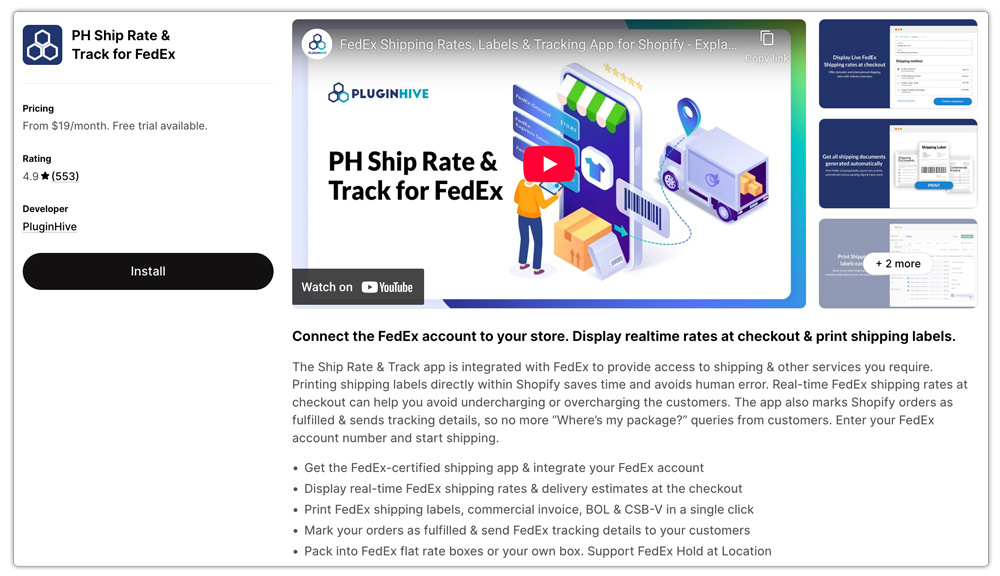
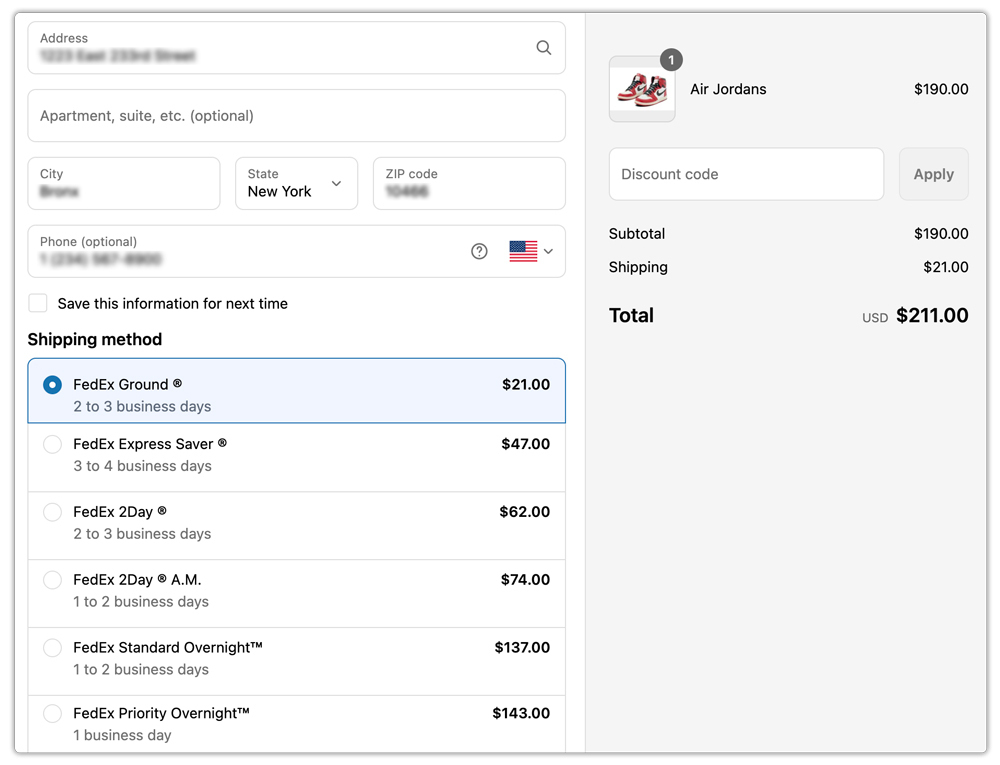
- With this app, you can connect your FedEx account and select the service types you want to offer and display them at checkout.

- Set up box packing rules, and display real-time FedEx shipping rates directly in the Shopify checkout. The app handles the API connection to FedEx on your behalf, which reduces the chance of configuration errors and gives you more flexibility over how rates are presented to customers.
- You can also configure markup rules and set up multi-box packing so that rates are calculated accurately even for large or complex orders.

This is particularly useful for merchants who sell products with varying weights, ship internationally, or need more control over their shipping rates.
Quick Checklist Before You Contact FedEx Support
If you’re still stuck after going through the above steps, review this checklist before contacting Shopify or FedEx support:
- Confirm your Shopify plan includes carrier-calculated shipping
- Verify that you’ve enabled carrier rates in your shipping zone settings.
- Check that your FedEx API credentials are valid and up to date
- Make sure all products have weight and dimensions entered
- Confirm your store origin address is complete and accurate
- Check if the issue only occurs for certain destinations or order combinations
- Test in incognito mode or on a different browser to rule out caching
- Check the FedEx developer status page for any known API issues
Conclusion
FedEx shipping rates not loading at checkout is a solvable problem in almost every case. The fix usually comes down to a plan limitation, a missing product weight, an incorrect credential, or a misconfigured shipping zone. Going through each of these systematically will get you to the root cause quickly.
If you want a more stable and feature-rich setup for displaying FedEx shipping rates at checkout, a purpose-built app like PH Ship Rate and Track for FedEx will give you more control and fewer points of failure than the native Shopify integration alone.
FAQ’s
Q. What happens if FedEx fails to deliver?
If the recipient misses the delivery, FedEx usually makes additional attempts or redirects the package to a nearby pickup location. If delivery attempts continue to fail, FedEx may hold the shipment for pickup or return it to the sender.
Q. Why are FedEx shipping rates not showing at checkout in Shopify?
This usually happens due to missing carrier-calculated shipping, incorrect FedEx credentials, incomplete product data, or shipping zone misconfiguration.
Q. Why do shipping rates sometimes disappear randomly?
This can be due to temporary API timeouts or connectivity issues on FedEx’s end.
Q. How can I fix caching-related shipping issues in Shopify?
Clear your browser cache, use incognito mode, or test on another device to ensure you are not seeing outdated results.
